70
Skydio X2D INTL - Operator Manual © 2023 Skydio, Inc. All rights reserved.
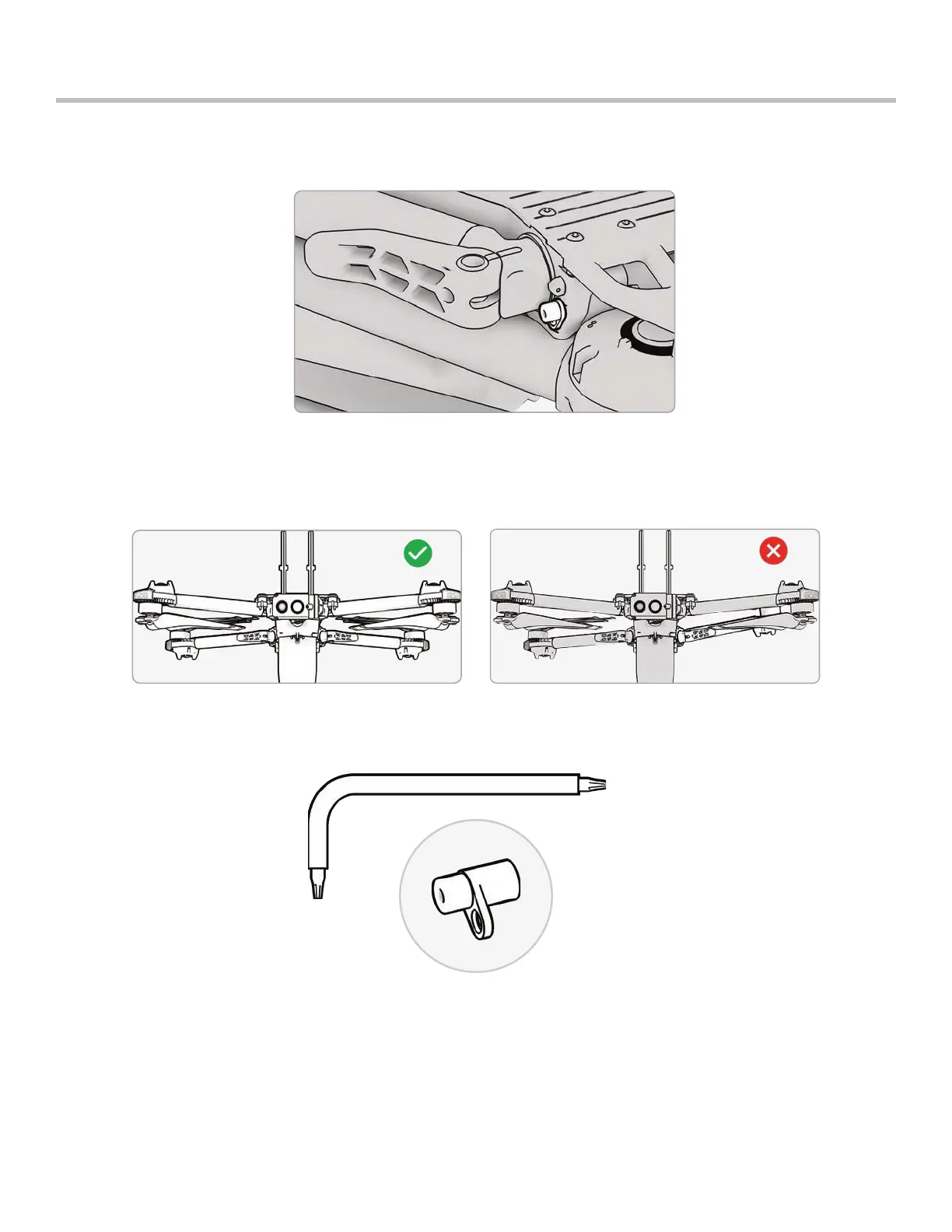
The hard stops prevent the motor arms from over-extending when deployed.
Inspect all four hard stops to ensure they are free of damage and working properly. With motor arms extended
and viewing the drone head-on, X2D motor arms should be parallel to the chassis. If an arm is angled upward or
downward when fully extended, this is an indication that there is a broken hard stop and it should be replaced.
Maintenance
Replace hard stops
To replace your hard stops, you will need the T3 driver and replacement hard stops.



 To Next Page