11
Skydio X2D INTL - Operator Manual © 2023 Skydio, Inc. All rights reserved.
Getting Started
Deploy Skydio X2D
WARNING: Propeller blades are sharp. Handle with care.
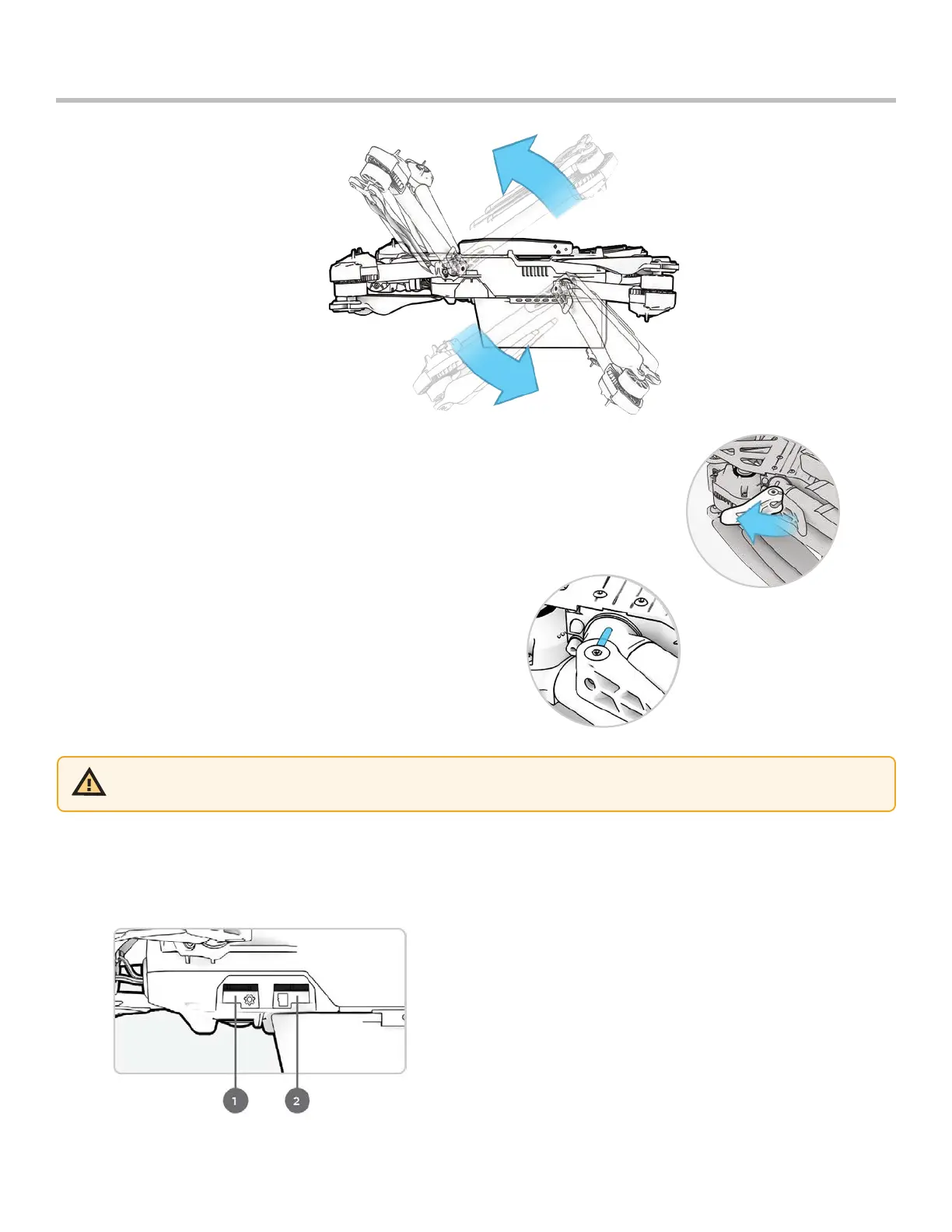
Step 4 - Verify that the log and media memory cards are installed
1. Logs card (do not remove) – records logs and supports future updates
2. Media card – stores images and video
Step 1 - Release the 4 arm clamps
Step 2 - Lift the motor arms out and away from the body
• Listen and feel for a click
• If you feel any resistance when opening the arms, push outward
(horizontally) on the arm to unseat
Step 3 - Return the 4 arm clamps to the locked position
• Ensure that the blue marks align



 To Next Page