42
Skydio X2D INTL - Operator Manual © 2023 Skydio, Inc. All rights reserved.
Flight
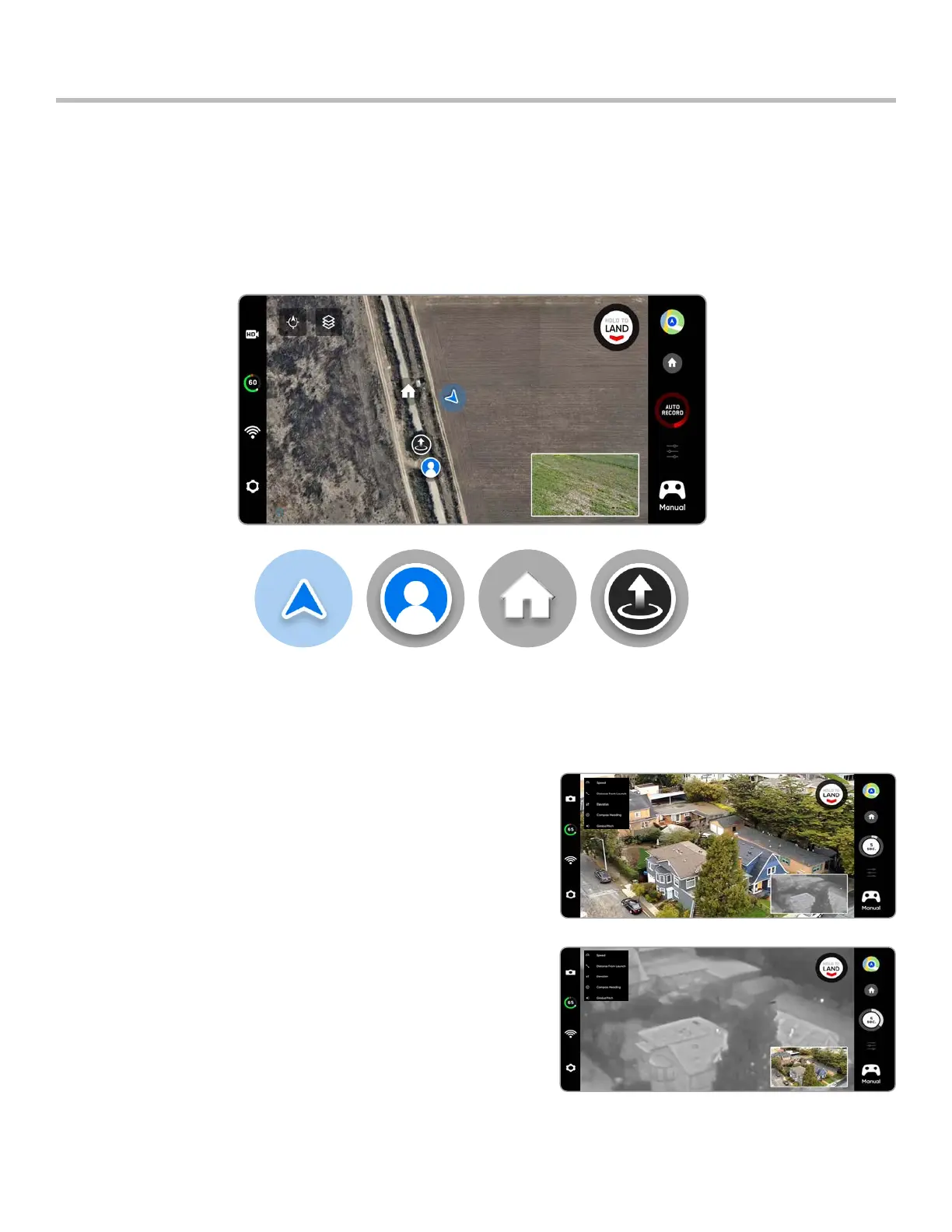
Map view
Select the map icon for map view, for the GPS location of your controller, Skydio X2D, and the launch are all
indicated on the map.
• Select the map icon to exit map view
• Long-press on the map and select Fly Here Now from the menu. Skydio X2D will warn you if the selected
destination is far away or outside the expected battery range
Skydio X2D
Controller
Home Point
Launch Point
Show Thermal (X2D Color/Thermal only) - toggles the display of the
thermal camera live feed.
• On (default) displays live feed from the color and thermal
cameras as well as a small picture-in-picture (PIP) feed from the
thermal camera
• O and only the live feed from the color camera will display
PIP (X2D Color/Thermal only) - live feed of the thermal camera.
Tap on the PIP to toggle between viewing the thermal camera
feed full screen and the color camera feed full screen.
Picture-in-Picture (PIP)



 To Next Page