55
Skydio X2D INTL - Operator Manual © 2023 Skydio, Inc. All rights reserved.
Flight
Skydio X2 returns based on Return Type:
RETURN TYPE = GPS RETURN TYPE = VISION
Launch
Point
GPS to return to launch point Visual navigation to return to launch point
Phone GPS to return to controller location
Not supported in visual navigation. X2 will use GPS
to return to controller location
Home
Point
GPS to return to home point
Not supported in visual navigation. X2 will use GPS
to return to home point
Fly Here
Now
GPS to fly to specified location
Not supported in visual navigation. X2 will use GPS
to fly to specified location
Low
Battery
GPS to fly to the Home Point or specified
location
Not supported in visual navigation. X2 will use GPS
to fly to the Home Point or specified location
NOTE: If the return type is set to GPS but the Skydio X2 enters a GPS denied situation your drone will return to the last
known GPS point using vision navigation. If a GPS link is not re-established your drone will return to the launch point
using vision navigation.
Return behaviors
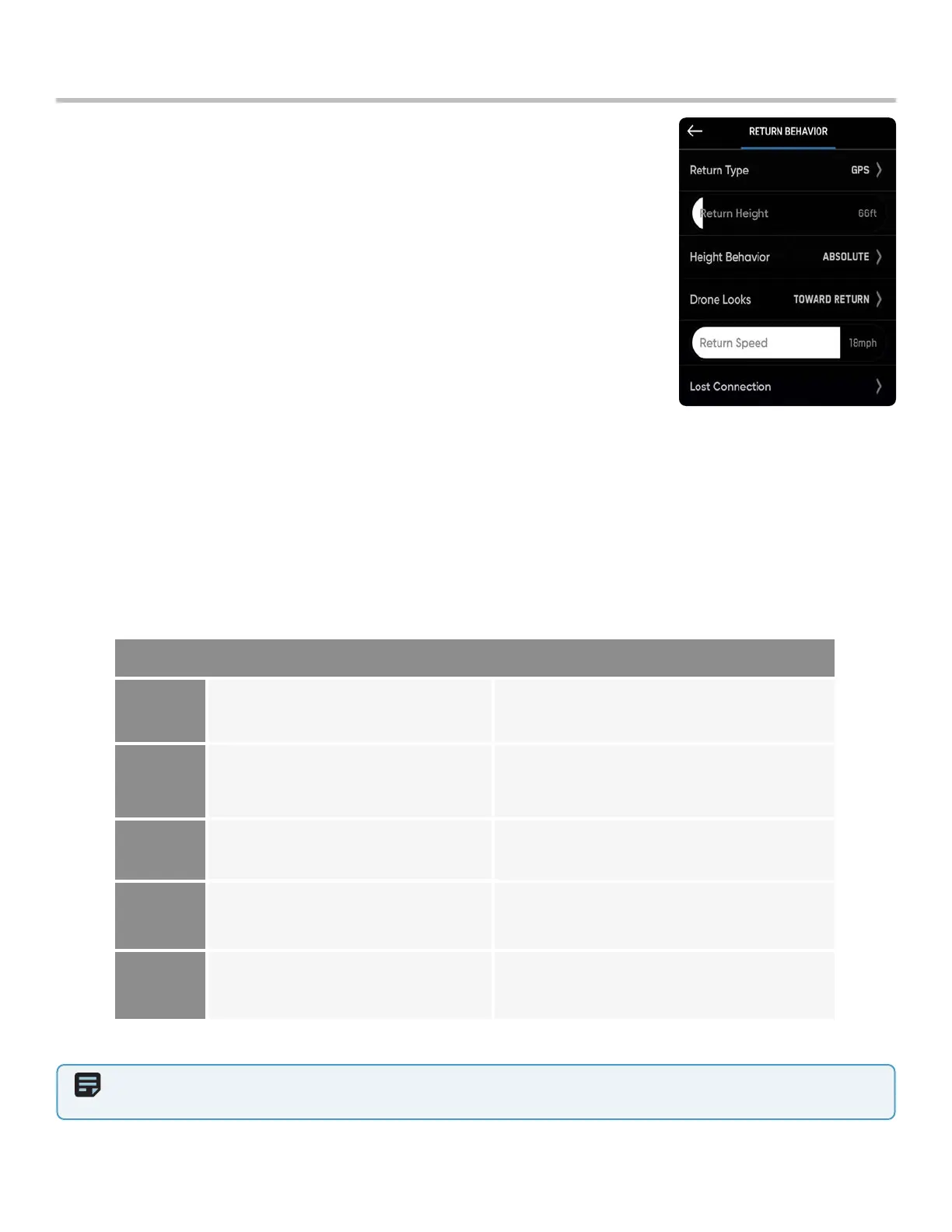
Customize return behaviors in the Drone Settings menu:
Return Type - GPS or Vision
Return Height - from 0 to 984 ft (300 m)
• The default the return height is set to 32 ft (9.7 m) the drone will ascend to that
height before returning.
Return Behavior -
• Absolute return height - X2 will ascend to the specified Return height (above the
launch point) before returning
• Relative return height (default) - X2 will ascend by the specified Return Height
above the drone’s current position before returning.
Drone Looks - X2 will either look toward or away from the return destination
Return Speed - set between 5 and 22 mph
Low Battery - Is only available when you set a Home Point
• Always Ask (default) - you will be asked to select a low battery behavior when
your drone only has enough battery to return and land
• Return to Home Point - the drone will automatically return to the set Home
Point adhering to the return settings.
Lost Connection - set lost signal connection behaviors



 To Next Page