23
Skydio X2D INTL - Operator Manual © 2023 Skydio, Inc. All rights reserved.
Pre-flight
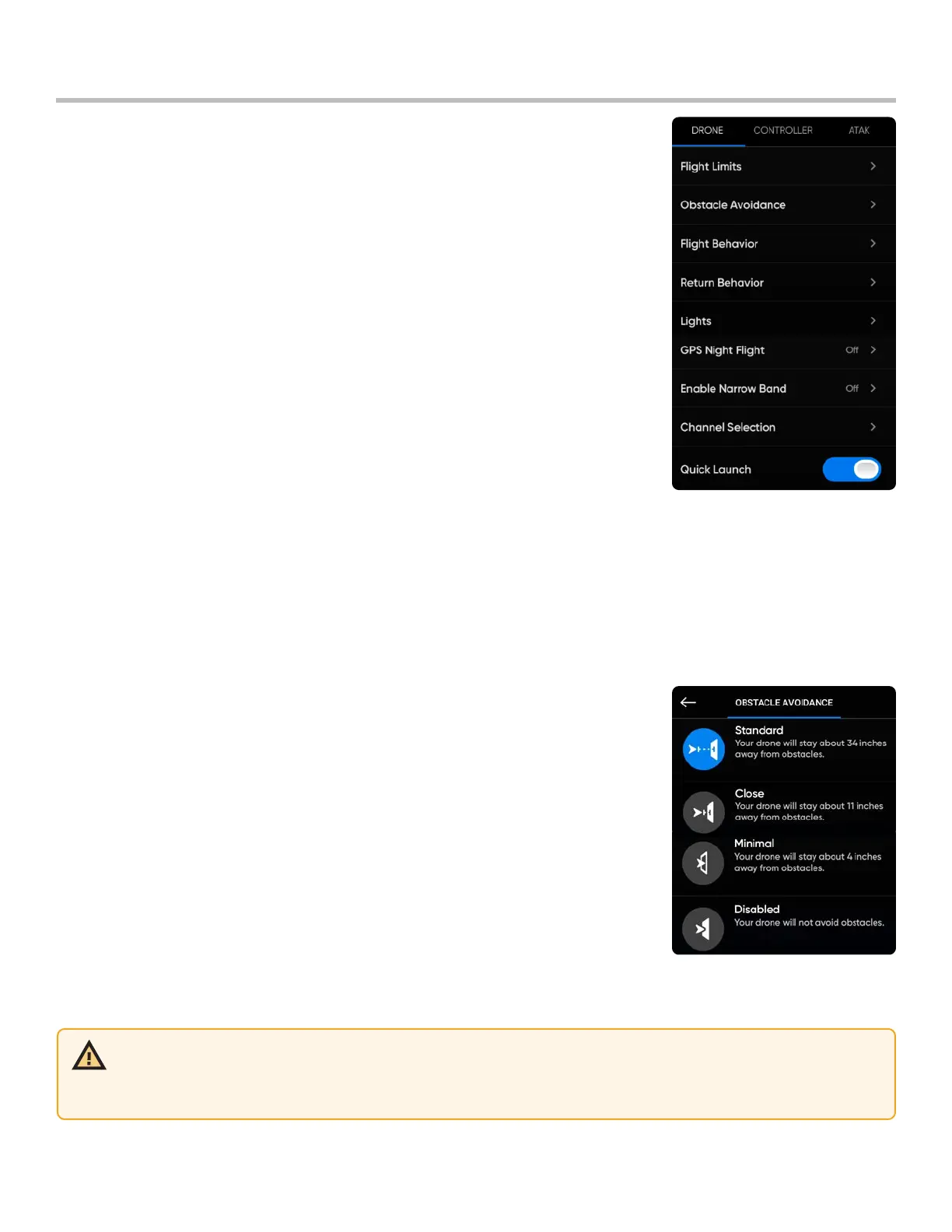
Configure Drone settings
The device settings menu provides access to settings for your drone and controller
and allows for the configuration of flight controls. View and configure before
launch.
WARNING: Flying with Close, Minimal or Disabled obstacle avoidance settings greatly increases risk of collision.
Minimal or Disabled obstacle avoidance settings are used to navigate tight spaces and should only be used if you
are an experienced pilot. Skydio recommends turning down Controller throttle, roll and pitch sensitivity to the lowest
setting and proceeding at a max speed of 2 mph (1 m/s).
Height Ceiling -
• adjust - the maximum altitude between 9 ft (3 m) and 1500 ft (457 m)
• disable - the maximum allowed flight altitude
Indoor Height Ceiling - (enabled by default) prevents you from flying above 66 ft (20 m) when your drone does not
have access to GPS and cannot see the sky. Disabling the Indoor Height Ceiling setting does not persist across
flights or power cycles.
Obstacle Avoidance: adjust the distance X2 will fly from obstacles
• Standard (default) - 34 in (86 cm) from obstacles
top air speed is 25 mph (40 km/h)
• Close - 11 in (28 cm) from obstacles
top ground speed is limited to 18 mph (29 k/m)
• Minimal - 4 in (10 cm) from obstacles
top ground speed is limited to 18 mph (29 k/m)
• Disabled - will not avoid obstacles
top ground speed is limited to 18 mph (29 k/m)
Flight Limits



 To Next Page