65
Skydio X2D INTL - Operator Manual © 2023 Skydio, Inc. All rights reserved.
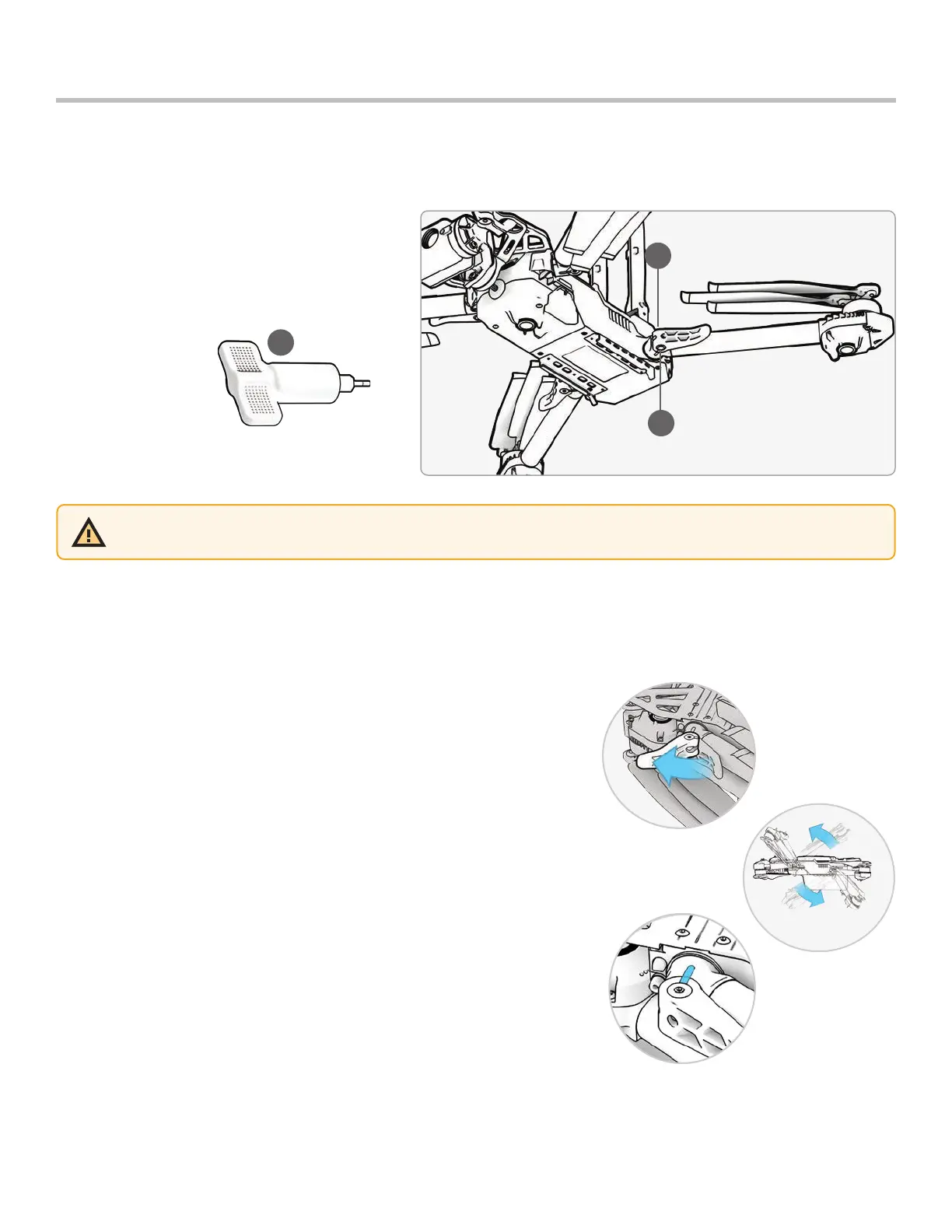
If during your pre-flight inspection you observe that the arm clamps on Skydio X2D are not tight, you should inspect
and tighten the tension bolts on the clamps. This process involves loosening and tightening the tension bolt set
screws.
1. Tension bolt set screw
2. Tension bolt
3. Torque driver
1
2
Maintenance
Arm clamps
WARNING: Do not lubricate any of the hinges on your X2D arm, even if they squeak. Doing so may compromise the
position of the arms when in flight, resulting in erratic flight and possible collision.
3
Extend the motor arm:
Step 1 - Open the arm clamp located at the base of the arm
Step 2 - Lift the arm out and away from the body of the vehicle and rotate 180°
• Listen and feel for a click when the motor arm are fully extended
Step 3 - Fold the arm clamp to the locked position on the arm
• Ensure that the blue marks align



 To Next Page