43
Skydio X2D INTL - Operator Manual © 2023 Skydio, Inc. All rights reserved.
Flight
Flight Skills
Each skill may have its own custom settings which only aect the selected skill. Select the skill settings icon to
customize each of the settings to suit your needs.
Skills settings
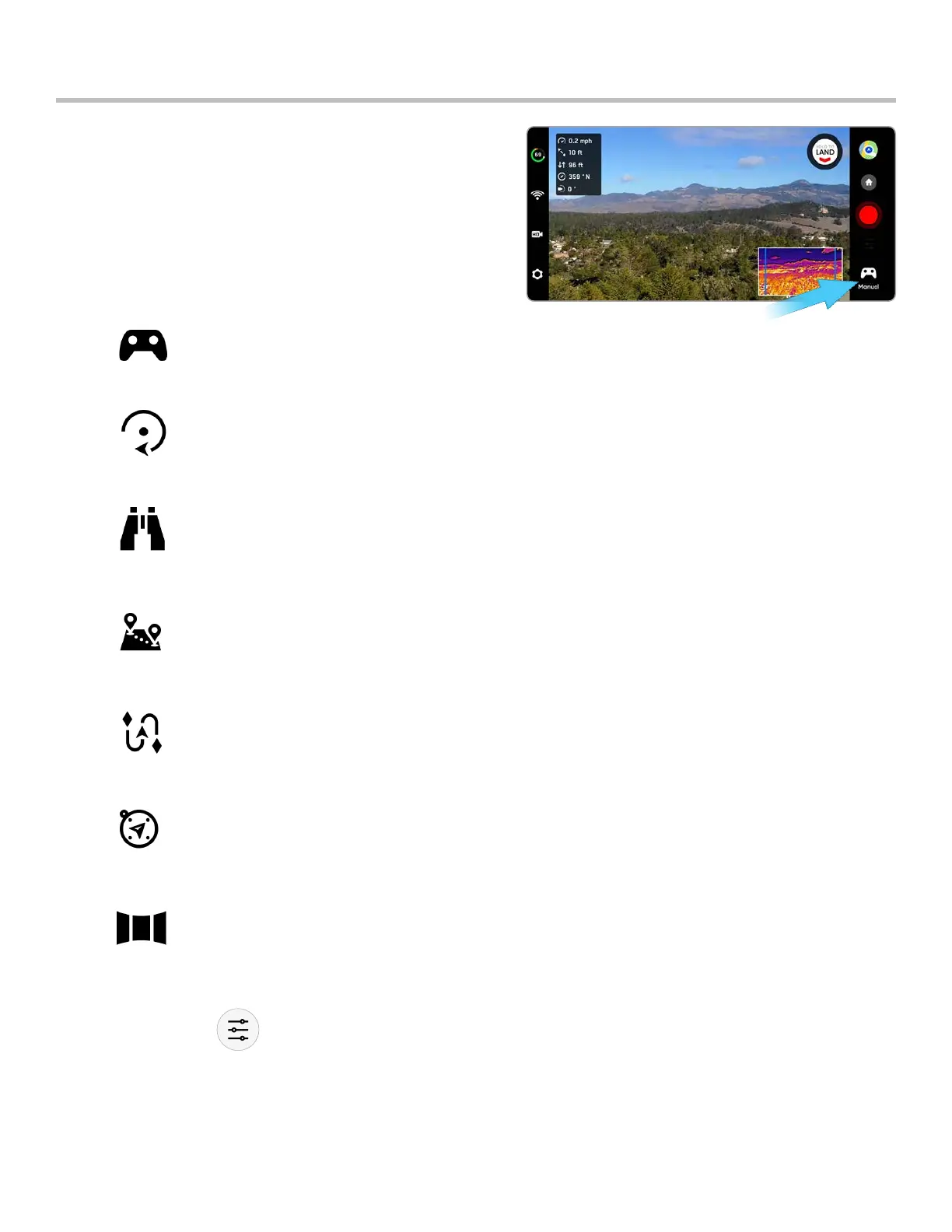
Skydio oers a range of manual and autonomous controls
called flight skills. Select your desired skill and Skydio X2D will
intelligently fly itself to get the best shot:
• General
• Cinematic
Manual - Default
Traditional flying experience. Obstacle avoidance settings will persist when flying manually,
allowing Skydio X2 to route itself around obstacles, modifying any commands that could
potentially cause a collision.
Orbit Point
Rotate around a user-selected point-of-interest in either a clockwise or counter-clockwise
direction, keeping the point in the center of the frame.
Track in Place
Hover in a fixed position, as if axed to a virtual tripod, rotating and tilting the camera to
look at the subject as they move.
Waypoints Create and execute multi-waypoint GPS missions.
KeyFrame
X2 will capture continuous shots along a user defined spline with complex, cinematic, and
smooth camera motion.
Scout
Uses Skydio Beacon or the Enterprise Controller as a GPS tracking device. Scout allows
you to follow and track a GPS position at long-range without manually locking onto a
subject.
Panorama Three dierent types of panoramic photos: horizontal, vertical, and spherical.



 To Next Page