24
Skydio X2D INTL - Operator Manual © 2023 Skydio, Inc. All rights reserved.
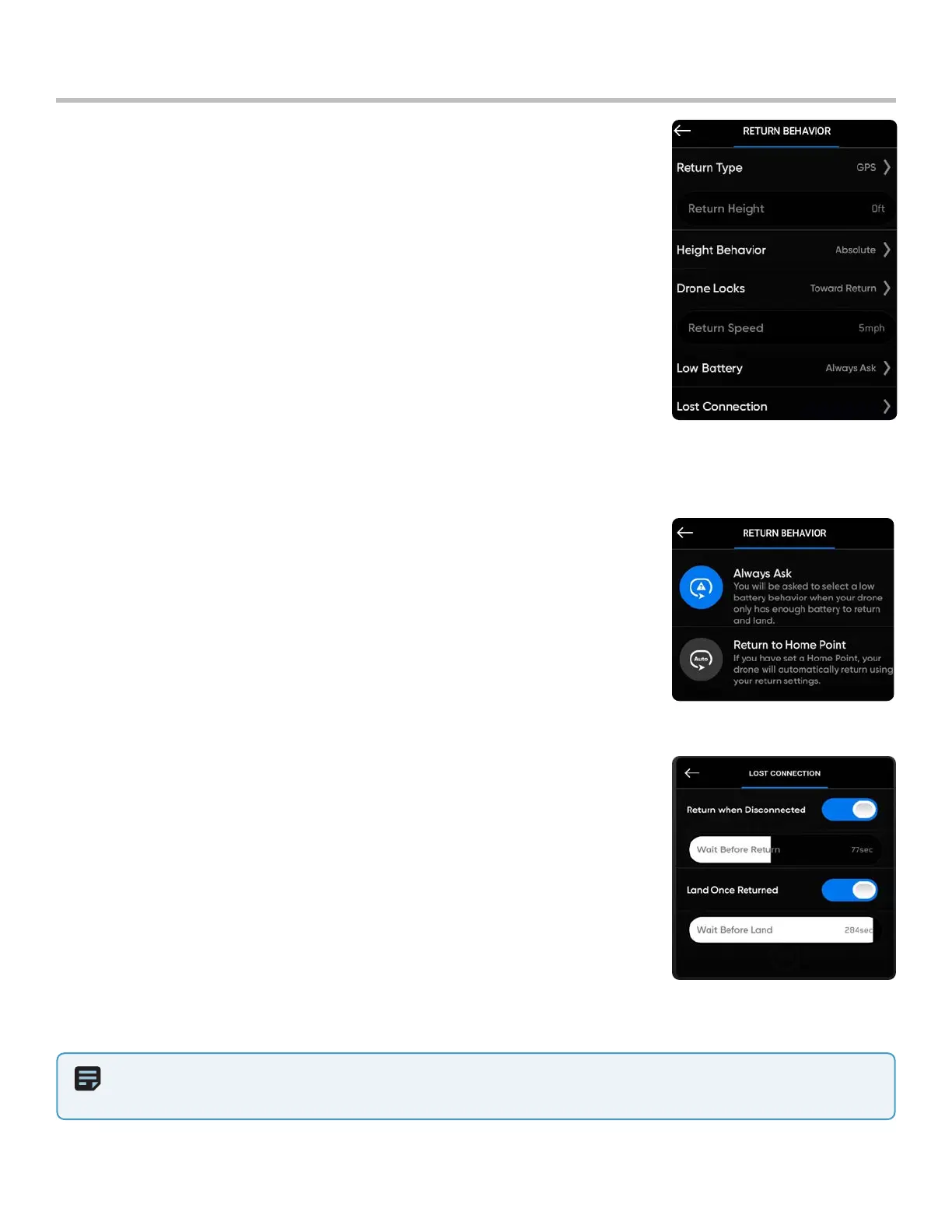
NOTE: Return behaviors and lost connections settings are persistent across power cycles and flights. Skydio
X2 will not automatically return to the home point when it reaches low battery unless you have Return to Home Point
enabled in the Return Behavior menu.
Pre-flight
Return Behavior - customize return-to-home behavior
Drone Looks - set to look toward or away from destination while returning
Return Type - set to either GPS or vision
• set return type to Vision when you fly in GPS denied environments
• obstacle avoidance setting is respected while returning
Return Height - set the height the drone ascends to before returning
• default return height is set to 66 ft (20 m)
Height Behavior - set to Absolute or Relative
• Absolute - ascends to a specified Return Height above the launch point before
returning
• Relative (default) - ascends to a specified Return Height above the drone’s
current position before returning
Return Speed - set the speed the drone will fly when returning
Configure drone settings
Lost Connection -
• Return when Disconnected - toggle O to disable Return when
Disconnected and the Lost Connection menu. X2 will not return if it loses
connection—it will hover until it reaches low battery and land.
• Wait Before Return - set the amount of time that you want X2 to wait
before it initiates a return flight, allowing time to reconnect.
• Land Once Returned - when enabled, X2 will return, hover for a
specified amount of time, and then land.
• Wait Before Land - set the amount of time between 0 to 300 seconds
(the default is 240 seconds) that you want X2 to wait before landing.
This setting is only enabled when Land Once Return is toggled on.
Low Battery-
Skydio will automatically return to a Home Point when the battery capacity is
sucient to return and land. Setting persists across flights and power cycles. Enable
within the Return Behaviors menu
• Always Ask (default) - you will be asked to select a low battery behavior when
your drone only has enough battery to return and land
• Return to Home Point - the drone will automatically return to the set Home
Point adhering to the return settings



 To Next Page