25
Skydio X2D INTL - Operator Manual © 2023 Skydio, Inc. All rights reserved.
Pre-flight
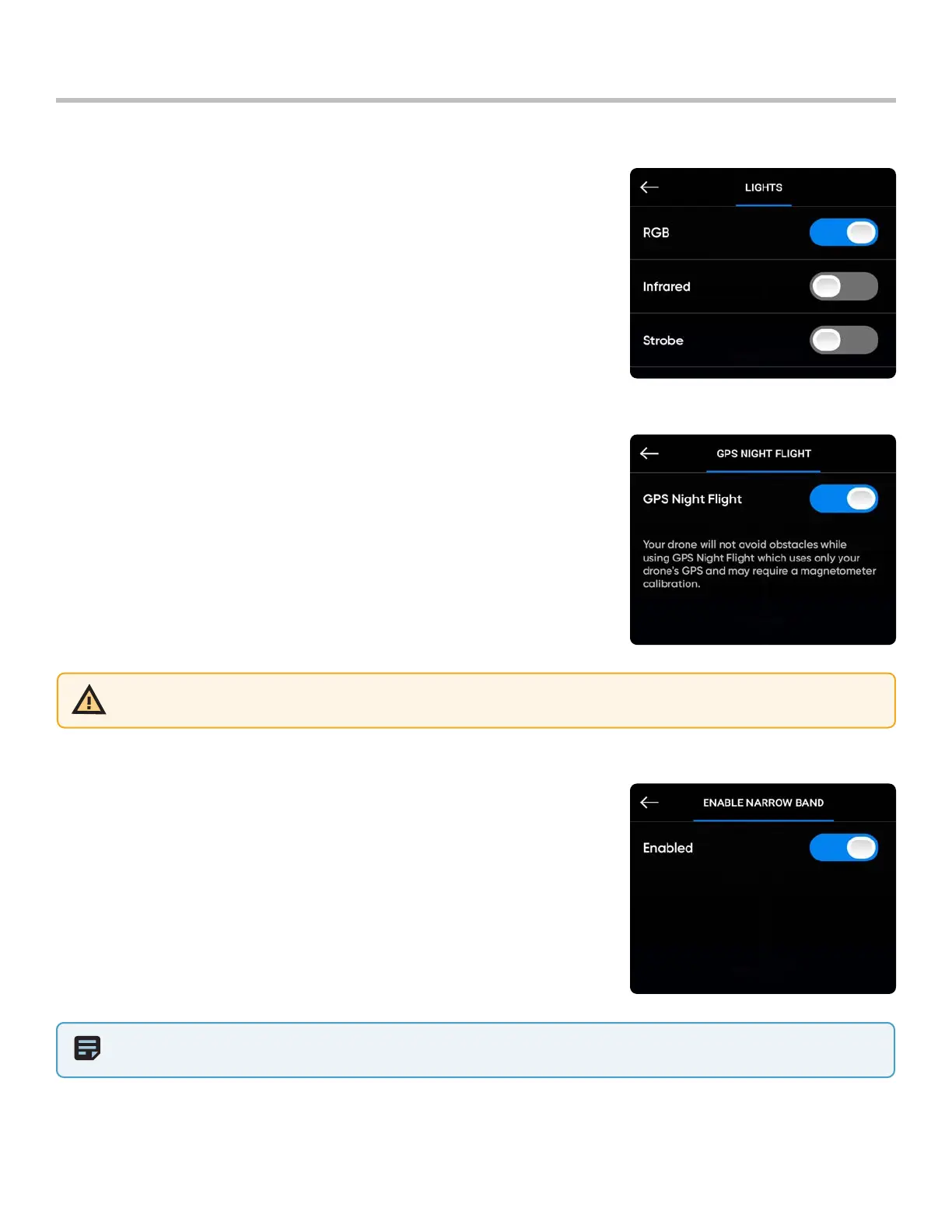
Enable Narrow Band: change your radio frequency to a narrower band on
5 GHz vehicles.
• Allows you to fly further away without losing connection
• Extends controller range in open environments
• Video quality may suer slightly
Configure Drone settings
NOTE: You should only enable the narrow band to extend control range when in open and clear environments and when
you have a clear line of sight.
Lights: set the navigation lights
• RGB On (default) - blue when the drone is powered on, and red and
green when in flight
• RGB O - navigation lights will remain o as the drone powers on and
throughout flight. Setting persist through flights and power cycles.
• Infrared - cannot be seen by the naked eye
• Strobe - visually track drone in low-light conditions at a distance of up
to 3 mi (4.8 km) Strobe and Infrared cannot be on at the same time
GPS Night Flight: for flight in low-light conditions
• Requires calibrating the magnetometer prior to launch
• Uses GPS sensors instead of vision system to navigate
WARNING: GPS Night Flight mode requires flying without obstacle avoidance. Skydio X2D may drift slightly when in GPS
Night Flight mode, take extra caution when flying in this mode and do not stand near the vehicle.



 To Next Page