74
Skydio X2D INTL - Operator Manual © 2023 Skydio, Inc. All rights reserved.
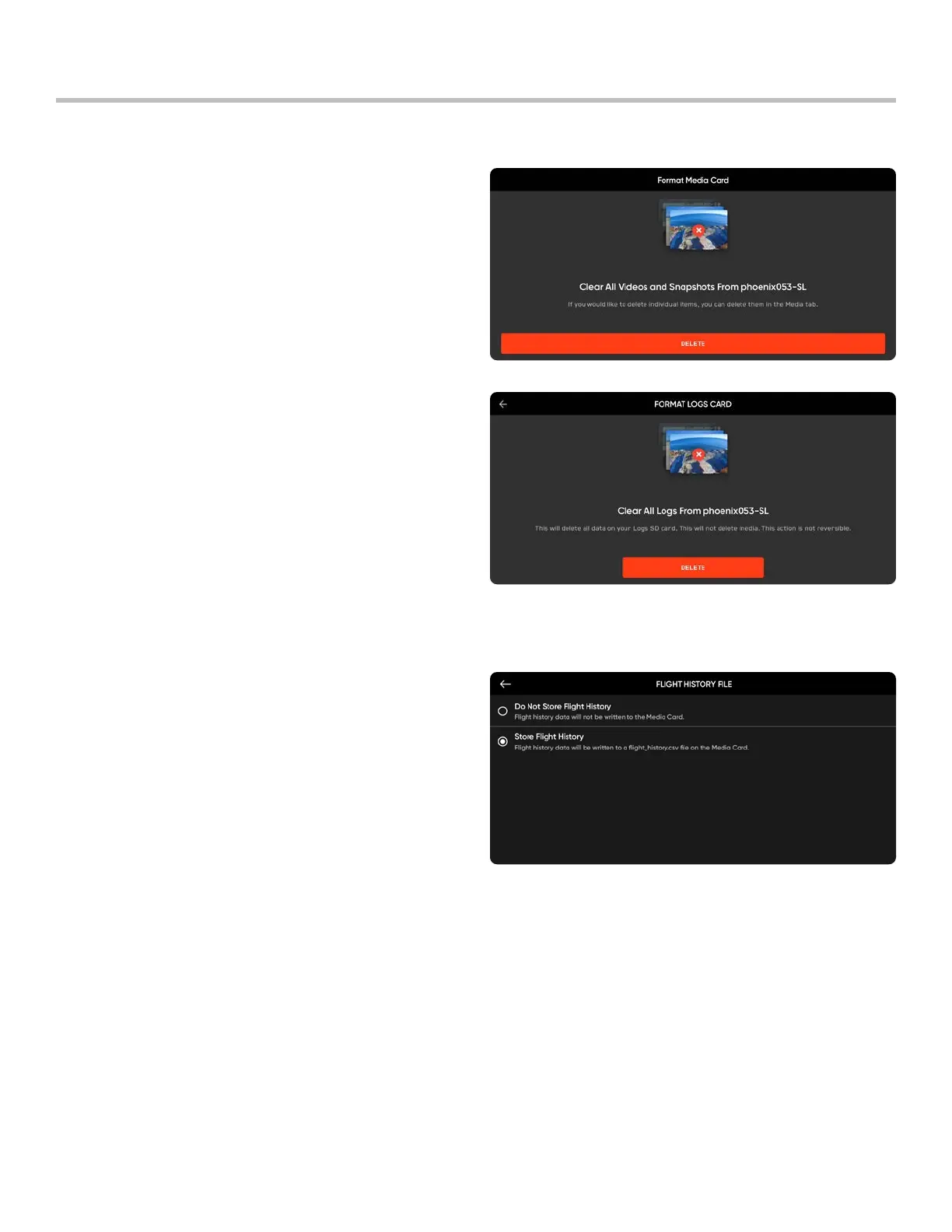
Step 5 - Select Delete
• A confirmation will display that all data has been
cleared
Step 6 - Select OK
• You will return to the INFO menu
• Your SD card is now formatted
Format memory cards
Maintenance
Flight History File
Step 1 - Select the INFO menu
Step 2 - Select the vehicle name under Devices
Step 3 - Select either:
• Do Not Store Flight History OR
• Store Flight History
Flight history .CSV
Save flight information to a flight_log.csv file in the root folder of the media SD card containing flight data including:
• Vehicle name
• Flight ID
• Launch latitude/longitude and time
• Land latitude/longitude and time



 To Next Page