37
Skydio X2D INTL - Operator Manual © 2023 Skydio, Inc. All rights reserved.
Flight
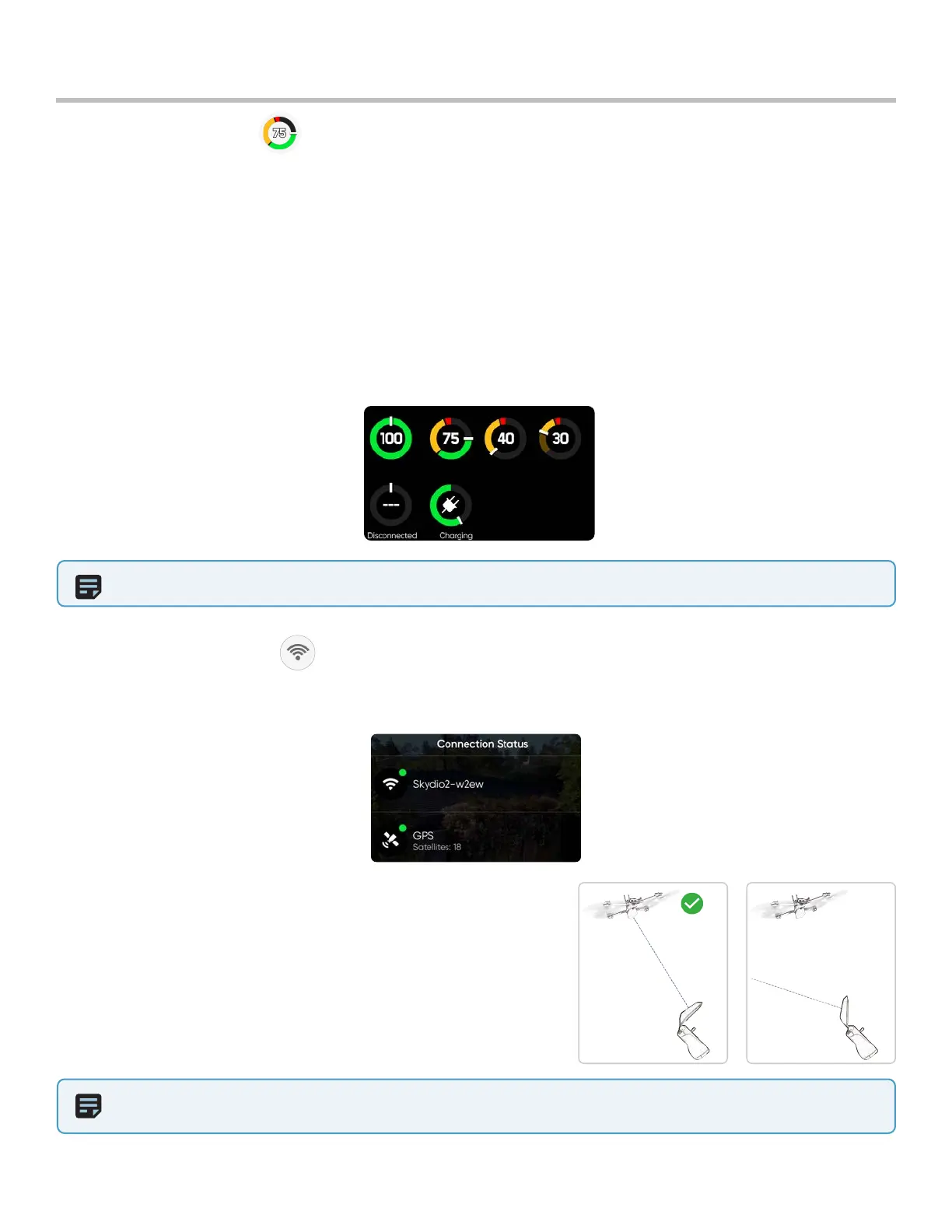
For the best signal connection:
• maintain a direct line of sight between the controller and X2
• for close range high altitude flight - point the controller cover
(broad side) toward X2
• max range flight - point the controller cover (broad side) toward
X2 while keeping the controller as far away from your body
as possible. Bringing the controller too close to your body will
impact wireless performance.
NOTE:
S
ignal strength and maximum control range may be aected when flying in areas with electromagnetic
interference. As signal strength decreases, users may experience a lower quality video feed or a delay in their controls.
Connection Status
The connection status indicator displays the current strength of the signal connection between your controlling
device and your X2, the GPS quality, the number of satellites, and TAK servers your drone is connected to. Select the
connection status icon to view.
NOTE: Flight time dynamically changes based on altitude and distance to home.
Battery indicator messaging displays how much battery is available for flight, how much battery capacity available
for a return trip, and how much battery is required to land.
• Percentage - displays battery charge remaining
• Green - indicates battery capacity for nominal flight before the time limit required to safely return and land
• Yellow - indicates how much battery capacity is required to safely return
• Red - indicates how much battery capacity is required to land
• Countdown - battery capacity has less than two-minutes of flight time available for landing the indicator will
change to a countdown
• Landing - battery capacity is zero the indicator will change to an alert symbol and X2D will land
Battery indicator



 To Next Page