60
Skydio X2D INTL - Operator Manual © 2023 Skydio, Inc. All rights reserved.
Post-flight
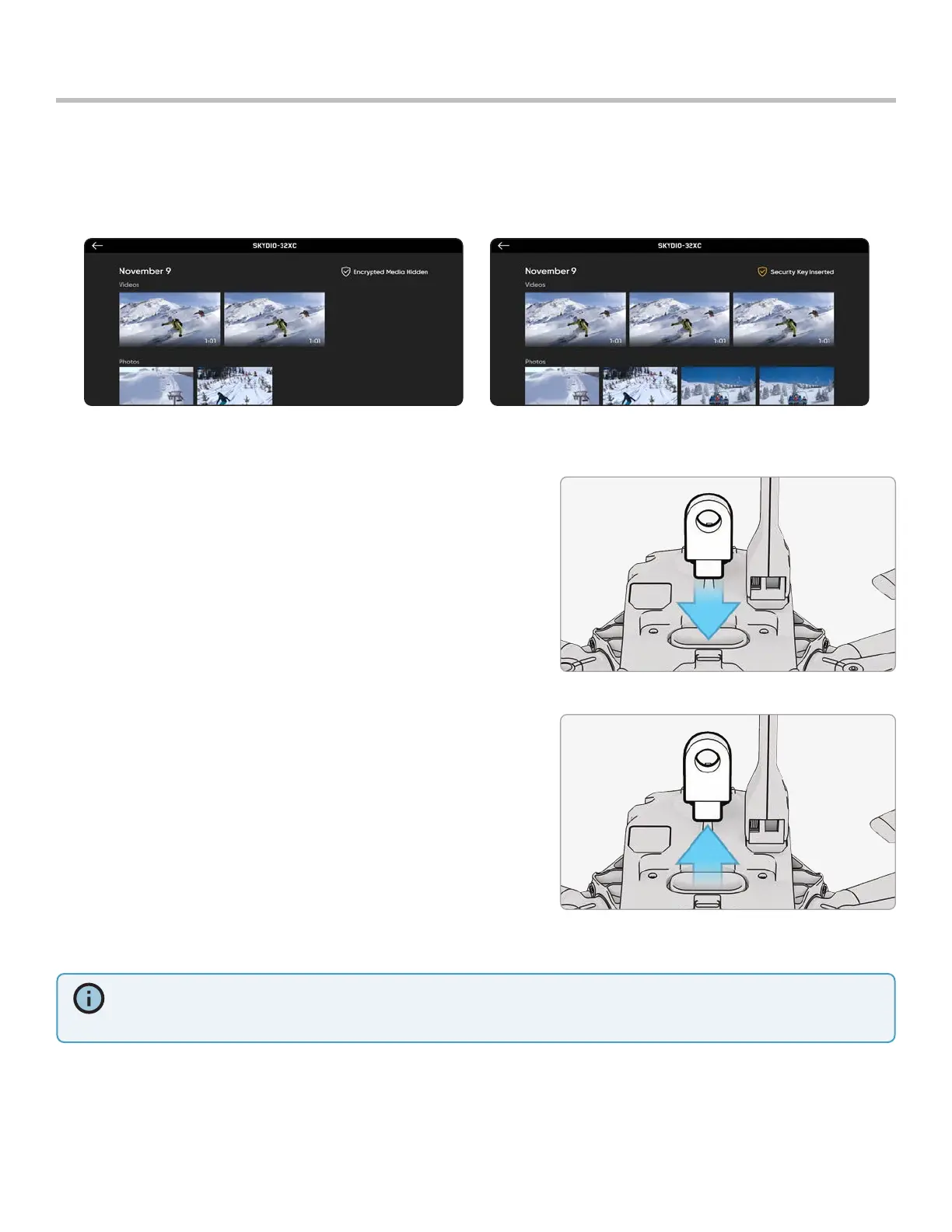
If Encryption was Enabled for your flight, your encrypted media will not display in the Review tab.
To review your encrypted media, power on the vehicle and insert the Encryption Fob into the vehicle. When the lights
on the fob stop flashing, your encrypted media will be visible in the app for you to review.
Reviewing and ooading media
INFO: Windows computer, your Skydio X2D will serve as an external drive. For Mac, use the Photos app to transfer your
footage to your desired location (the Photos app is included with any current Mac, or are available from the macOS
App Store). You will not be able to use the Image Capture app on Mac to import your decrypted media.
Step 1 - Power on the vehicle
Step 2 - Insert the fob into the USB-C port on the vehicle
• This will decrypt your media
• Media will stay decrypted until you power o your X2D or begin
a new flight
• Reinsert the fob to decrypt your media again
Step 3 - Remove the key
• When the lights on the fob stop flashing
Step 4 - connect the vehicle to a computer using a USB-C cable
• Import your decrypted media
• Decrypted media will remain decrypted
To review and copy your encrypted media on your device:



 To Next Page