5-5
Password
System Default
Operator Control
Operator List
Operator Creation
RS232 Baud Rate
Demo Mode
QC Report
Buzzer
Hospital Name
Patient Name
Languages
Automatic Printing
Save Log to USB
Export Database
Import Database
Error Log
Automatic Printing, Save Log to USB, Export & Import
Database, and Error Log.
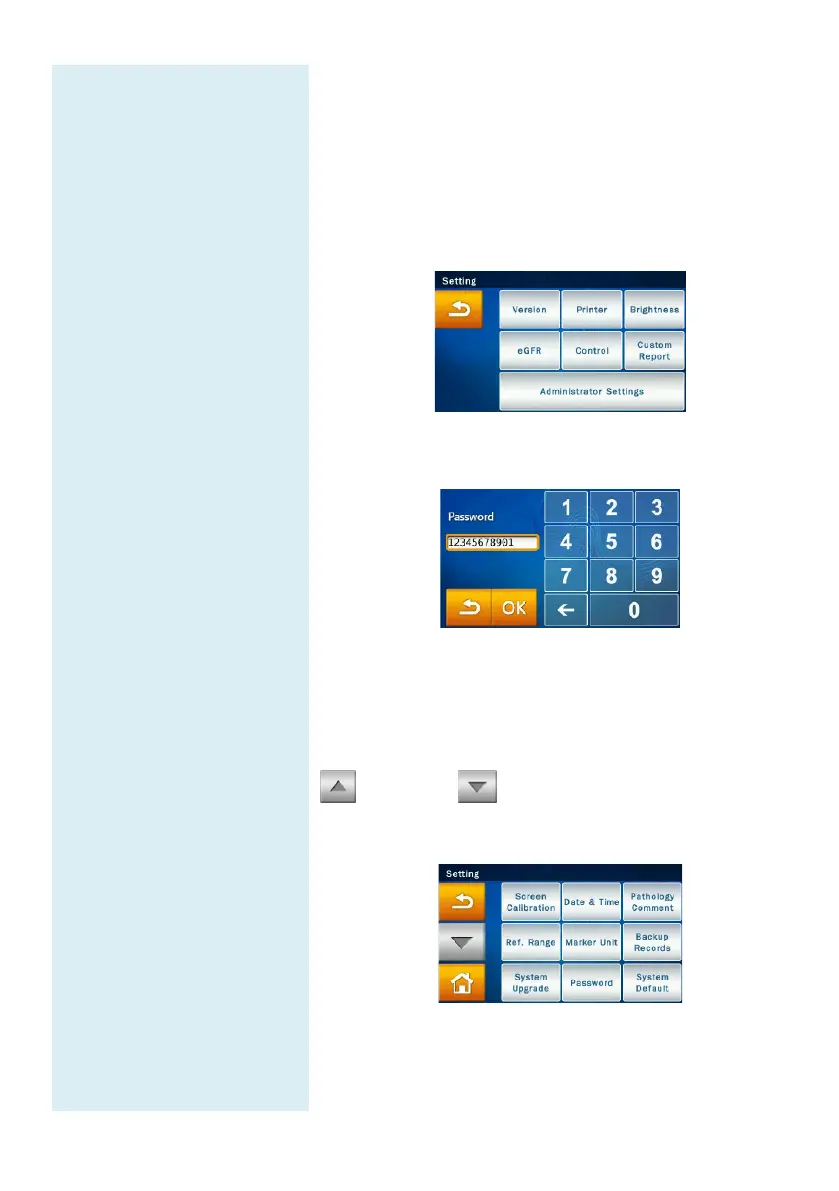
In the Home screen, press “SETTINGS”
system settings. Next, press the
Settings” icon to browse the administrator settings
options.
The system will prompt the user to enter the
administrator password.
Once the correct password is entered, Setting
shown at the top of the touchscreen
the system is now in Administrator Setting mode.
There
are two Administrator Setting pages. Please use the up
and down buttons to change pages.
Administrator Settings menu page 1



 To Next Page