5-10
Note:
USB driver for Backup
Records does not support the
NTFS format. Please format
USB drive to FAT16 or
FAT32.
Note:
Please contact skyla
TM
authorized technical support
personnel or distributors for
information about new
versions.
1.
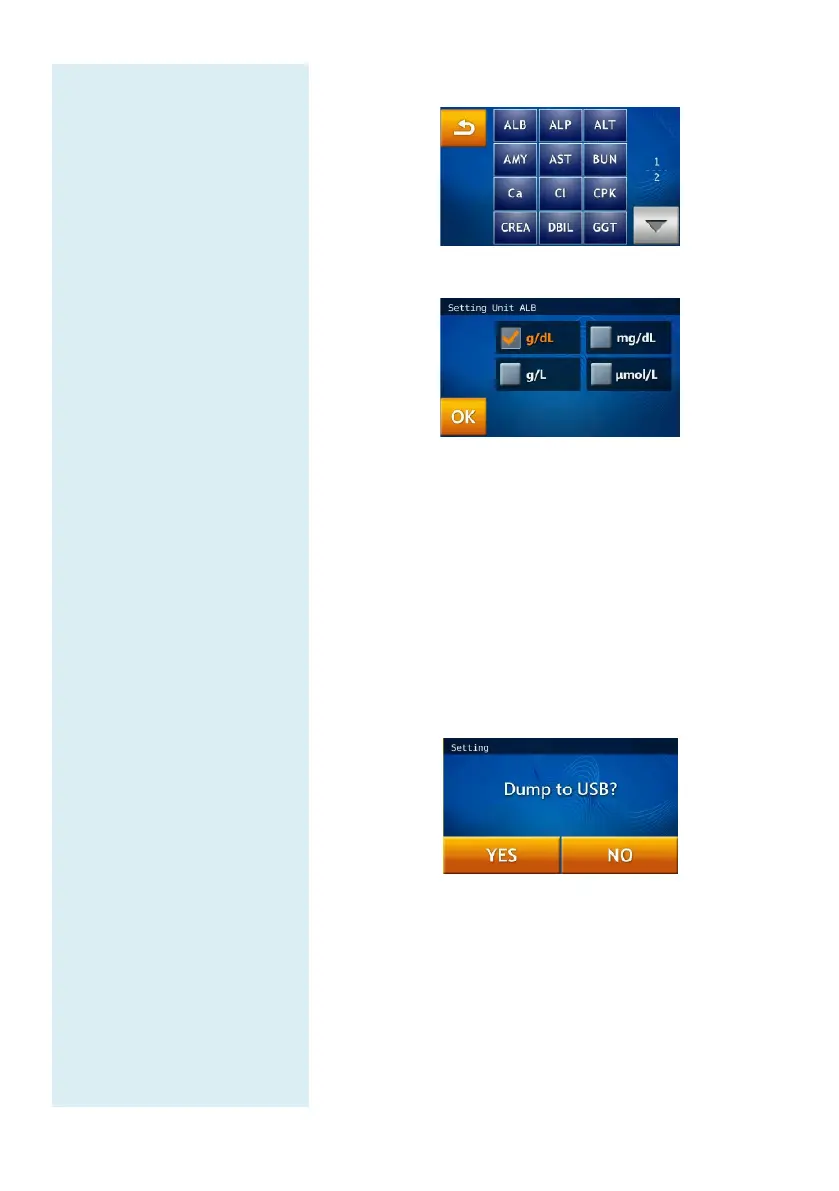
Please select any item from the list.
2. Please select the desired unit.
3. Select “OK” to save the changed settings.
5.2.5 Backup Records
Backup
the test results of the chemistry analyzer to an
USB drive.
Under Administrator Settings, select the “Backup
Records” icon.
Insert the USB drive into the USB port at the back of
the chemistry analyzer then select “Yes” to output
data.
5.2.6 System Upgrade
The authorized technical support department
periodically inform the updated system version.
current system version of the chemistry analyzer
checked through the Version function. Please contact
the
authorized technical support unit for information about
new versions.



 To Next Page