5-4
Administrator settings
options:
Screen
Calibration
Date & Time
Ref. Range
Marker Unit
Backup Records
System Upgrade
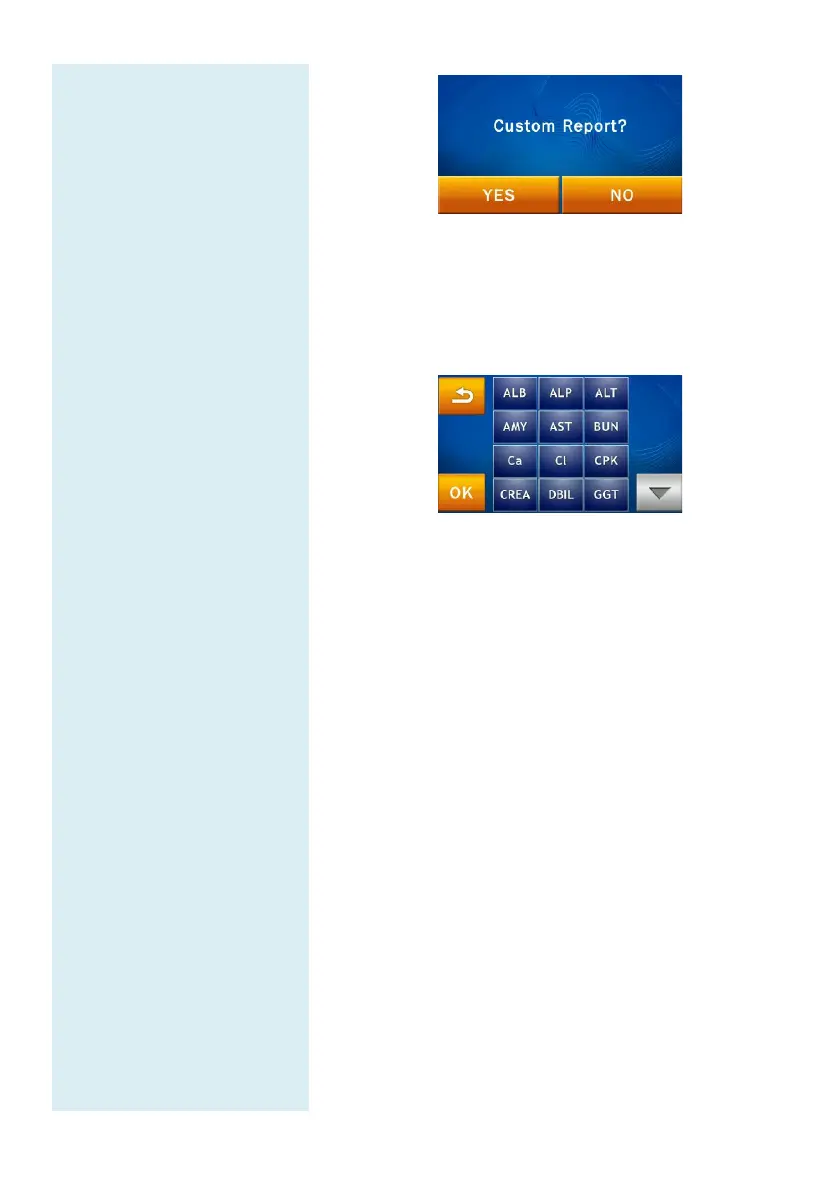
If the answer is “NO”, the standard report will be
shown after testing. All of the test results from that
reagent disc will be shown in the report. If the answer
is "Yes", the system will only show the selected
content in the custom report.
The system will display the analytes on the reagent
disc for the user to choose from. The items selected
for display in the report will be highlighted in a
yellow frame.
Next, press the “OK” icon to confirm the selection.
5.2 Administrator Settings
The skyla
TM
Clinical Chemistry Analyzer
user with a variety of customization functions
optimize the system operations. On the Home screen
press the “SETTINGS” icon then press “
Settings.”
Entering the correct password allows the user
to browse the Administrator Settings which
allow the
user to customize or change the system defaults or
enable/show/stop various
functions, including: Screen
Calibration, Date & Time, Ref. Range, Marker Unit,
Backup Records
, System Upgrade, Password, System
Default,
Operator Control, Operator List, Operator
Creation, RS232 Baud Rate, Demo Mode, QC Report
Buzzer, Hospital Name, Patient Name, Languages



 To Next Page