Sirius 800 www.snellgroup.com Door PC Maintenance
Issue 1 Rev 1 Page 86 © 2014 Snell Limited
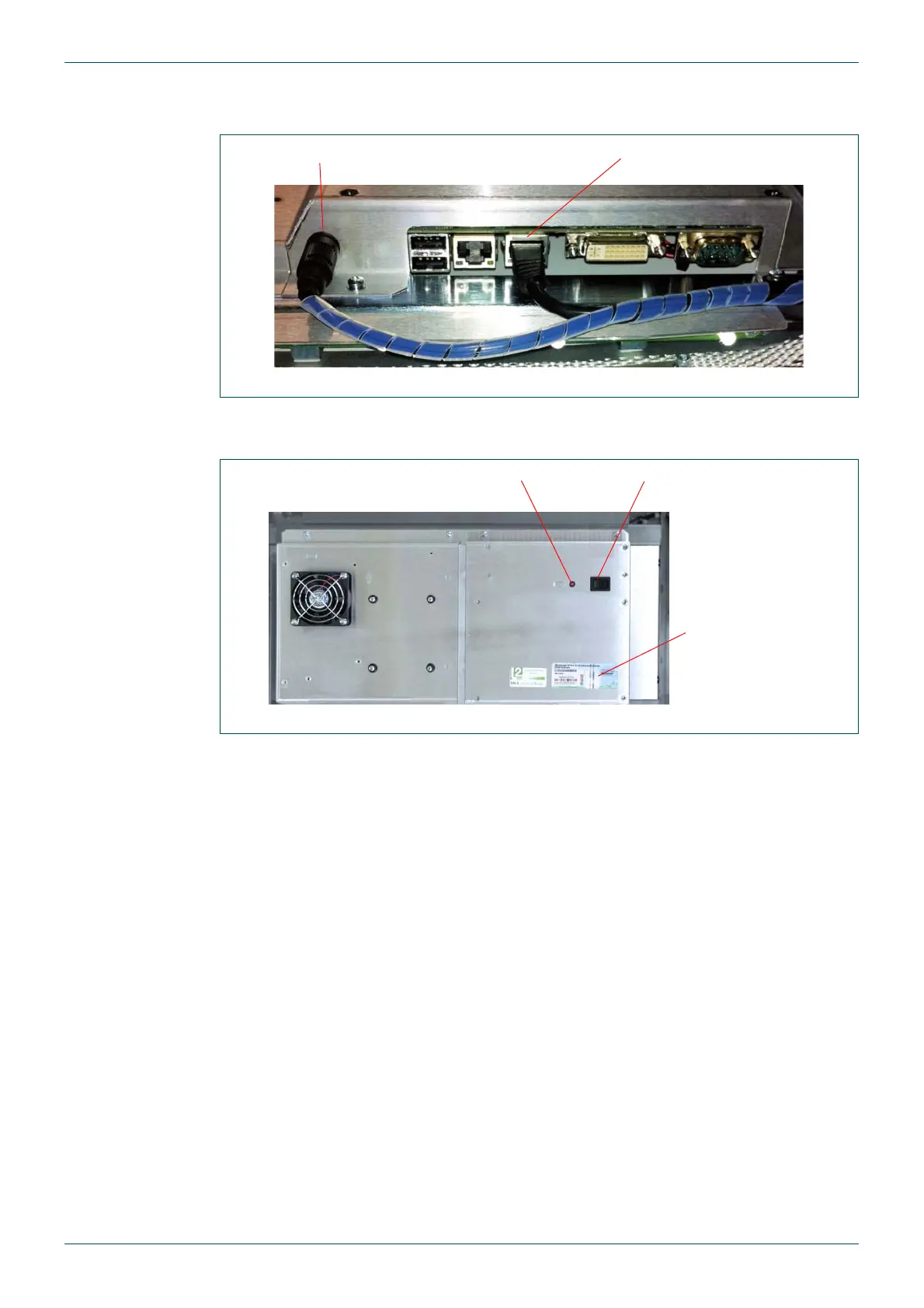
10. Refit the Earth cable to the Spade connector and then fit the Power and Network
connectors (see Fig 49.).
11. Power the Door PC on by pressing and releasing the On/Off switch on the rear of the
Door PC (see Fig 50.)
12. Check that the Door PC starts up correctly and that Live Runner starts in the usual
way.
13. Check the Workbench version on the Door PC matches the Workbench version used
on the site. If the versions don’t match the Door PC Workbench software can be
updated (see section 8.3 for details).
Fig 49. Door PC Power and Network Connectors
Fig 50. Door PC Rear
Power Connector Network Connector
Door PC On/Off SwitchPower LED
Door PC
Microsoft XP
License Label



 To Next Page