SIP Phone Configuration Guide
- 15 -
3.2.1.7 Caller Identity Settings
Select the desired caller ID source to display on the incoming call screen:
“From” field, RPID (Remote-Party ID) or PAI (P-Asserted Identity) header.
Select the lower-priority caller ID source.
Select the lowest-priority caller ID source.
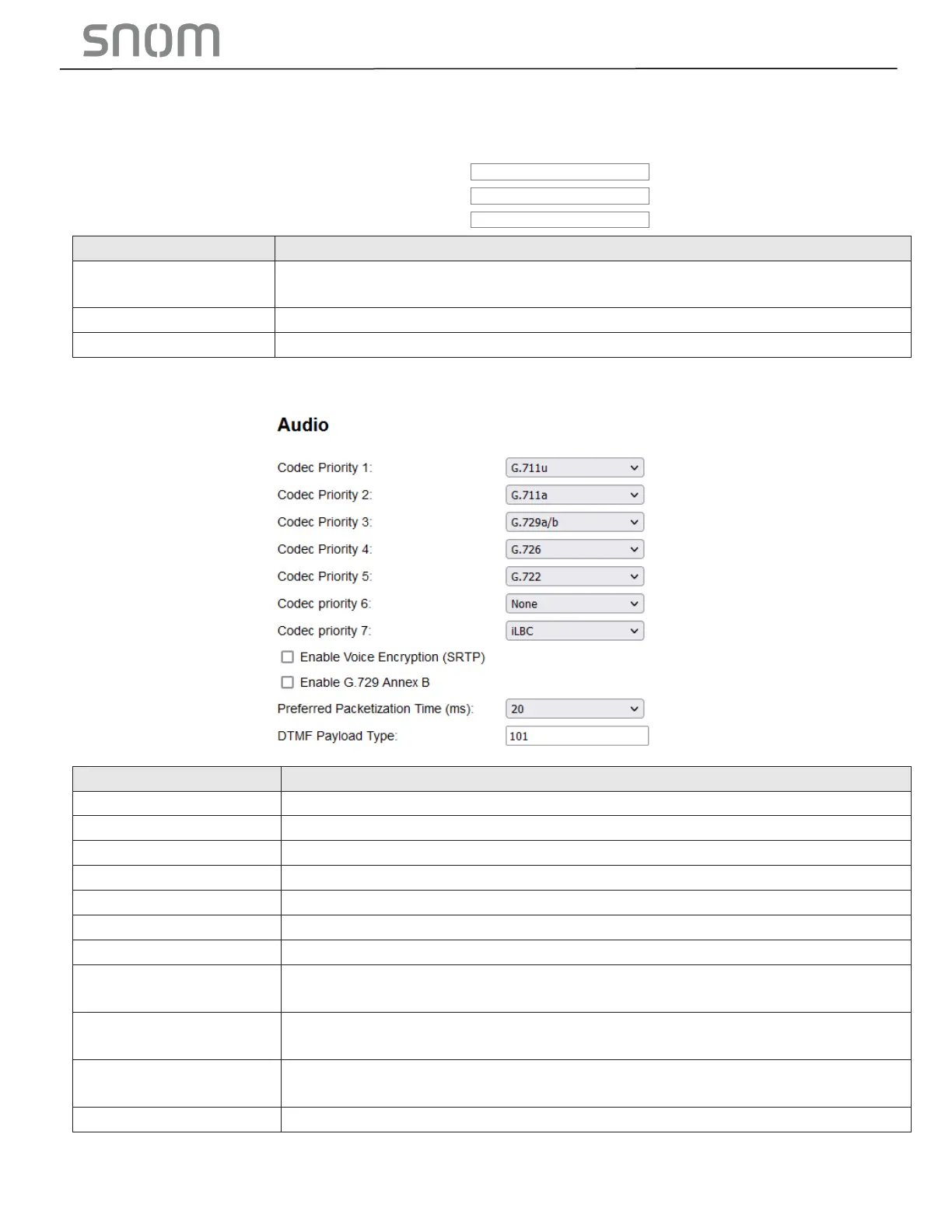
Select the codec to use first during a call.
Select the codec to use second during a call if the previous codec fails.
Select the codec to use third during a call if the previous codec fails.
Select the codec to use fourth during a call if the previous codec fails.
Select the codec to use fifth during a call if the previous codec fails.
Select the codec to use sixth during a call if the previous codec fails.
Select the codec to use seventh during a call if the previous codec fails.
Enable voice
encryption (RTP)
Select to enable secure RTP for voice packets.
When G.729a/b is enable, select to enable G.729 Annex B, with voice activity
detection (VAD) and bandwidth-conserving silence suppression.
Preferred Packetization
Time (ms)
Select the packetization interval time.
Set the DTMF payload type for in-call DTMF from 96-127.



 To Next Page