- 27 -
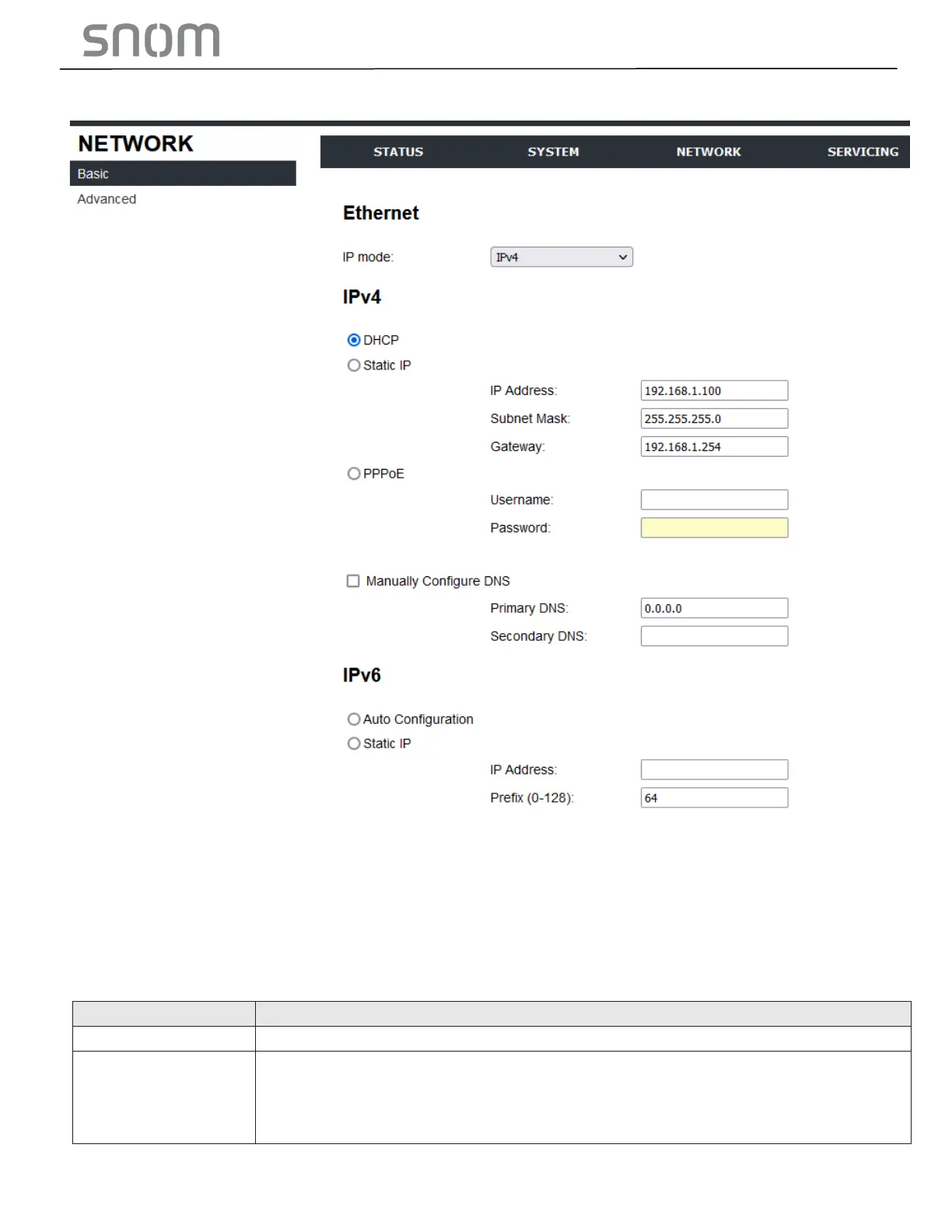
3.3.1 Basic Network Settings
Note
• Only qualified IT engineers who know TCP/IP principles and protocols are allowed to configure
static IP settings.
Click the link for each setting to see the matching configuration file parameter in Section 6.6.3 Network
Settings ("network" Module). Default values and ranges are listed there.
3.3.1.1 IPv4
DHCP is selected (enabled) by default, which means the HD10X will get its IP
address, Subnet Mask, Gateway, and DNS Server(s) from the network. When
DHCP is disabled, you must enter a static IP address for the HD10X, as well as
addresses for the Subnet Mask, Gateway, and DNS Server(s).



 To Next Page