- 38 -
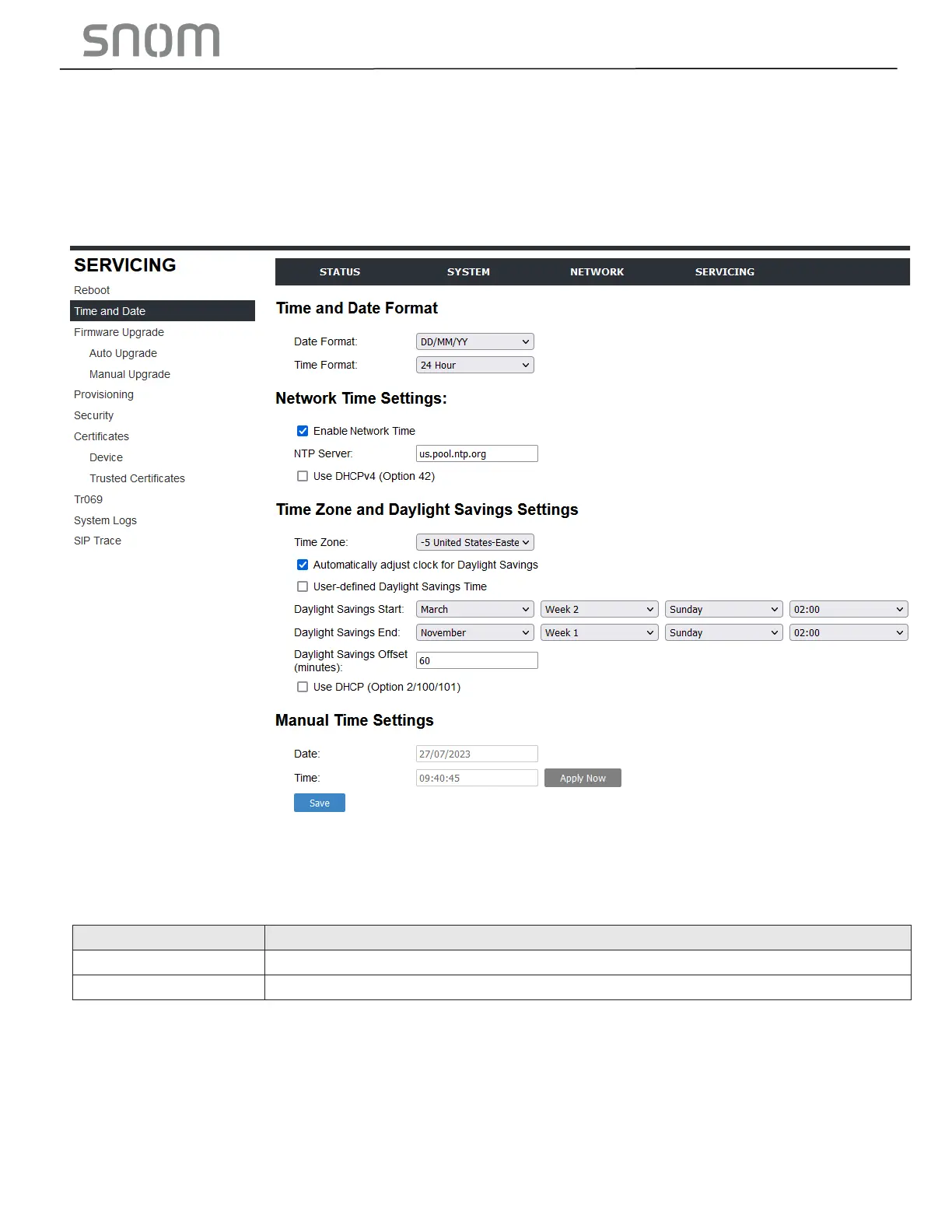
3.4.2 Time and Date
On the Time and Date page, you can manually set the time and date, and the time and date formats.
You can also set the system time to follow a Network Time Protocol (NTP) Server (recommended) or
you can set the time and date manually.
The time and date settings are also available as parameters in the configuration file. See Section
6.6.5 Time and Date Settings ("time_date" Module).
3.4.2.1 Time and Date Format
Click the link for each setting to see the matching configuration file parameter in Section 6.6.5 Time and
Date Settings ("time_date" Module). Default values and ranges are listed there.



 To Next Page