- 42 -
To update the firmware using a file on your computer or local network:
1. On Manual Firmware Update page, click CHOOSE FILE to locate and open the firmware update file.
2. Click UPDATE FROM FILE or INSTALL HS FILE.
After clicking UPDATE FROM FILE, the HD10X will update its firmware and restart. If you are updating
handset firmware, you must perform one more procedure after clicking INSTALL HS FILE. See Section
3.4.3.3 Updating a Cordless Handset below.
3.4.3.3 Updating a Cordless Handset
Updating DECT cordless handset firmware using the Web Portal is a two-step process. First, you must
download the handset firmware and install it on the telephone base. Second, you must install the
handset firmware on the handset. The handset downloads the firmware over the air from the telephone
base.
To install the handset firmware on the telephone base:
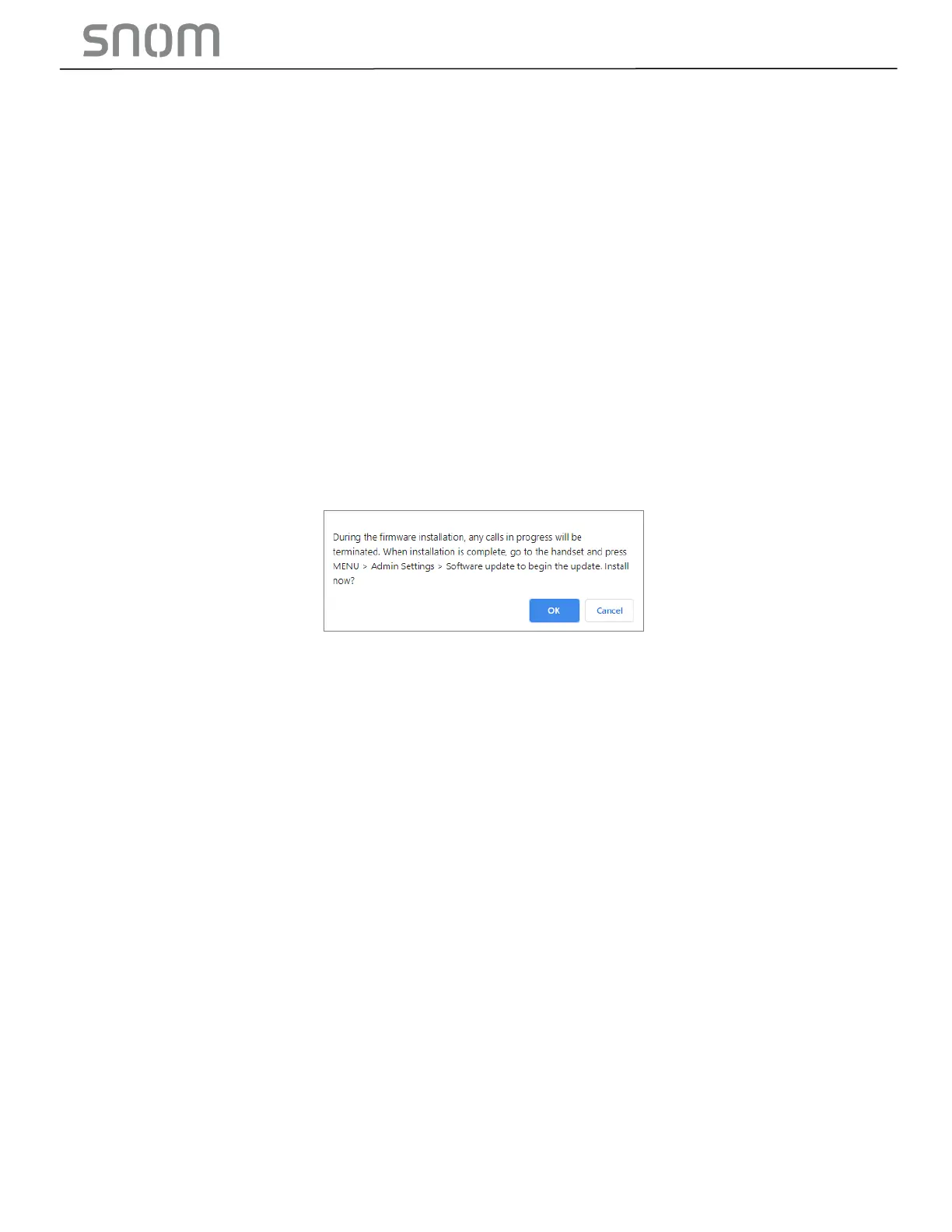
1. To install the handset firmware: Click INSTALL HS FIRMWARE NOW on the Firmware Server
update page, or INSTALL HS FILE on the Manual Firmware update page. The confirmation dialog
box shown below appears.
2. To begin installing the handset firmware, click OK. The message "Installing handset firmware. Please
wait... "appears. To cancel the download, click CANCEL.
After clicking OK, the message System update in progress. "Please wait... " appears on the handset.
After a successful update, the message Firmware installation successful appears on the Web
Portal.
An error message appears if:
• The handset firmware is already up to date.
• The handset firmware URL is incorrect, or the file cannot be retrieved for any other reason.
• The handset firmware file is corrupted.
• The handset doesn‘t recognize the firmware file. For example, the firmware file may belong to a
different product.
To install the firmware on the cordless handset:
Note
•
Your cordless handset will automatically initiate the firmware update after a short period of time, as
long as there are no active calls on the base station. If you wish to manually start the firmware update,
perform the steps below.
1. On the handset, press MENU, and then select Admin settings.
2. Enter the admin password. The default is admin. To switch between entering upper or
lower- case letters, press the * key.
3. On the Admin settings menu, select Firmware update. The handset checks for new firmware. If
new firmware is found, the handset screen asks you to proceed with the update.



 To Next Page