SIP Phone Configuration Guide
- 20 -
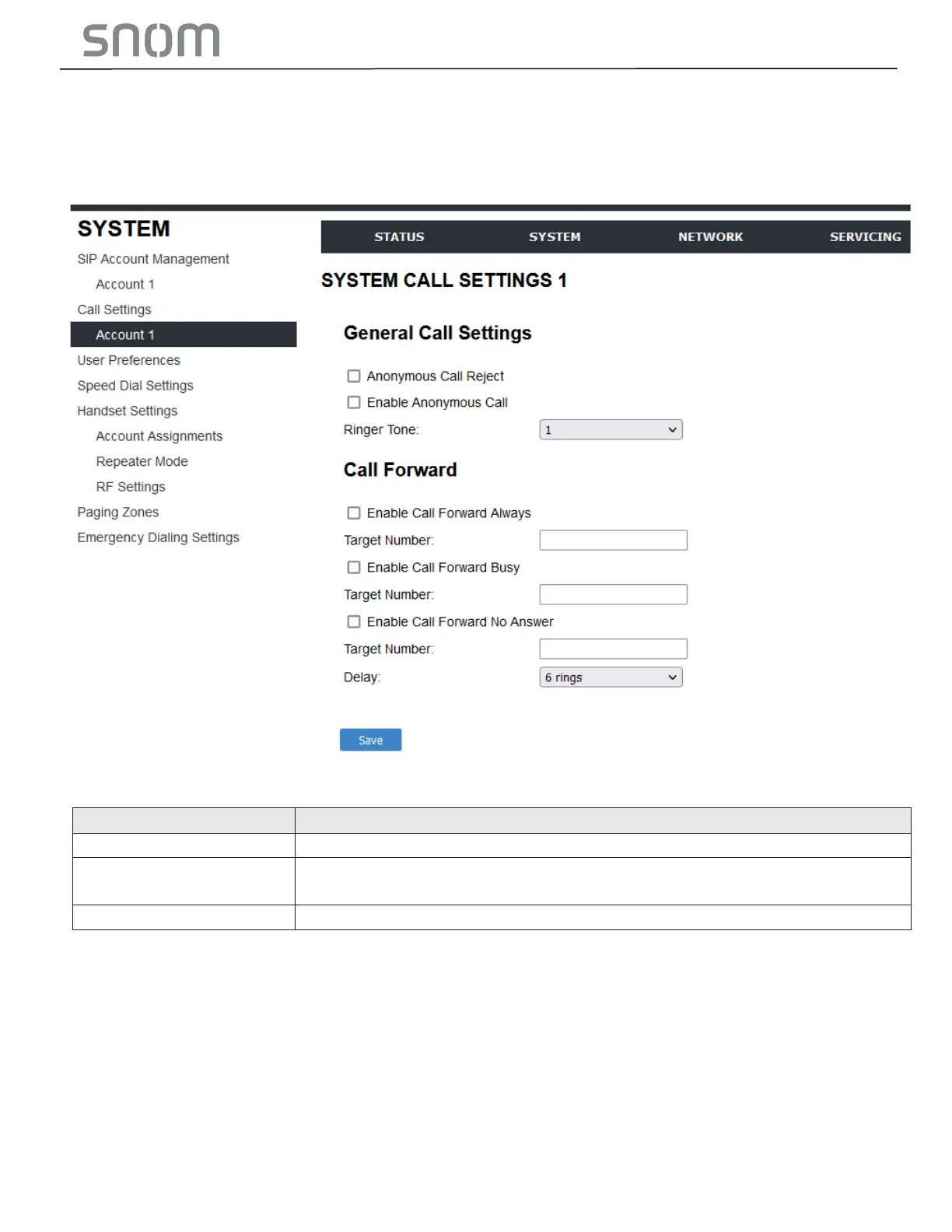
3.2.2 Call Settings
You can configure call settings for each account. Call Settings include Call Forward settings.
The call settings are also available as parameters in the configuration file. See Section 6.6.11 Call
Settings ("call_settings" Module).
3.2.2.1 General Call Settings
Enables or disables rejecting calls indicated as "Anonymous".
Enables or disables outgoing anonymous calls. When enabled, the caller
name and number are indicated as "Anonymous".
Set the ringer tone for incoming calls on the account.
3.2.3 User Preferences
On the User Preferences page, you can configure some basic settings for the phone and set the language
that appears on the Web Portal. The User Preferences page is also available to phone users when they log
on to the Web Portal.
The user preference settings are also available as parameters in the configuration file. See Section
6.6.10 User Preference Settings ("user_pref" Module) .



 To Next Page