SIP Phone Configuration Guide
When Static IP is selected, you must enter a static IP address for the HD10X,
as well as addresses for the Subnet Mask, Gateway, and DNS Server(s).
If DHCP is disabled, enter a static IP address for the HD10X.
Enter the address of the default gateway (in this case, your router).
Select to enable PPPoE (Point-to-Point Protocol over Ethernet) mode.
Enter your PPPoE account username.
Enter your PPPoE account password.
Select to enable manual DNS configuration.
If DHCP is disabled, enter addresses for the primary and secondary DNS servers.
Disables all the related IPv6 settings
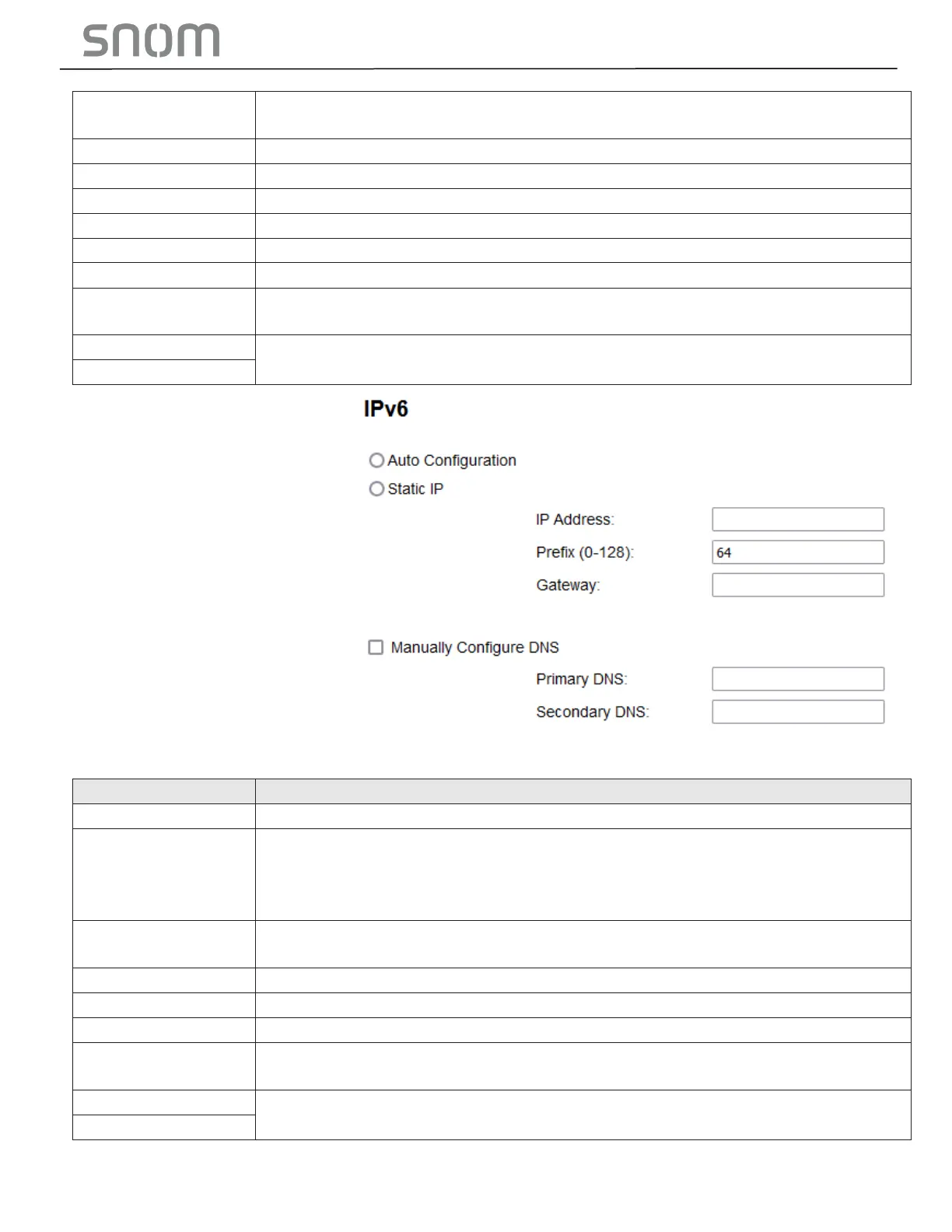
Auto configuration is selected (enabled) by default, which means the HD10X will
get its IP address, Gateway, and DNS Server(s) from the network. When Auto
Configuration is disabled, you must enter a static IP address for the HD10X, as well
as addresses for the Gateway and DNS Server(s).
When Static IP is selected, you must enter a static IP address for the HD10X,
as well as an IPv6 address prefix, Gateway, and DNS Server(s).
If Auto Configuration is disabled, enter a static IP address for the HD10X.
Enter the IPv6 address prefix length (0 to 128 bits).
Enter the address of the default gateway (in this case, your router).
Select to enable manual DNS configuration.
If Auto Configuration is disabled, enter addresses for the primary and secondary
DNS servers.



 To Next Page