- 52 -
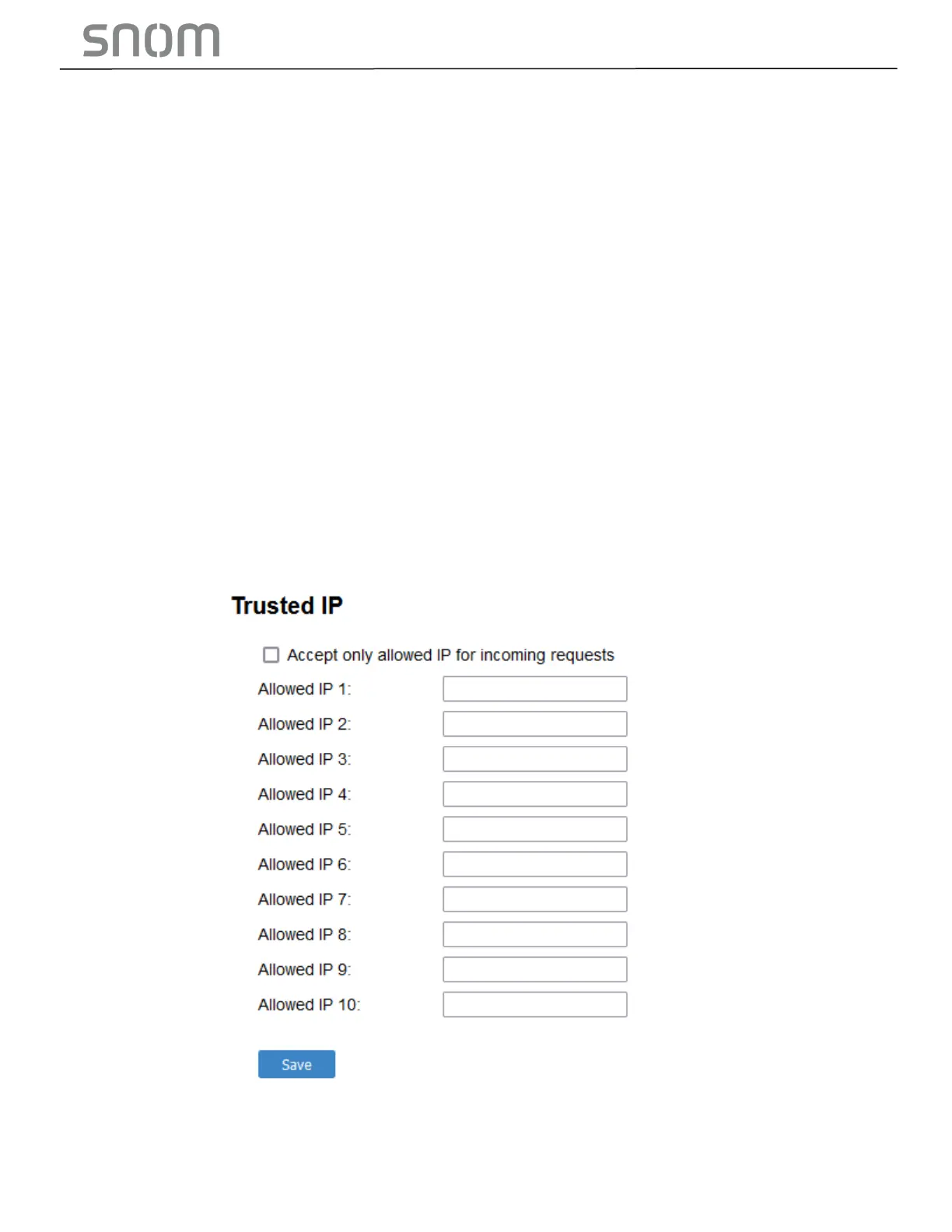
3.4.5.4 Trusted IP
In addition to the Trusted Servers setting, incoming IP traffic can be filtered using an Allowed IP list of IP
addresses. When this means is enabled, all unsolicited IP traffic will be blocked unless it is from one of the
trusted IP addresses on the Allowed IP list.
You can enter the Allowed IP list in the 10 fields on the Trusted IP section. Entries on the Allowed IP list
must be specified as IP addresses (IPv4 or IPv6).
Three formats are supported for entries on the Allowed IP list:
1. IP range specified using CIDR notation (defined in rfc4632). IPv4 or IPv6 address followed by a prefix,
for example, 192.168.0.1/24.
2. IP range specified with a pair of starting and ending IPv4 or IPv6 addresses, separated by '-' (for
example, 192.168.0.1-192.168.5.6).
•
No space before or after '-'
•
Both starting IP & ending IP have to be with the same IP version
•
Starting IP has to be smaller than the ending IP; otherwise, all traffic will be dropped.
3. Single IP address in IPv4 or IPv6.
Note
•
Changing the Web Server settings will reboot the HD10X.



 To Next Page