EasyManua.ls Logo

Snom HD100 - Syslog Settings

Snom HD100
108 pages
Print Icon
To Next Page IconTo Next Page
To Previous Page IconTo Previous Page
Loading...
SIP Phone Configuration Guide
- 56 -
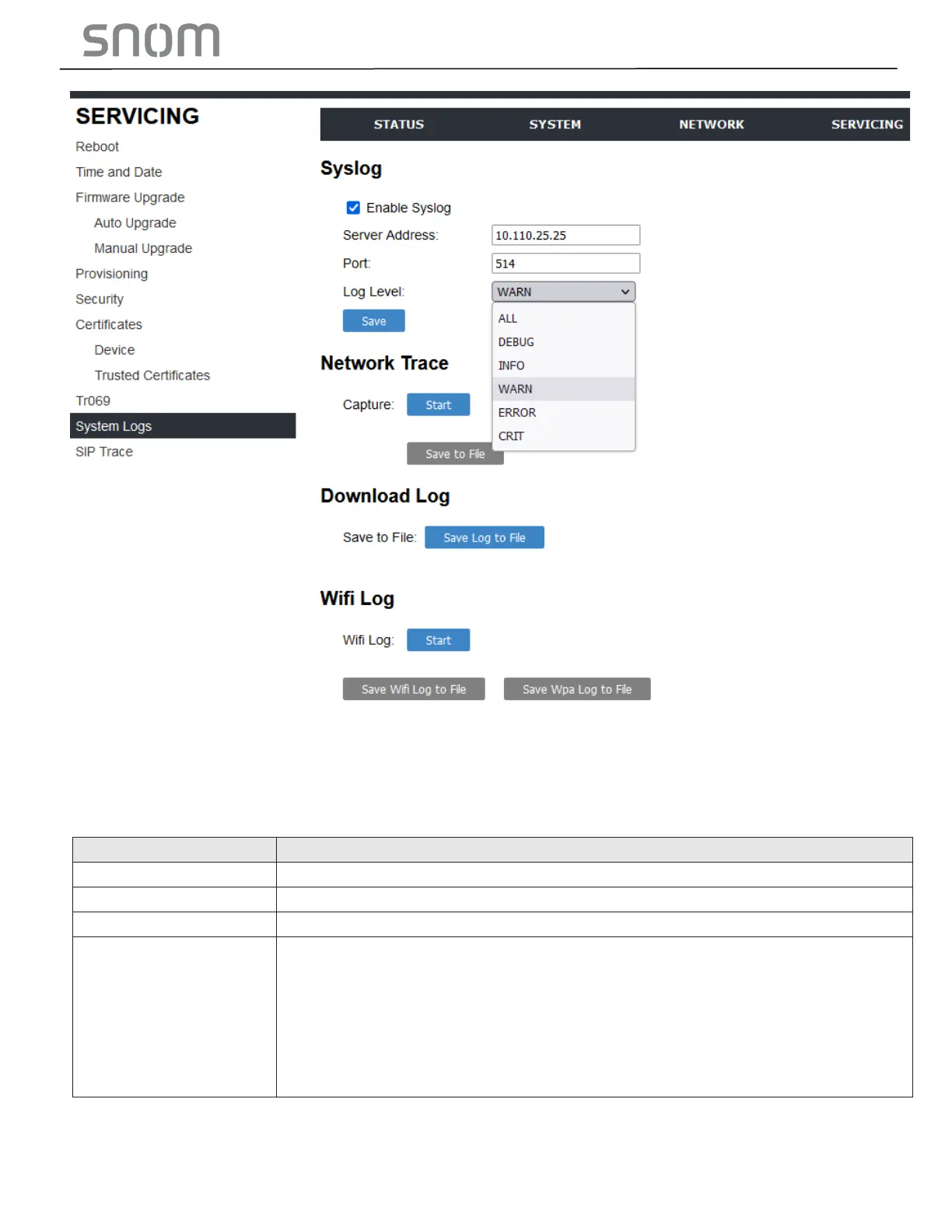
Under Download Log, you can save the system log to a file.
The Syslog settings are also available as parameters in the configuration file. See Section 6.6.6 Log
Settings ("log" Module).
3.4.8.1 Syslog Settings
Setting
Description
Enable Syslog
Enable log output to syslog server.
Server Address
Syslog server IP address.
Port
Syslog server port.
Log Level
Set the log level. The higher the level, the larger the debug output.
5 - ALL
4 - DEBUG
3 - INFO
2 - WARNING
1 - ERROR
0 - CRITICAL
The logging levels are:
CRITICAL: Operating conditions to be reported or corrected immediately (for example, an

Table of Contents

Related product manuals