SIP Phone Configuration Guide
- 22 -
The speed dial key settings are also available as parameters in the configuration file. See Section 6.6.12
Programmable Feature Key Settings ("pfk" Module).
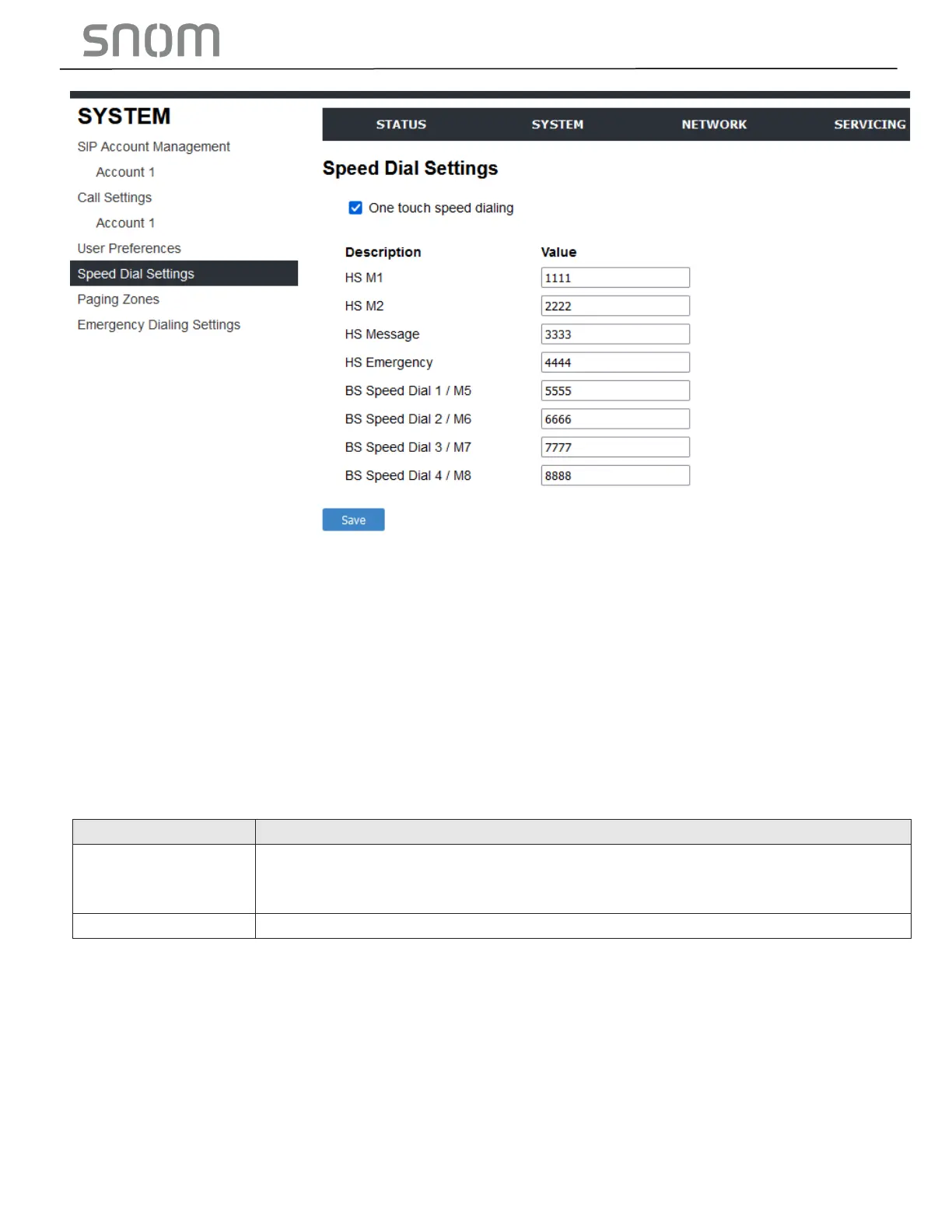
After entering information on this page, click SAVE. To enter speed dial numbers:
1. In the Value column, enter a phone number for the desired speed dial key.
2. Click SAVE.
3.2.4.1 Speed Dial Keys
Click the link for each setting to see the matching configuration file parameter in Section 6.6.12
Programmable Feature Key Settings ("pfk" Module).
BS: Speed dial keys on telephone base (Key 1-10).
HS: Speed dial keys on cordless handset (HS SER. & HS EMER.)
See the images below.
The phone number that the speed dial key dials when pressed and held.
3.2.5 Handset Settings
The Handset Settings allow you to configure account assignments and names for the cordless
handset that are registered to the base station. For more information on registering cordless handsets,
see HD10X specific setup guide.
The network settings are also available as parameters in the configuration file. See Section 6.6.2
Handset Settings ("hs_ settings" Module).



 To Next Page