- 40 -
3.4.2.4 Manual Time Settings
If Enable Network Time is disabled or if the time server is not available, use Manual Time Settings
to set the current time.
Select the current year, month, and day. Click the Date field and select the date
from the calendar that appears.
Set the current hour, minute, and second. Click the Time field, and enter the
current time. You can also refresh the page to update the manual time settings.
Click Apply Now to start the HD10X using the manual time settings.
3.4.3 Firmware Upgrade
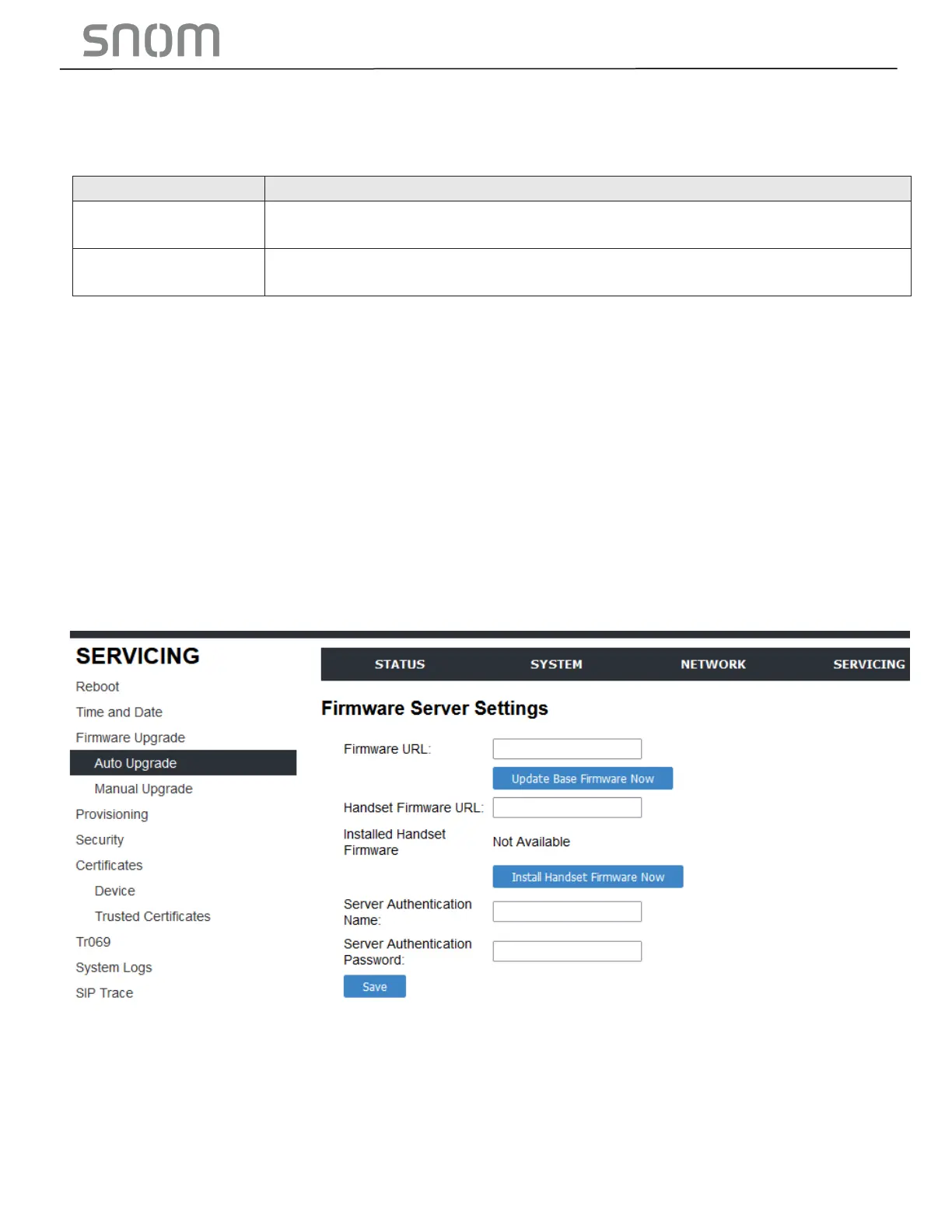
You can update the HD10X with new firmware using the following methods:
•
Retrieving a firmware update file from a remote host computer and accessed via a URL. This central
location may be arranged by you, an authorized dealer, or your SIP service provider. Enter the URL
under Firmware Server Settings.
•
Using a file located on your computer or local network. No connection to the Internet is required.
Consult your dealer for access to firmware update files. Click Manual Upgrade to view the page.
where you can manually upgrade the HD10X firmware.
The firmware upgrade settings are also available as parameters in the configuration file. See Section
6.6.4 Provisioning Settings ("provisioning" Module).



 To Next Page