Paramount GEM User Guide
147 | P a g e
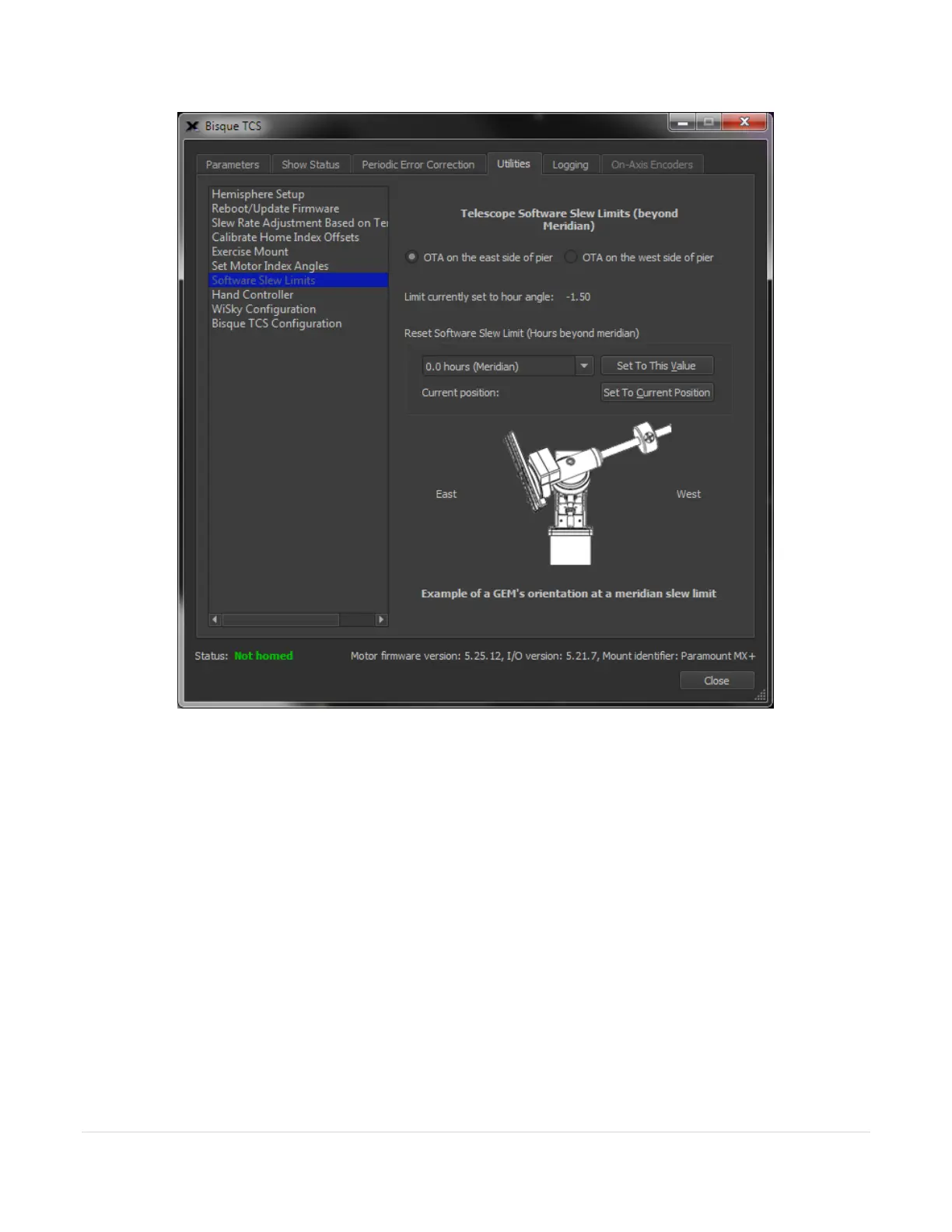
Figure 72: The Mount Slew Limits settings on the Utilities tab.
OTA on the East Side of Pier
Turn this option on to the set the slew position limit when the optical tube assembly is on the East side of the pier.
Once the desired slew limit position is determined, click the Set to Current Position button to save this limit to the
mount’s firmware.
OTA on the West Side of Pier
Turn this option on to the set the slew position limit when the optical tube assembly is on the West side of the
pier. Once the desired slew limit position is determined, click the Set to Current Position button to save this limit
to the mount’s firmware.
Limit Currently Set To Hour Angle
This text box shows the control system’s current hour angle for the software slew limit for the selected axis.



 To Next Page