Related Topic
Saving/Restoring Pan/Tilt, Zoom Position, and Focus Setting Using the Web App
Configuring PTZ Auto Framing Initial Settings
Specifying the Subjects for Automatic Tracking (manual tracking start mode)
Camera Screen Display
AF Tracking a Specified Subject (Realtime Tracking AF)
Slow & Quick Motion
Adjusting the Gain Automatically
Adjusting the Gain Manually
Adjusting the Shutter Automatically
Adjusting the Shutter Manually
Adjusting the Iris Automatically
Adjusting the Iris Manually
About PTZ Auto Framing
About the ND Filter
Look Overview
Shooting with Look Adjustment in Post-Production
White Balance Adjustment Screen
Assignable Buttons
Playing Recorded Clips
Operating the Camera Menu
About Streaming
Error/Warning Messages
TP1001804462
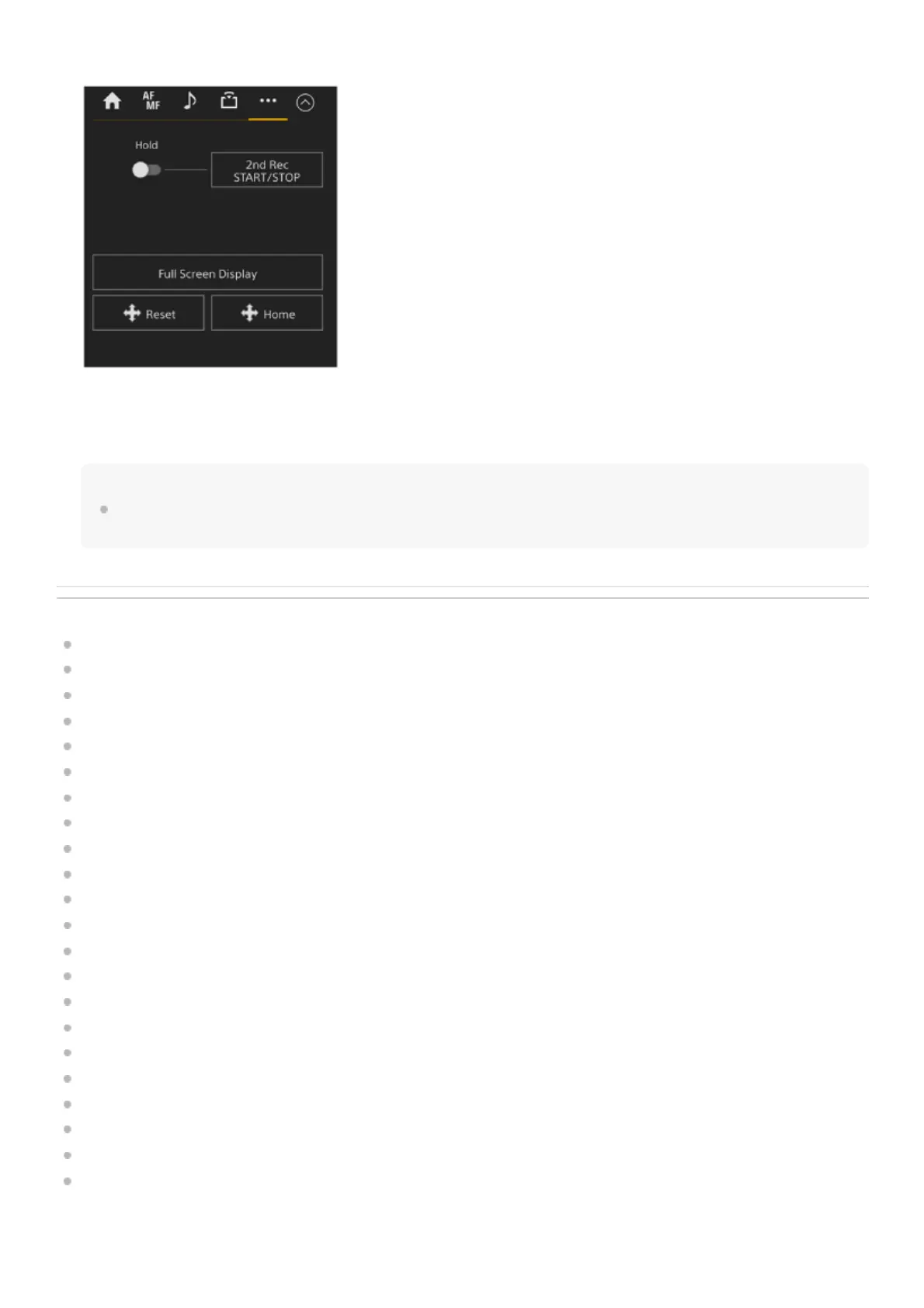
Displays the setup items related to other functions.
Pressing the [Full Screen Display] button opens a new tab in the web browser and displays the camera image panel
image in full screen.
Only image display occurs; touch AF and other functions are not available.
Note
The live operation screen on the original tab continues to function. It is recommended that you close the tab to reduce the number
of simultaneous connections if no operation is required.



 To Next Page