5-46
4. Switching Position Adjustment (VC-242 Board)
Mode VTR playback
Signal SW/OL reference tape (XH2-3)
Measurement Point Display data of page: 3, address: 03
Measuring Instrument Adjustment remote commander
Adjustment Page C
Adjustment Address 10, 11, 12, 13
Specified Value 00
Adjusting method:
Order Page
Address
Data Procedure
1 Insert the SW/OL reference tape
and enter the VTR STOP mode.
2 0 01 01 Set the data.
3 3 21 Check that the data is “02”.
(Note1)
4 3 01 0D Set the data, and press PAUSE
button.
5 3 02 Check that the data changes to
“00”.
6 3 03 Check that the data is “00”.
(Note2)
7 0 01 00 Set the data.
Note1: If the data of page: 3, address: 21 is “72”, the tape top being played.
After playing the tape for 1 to 2 seconds, stop it, perform step 4
and higher.
Note2: If bit 0 of the data is “1”, the even channel is defective. If bit 1 is
“1”, the odd channel is defective. Contents of the defect is written
into page: C, addresses: 10 and 12. See the following table. (For
the bit values, refer to “5-4. SERVICE MODE”, “4-3. 3. Bit value
discrimination”.)
When the even channel is defective
Data of page: C, Contents of defect
address: 10
EE Writing into EEPROM (IC502) is defective
E8 Adjustment data is out of range
E7 No data is returned from IC301 (CAIN)
When the odd channel is defective
Data of page: C, Contents of defect
address: 12
EE Writing into EEPROM (IC502) is defective
E8 Adjustment data is out of range
E7 No data is returned from IC301 (CAIN)
5. AGC Center Level and APC & AEQ Adjustment
5-1. Preparations before adjustments
Mode Camera recording
Subject Arbitrary
Adjusting method:
Order Page
Address
Data Procedure
1 2 30 40 Set the data.
2 Record the camera signal for
three minutes.
5-2. AGC Center Level Adjustment (VC-242 Board)
Mode Playback
Signal Recorded signal at “Preparations
before adjustments”
Measurement Point Pin 2 of CN007 (RF MON) (Note 1)
Ext. trigger: Pin 3 of CN007 (SWP)
Measuring Instrument Oscilloscope
Adjustment Page C
Adjustment Address 1E
Specified Value The data of page: 3, address: 03 is
“00”
Note 1: Connect a 75Ω resistor between Pin 2 and Pin 1 (GND) of
CN007.
75Ω resistor (Parts code: 1-247-804-11)
Adjusting method:
Order Page
Address
Data Procedure
1 Playback the recorded signal at
“Preparations before
adjustments”
2 0 01 01 Set the data.
3 3 33 08 Set the data.
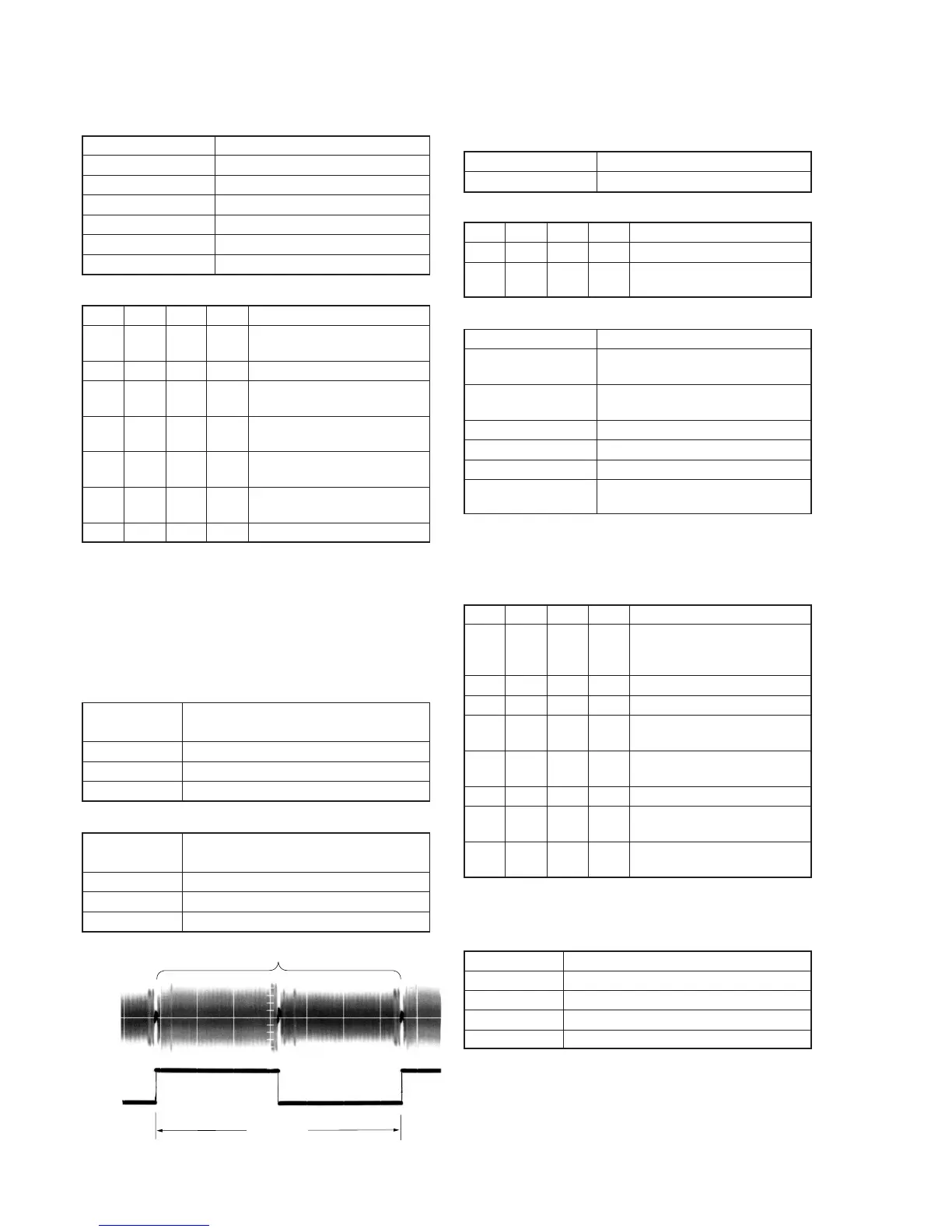
4 Confirm that the playback RF
signal is stable. (Fig. 5-3-5.)
5 3 01 23 Set the data, and press PAUSE
button.
6 3 02 Check that the data is “00”.
7 3 03 Check that the data is “00”.
(Note2)
8 Perform “APC & AEQ
Adjustment”.
Note2: If the data of page: 3, address: 03 is other than “00”, adjustment
has errors. (Take an appropriate remedial measures according to
the errors referring to the following table.)
Data Contents of defect
20 Perform re-adjustment. (Note 3)
30 The machine is defective
40 Perform re-adjustment. (Note 3)
50 The machine is defective
Note 3: If this data is displayed twice successively, the machine is defective.
6.7 msec
PB RF signal is stable
Pin
3
Pin
2
Fig. 5-3-5.















 To Next Page