14
Installation
3
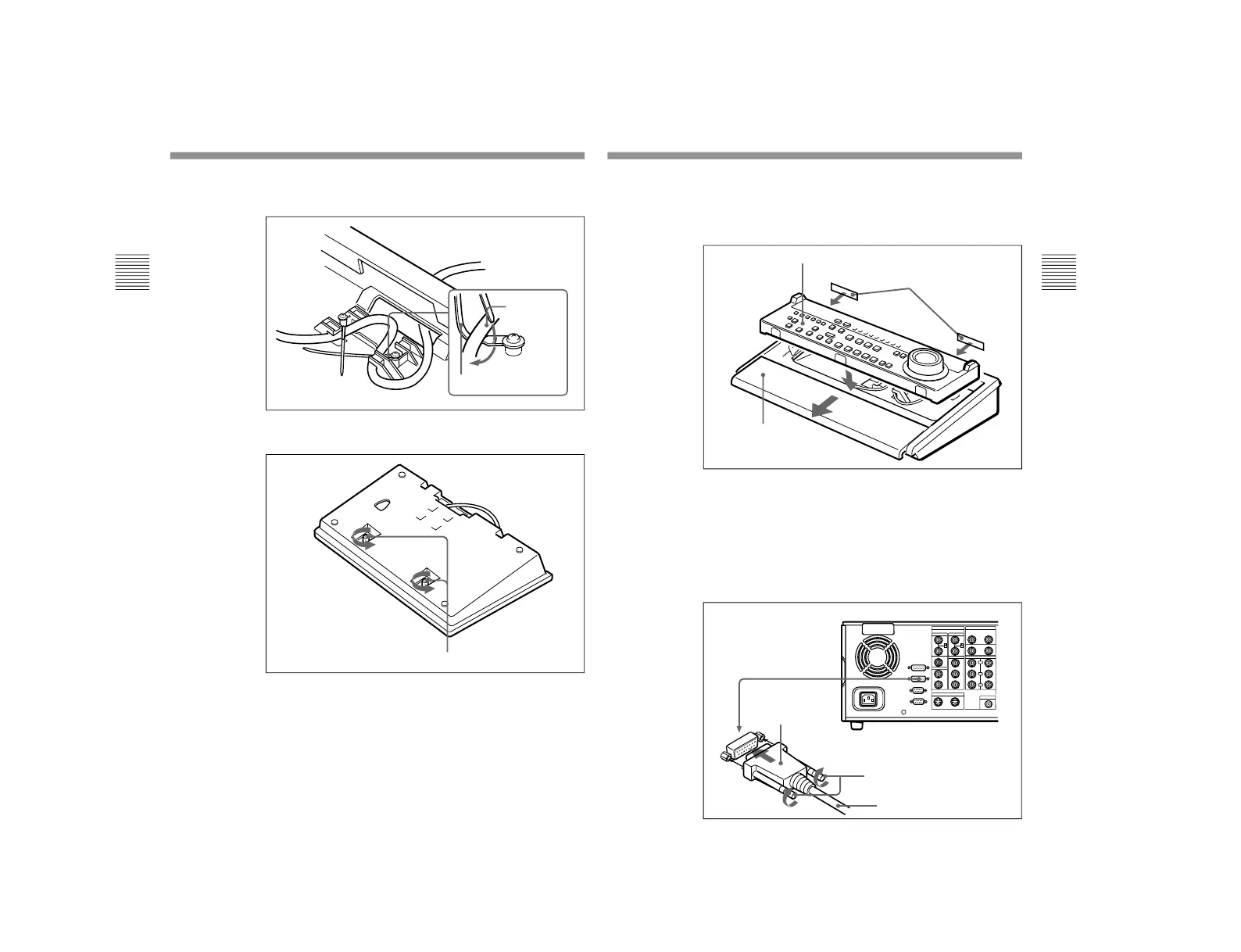
Use the cable straps on the base of the control panel case to
hold the cable tidy, as required.
4
Slacken the two screw fasteners in the base of the control
panel case.
Cable strap
Interface
cable
Screw fasteners
15
5
Attach the double-sided adhesive tape to the edge of the
remote control panel as shown in the figure, then pull
forward the cushion part of the control panel case, and
insert the remote control panel.
6
Slide the cushion part of the control panel case back, to
hold the remote control panel in place, then turn the screw
fasteners in the base of the control panel case to hold the
cushion part in position.
7
Connect the D-sub 15-pin connector of the interface cable
to the CONTROL PANEL connector of the DSR-2000/
2000P, and fasten the connector with the retaining screws.
Remote control panel
DSR-2000/2000P
Interface cable
Retaining screws
D-sub 15-pin
connector
Double-sided adhesive tape
Cushion
1-3. DSBK-200



 To Next Page