61
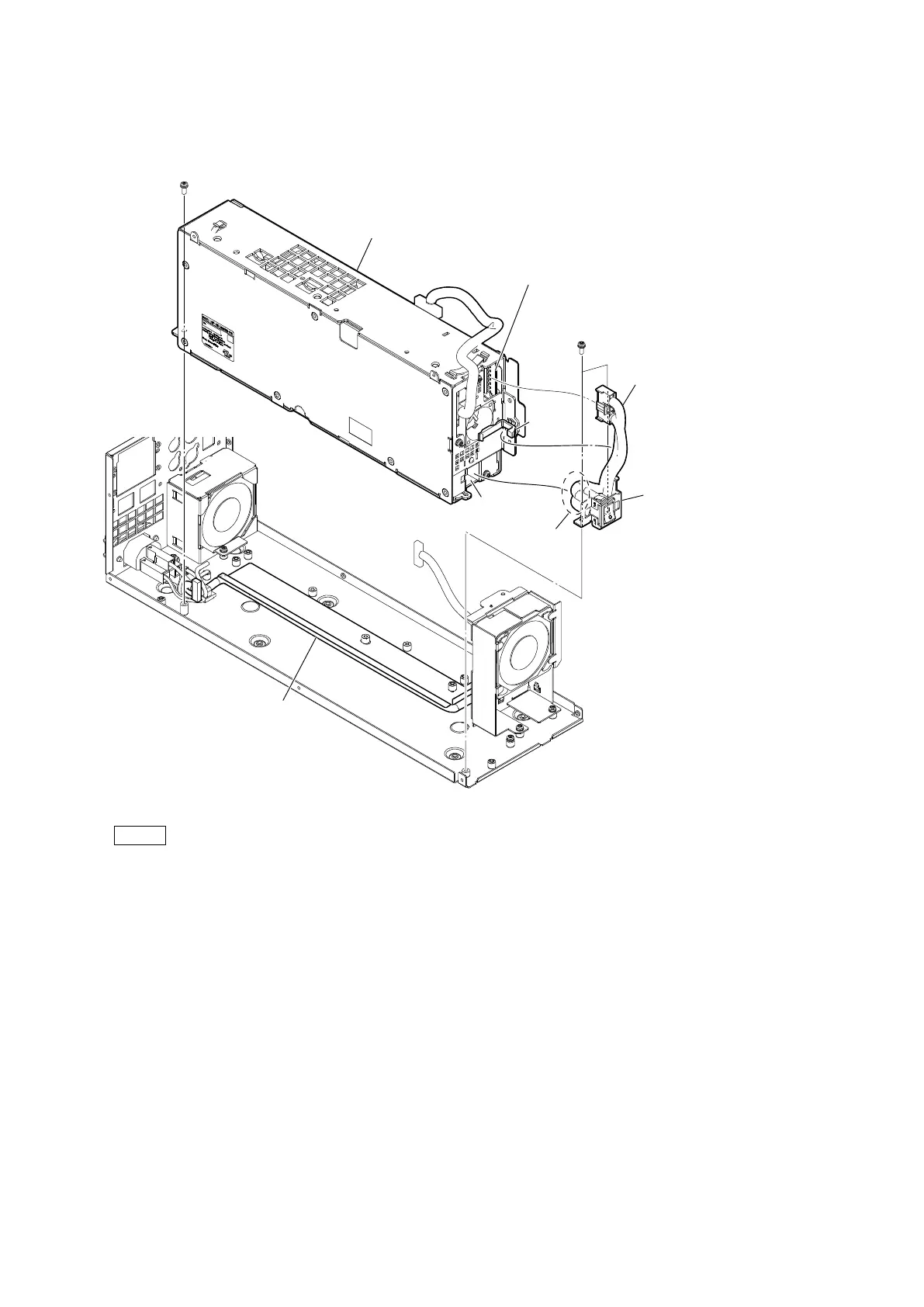
3. Release the harness from the cable clamp, and then disconnect the harness from the connector (CN1006) on the PS-939 board.
4. Remove the three screws, and then remove the power switch sub assembly.
5. Remove the power block.
Note
• Carefully install the power supply block so as not to catch the harness (a).
• When installing the power switch assembly, push the harness into the hollow of the power supply block.
• At the time of the installation, tighten the screws in the following sequence: (a), (b), (c).
PSW
3 x 8
Harness
Cable
clamp
Harness
Concave portion
PSW
3 x 8
(b)
(a)
(c)
Harness (a)
Power switch subassembly
CN1006
(PS-939 board)
Power block



 To Next Page