Connecting the TV
31
Connecting the TV
KDF-E42A10/KDF-E50A10
2-597-544-11(1)
D:\WINNT\Profiles\fujii\Desktop\Troy book source\2597544111c20_TROY
Source data\01US04INS.fm
masterpage:3 columns Right
3 After 1-2 minutes, the CableCARD device setup screen is automatically
displayed. This screen includes information your cable TV company
will request before they can activate your service.
4 Follow the displayed instructions: Phone your cable TV company. A
representative will guide you through the activation process.
5 After your CableCARD device is activated, your cable TV company
will download the service information, including the channel list, to the
CableCARD device. After the CableCARD device has acquired
channels from your cable TV company, the TV tunes to the lowest
available channel.
Removing the
CableCARD Device
In the event you want to cancel your service, contact your cable TV
company.
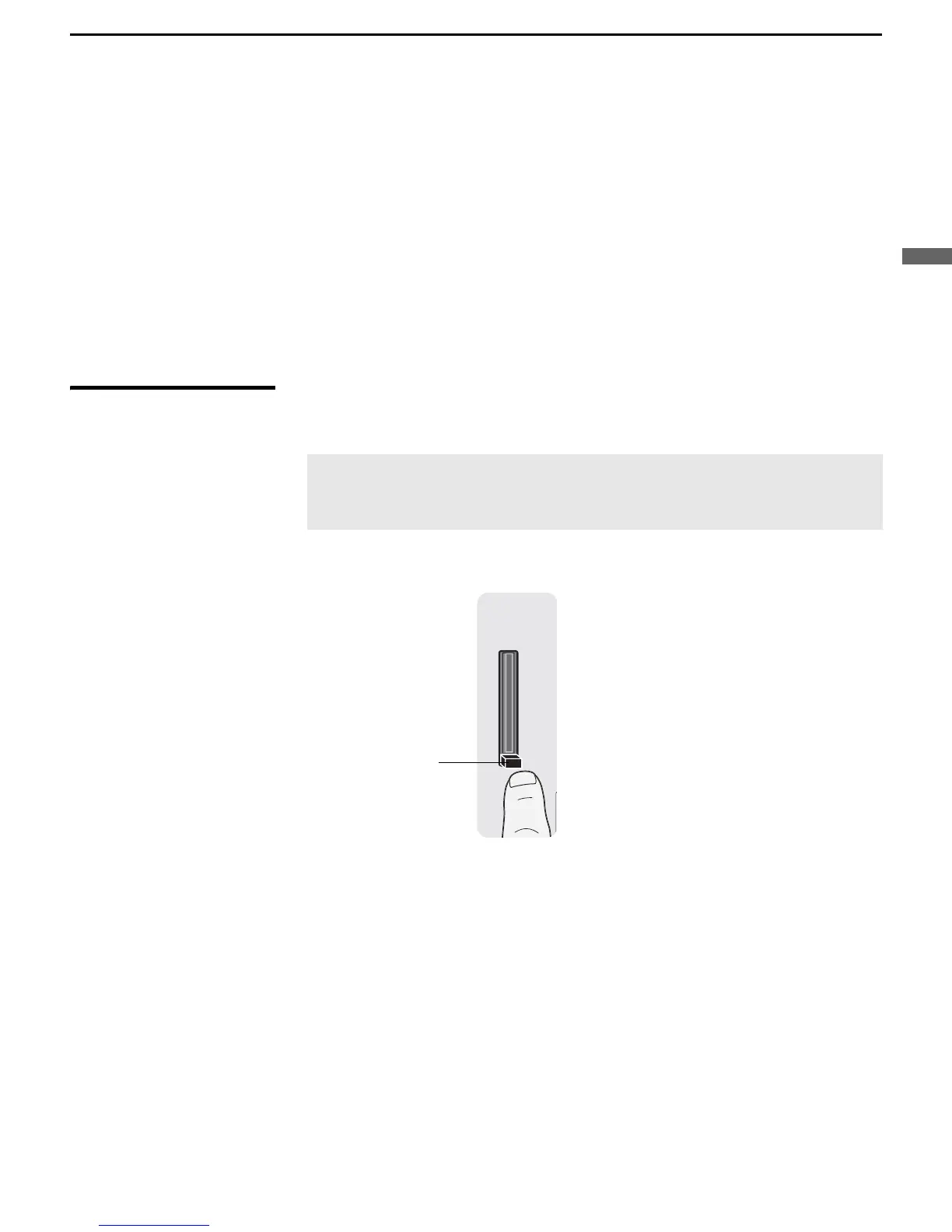
1 Push the eject button on the CableCARD slot to release the card.
2 Pull the CableCARD device straight out of the slot to remove it.
To install a different CableCARD device, follow the instructions in
“Activating CableCARD Service” on page 30.
z You can also access
information about your
CableCARD device in
the Applications settings
(see page 84).
✍ Once the CableCARD device is removed, your TV will no longer
decrypt digital cable TV programming services that require
CableCARD.
Eject button



 To Next Page