Connecting the TV
22
KDF-E42A10/KDF-E50A10
2-597-544-11(1)
D:\WINNT\Profiles\fujii\Desktop\Troy book source\2597544111c20_TROY
Source data\01US04INS.fm
masterpage:3 columns Right
Cable System or
VHF/UHF
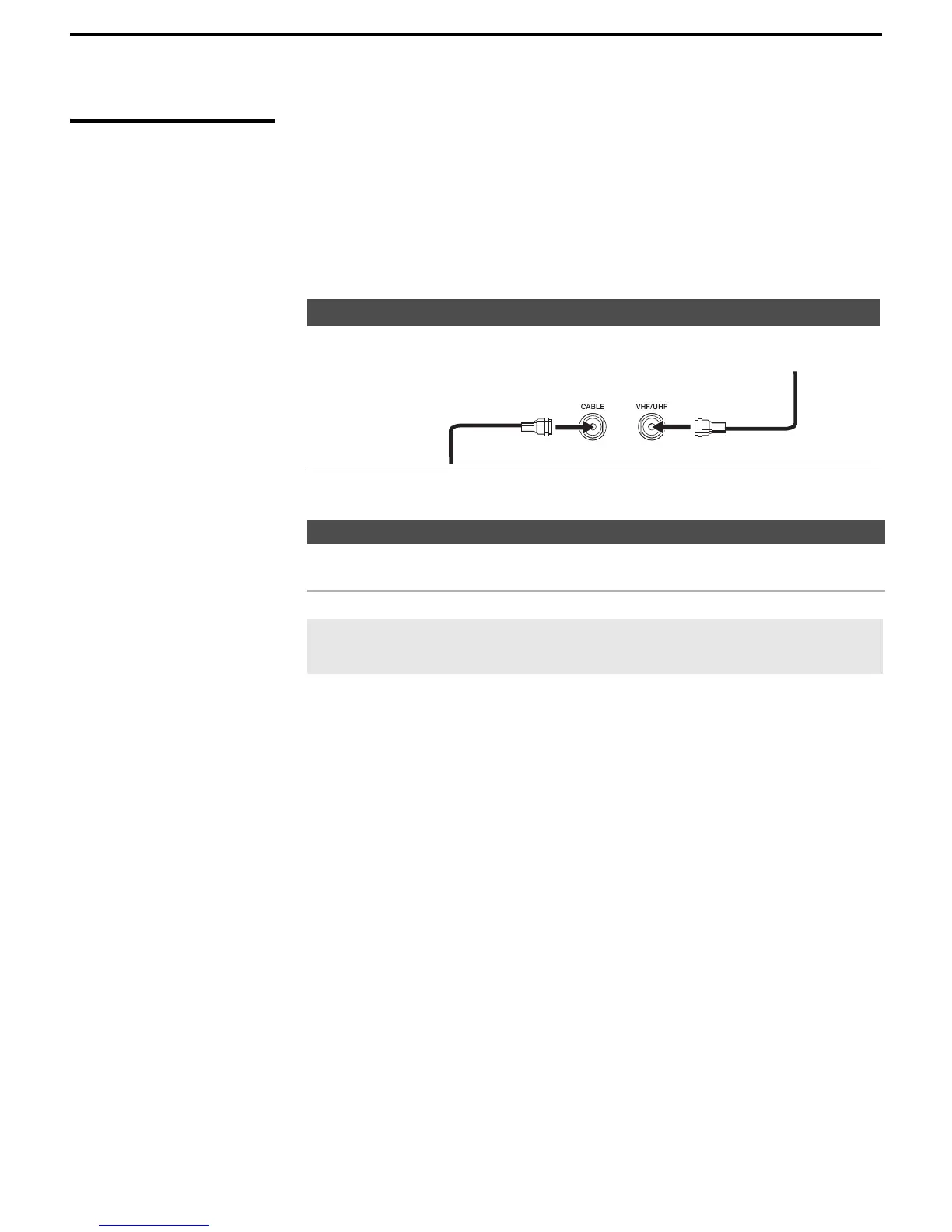
For best results, use this connection if you:
❑
Have a cable and/or an antenna.
(This is convenient if you are using a separate rooftop antenna to receive
additional channels that are not provided by your cable TV company.)
❑ Do not have a cable box or VCR. (If you have a cable box, see pages 23
and 24. If you have a VCR, see pages 34 and 35.)
Notes on Using This Connection
Antenna System
Cable Type Connect As Shown
Cable TV (CATV)
and Antenna
To Do This... Do This ...
Switch the TV’s input between
the cable and antenna
Press ANT to switch back and forth between the
TV’s VHF/UHF and CABLE inputs.
✍ Do not use an indoor antenna, which is especially susceptible to
radio noise.
Antenna cable
CATV cable



 To Next Page