– 25 –
KDF-E42A10/E50A10
K RM-YD003 RM-YD003
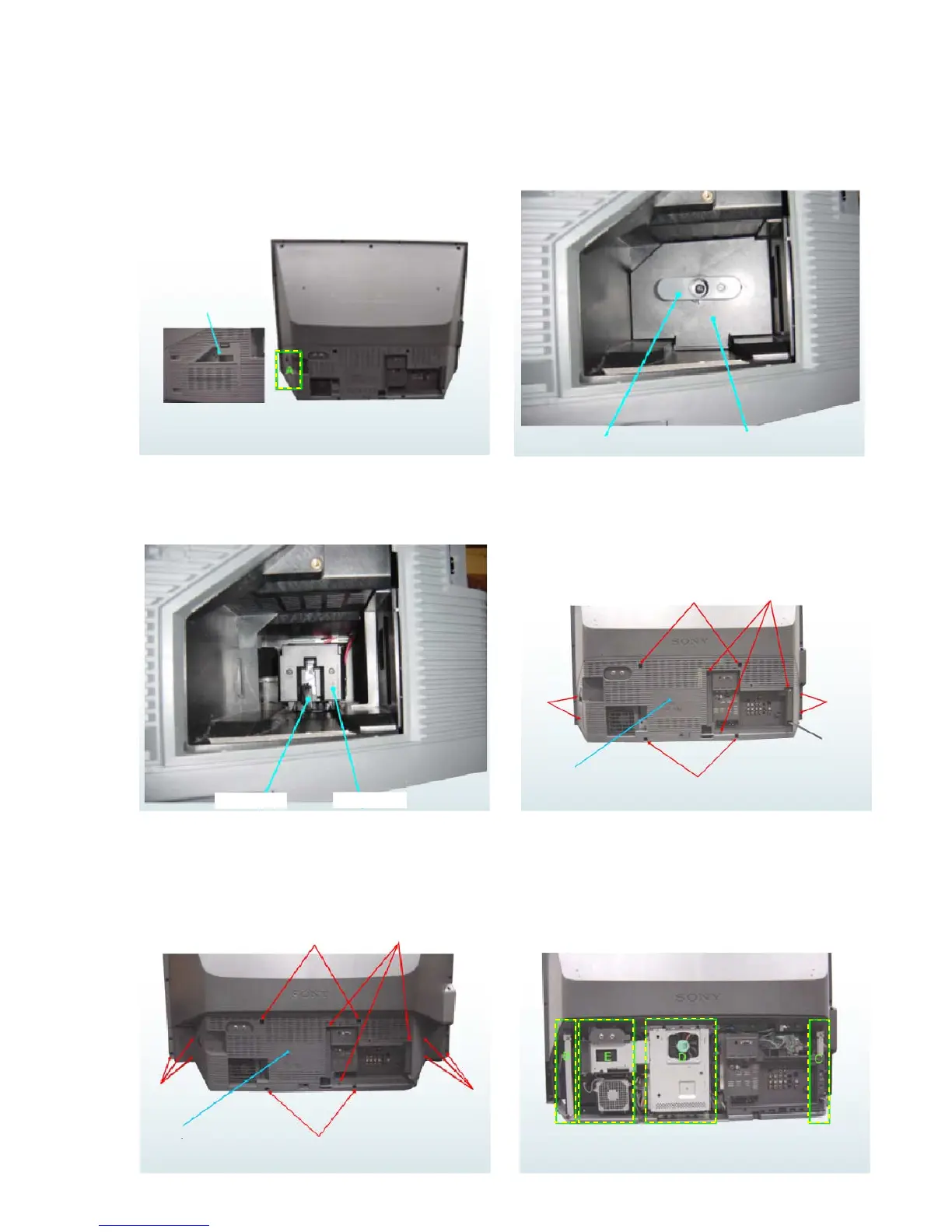
2-24. HOW TO REPLACE OPTICS UNIT
2-24-1. Remove Lamp Block (1)
2-24-2. Remove Lamp Block (2)
Door, Lamp
< A > < REAR VIEW >
A
Remove '' Door, Lamp ".
Turn left "Lever, Lock" below, and then remove "Door, Lamp".
2-24-3. Remove Lamp Block (3)
2-24-4. Remove Cover, Rear (1)
Pull the "Lever, Lock" below to remove "Lamp block".
2 screws
2 screws
2 screws
Rear
Take off 11 screws (42"), and then pull out "Cover, Rear".
2-24-5. Remove Cover, Rear (1-2)
2-24-6. Remove Cover, Rear (2)
Take off 13 screws (50"). It is removed "Cover, Rear".
2 screws



 To Next Page