Introducing the TV
17
Introducing the TV
KDF-E42A10/KDF-E50A10
2-597-544-11(1)
D:\WINNT\Profiles\fujii\Desktop\Troy book source\2597544111c20_TROY
Source data\01US03WEL.fm
masterpage:3 columns Right
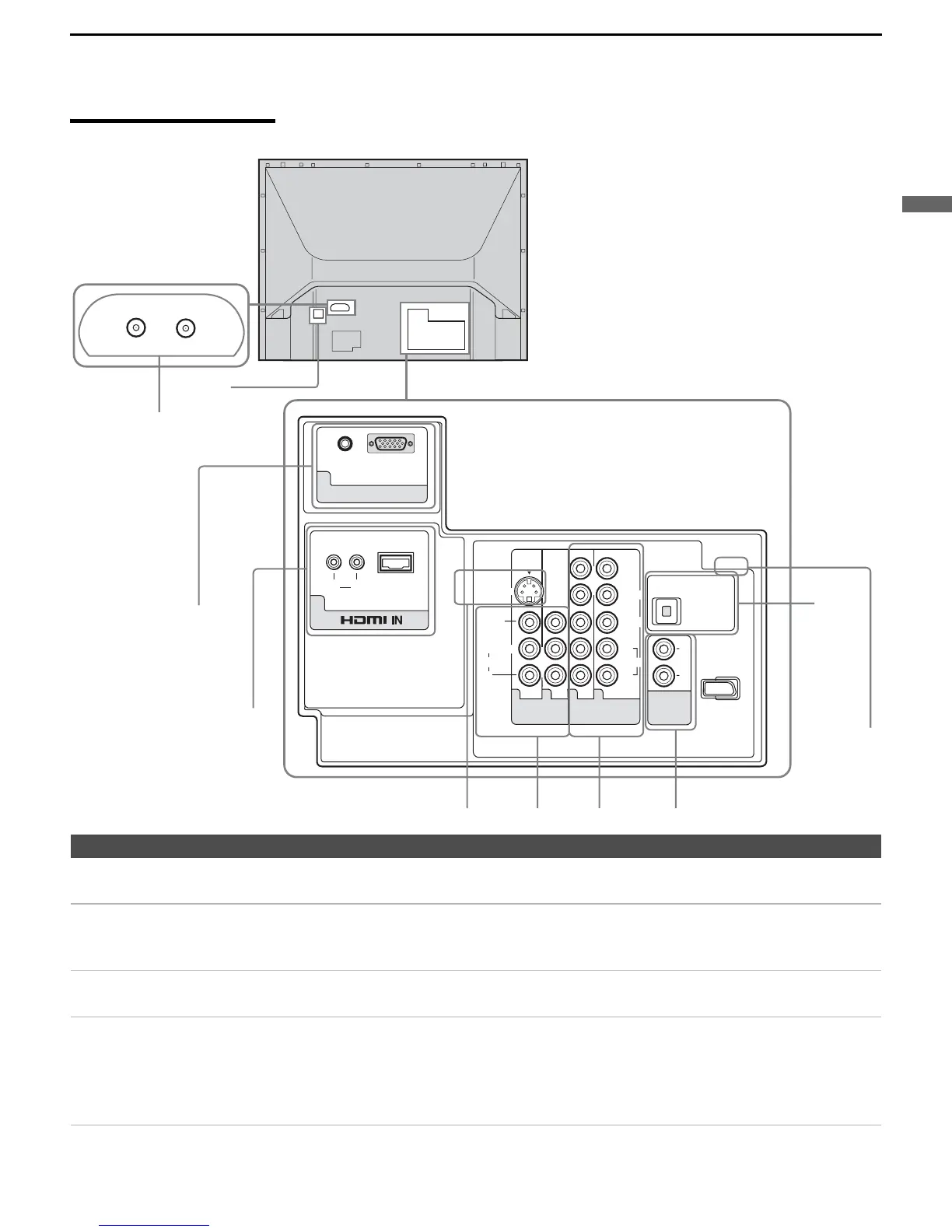
Rear Panel
L
R
Y
P
B
/C
B
P
R
/C
R
L
R
L
R
(MONO)
AUDIO
AUDIO
RL
VIDEO IN
AUDIO
HD / DVD IN
(1080i/720p/480p/480i)
AUDIO
VIDEO
PC IN
AUDIO
RGB
OUT
(VAR/FIX)
DIGITAL
AUDIO
(OPTICAL)
OUT
PCM/
DOLBY DIGITAL
S VIDEO
6
7
1345
VHF/UHF
CABLE
1
3
7
8
q;
9
6
2
4
Jack Description
1 CABLE
VHF/UHF
RF input that connects to your cable and VHF/UHF antenna signal.
2 CableCARD slot CableCARD device provides cable subscribers with access to secure, digitally encrypted cable
channels
— without the need for a set-top box — that will enable you to receive not only
standard definition but also high definition television. For more information, see page 30.
3 PC IN 7 Connect to the video output connector and audio output jack on your personal computer. For
details, see page 40.
4 HDMI IN 6
HDMI/
L-AUDIO-R
HDMI (High-Definition Multimedia Interface) provides an uncompressed, all-digital
audio/video interface between this TV and any HDMI-equipped audio/video component, such
as a set-top box, DVD player, and A/V receiver. HDMI supports enhanced, or high-definition
video, plus two-channel digital audio. You can also connect a DVI-equipped device to your
TV by using an HDMI-to-DVI cable.
(Continued)



 To Next Page