Using the Settings
74
KDF-E42A10/KDF-E50A10
2-597-544-11(1)
D:\WINNT\Profiles\fujii\Desktop\Troy book source\2597544111c20_TROY
Source data\01US07MEN.fm
masterpage:3 columns Right
Accessing the Parental Lock Settings
Selecting Parental
Lock Options
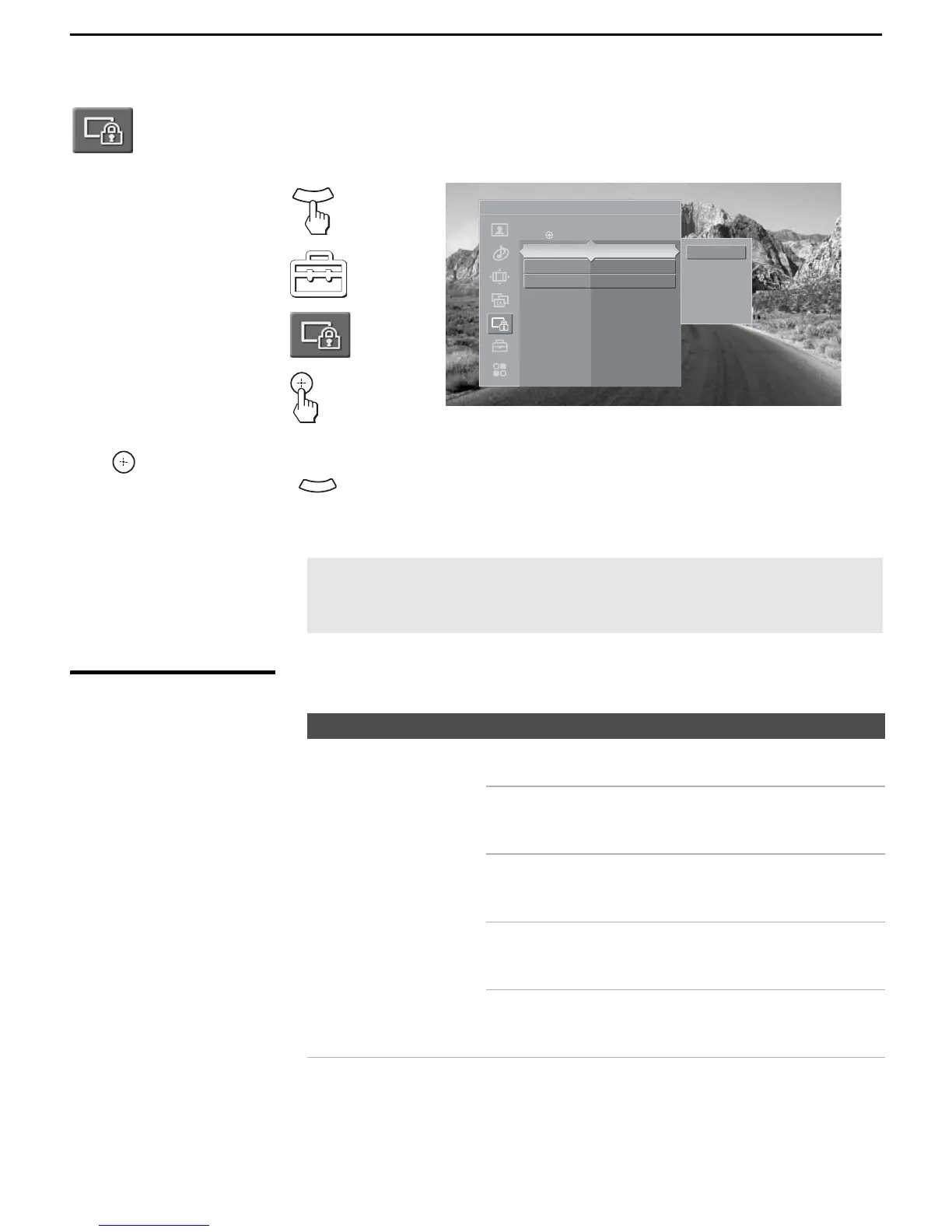
The Parental Lock settings include the following options:
1. Press WEGA GATE........
2. Select Settings..............
3. Highlight.......................
4.Press to select................
To highlight an option and to change settings, press V v B b.
Press
to confirm the selection.
To exit the Parental Lock, press .
The Parental setting allows you to set up the TV to block programs according to their content and rating levels.
W
E
G
A
G
A
T
E
Antenna
Parental Lock
Press to change settings
Off
Child
You th
Y. Ad ult
Custom
Parental Lock Off
Change Password
Select Country U. S. A.
WEGA
GATE
✍ You need your password for any future access to the Parental Lock
settings. If you have lost your password, see “Lost password” on
page 93.
Option Description
Parental Lock
Turn ratings on/off and
select a rating system
Off Turn Parental Lock off. No programs are
blocked from viewing.
Child Maximum ratings permitted are:
U.S.: TV-Y, TV-G, G
Canada: C, G, TV-Y
Youth Maximum ratings permitted are:
U.S.: TV-PG, PG
Canada: C8+, PG, 8 ans+, TV-PG
Y. A d u l t Maximum ratings permitted are:
U.S.: TV-14, PG-13
Canada: 14+, 13 ans+, TV-14
Custom Select to set ratings manually.
U.S.: See page 76 for details.
Canada: See page 77 for details.



 To Next Page