Introducing the TV
16
KDF-E42A10/KDF-E50A10
2-597-544-11(1)
D:\WINNT\Profiles\fujii\Desktop\Troy book source\2597544111c20_TROY
Source data\01US03WEL.fm
masterpage:3 columns Right
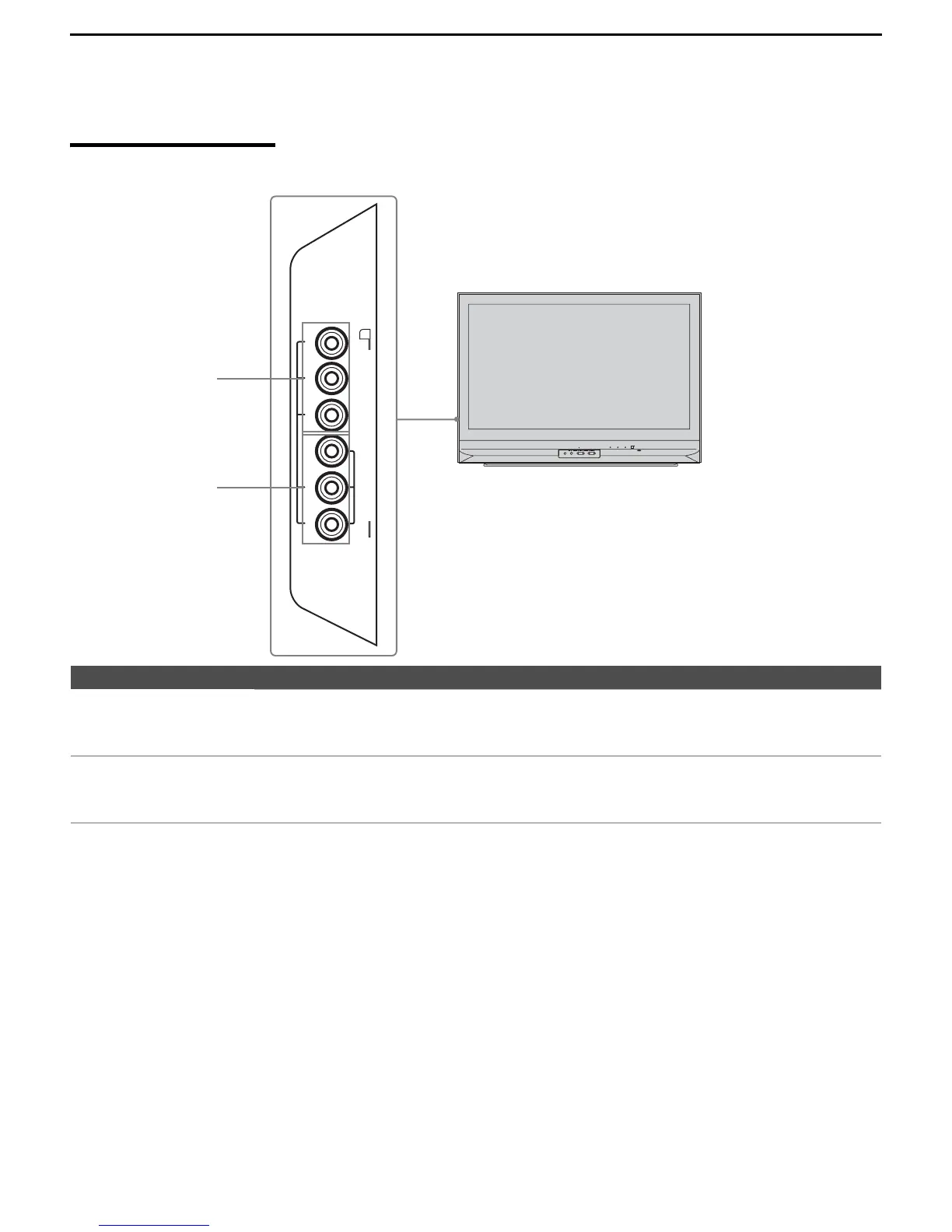
Side Panel
Jack Description
1 HD/DVD IN 2
(1080i/720p/
480p/480i)
Connect to your DVD player’s or digital set-top box’s component video (YPBPR) and audio
(L/R) jacks. Component video provides better picture quality than the S VIDEO (5 of rear
panel) or the composite video (6 of rear panel) connections (see page 18).
2 VIDEO IN 2
VIDEO/ AUDIO L
(MONO)/ AUDIO R
Connect to the composite video and audio output jacks on your camcorder or other video
equipment. When Auto is selected for the Video 2 (Component) option in the Setup
settings, the component video function will be preferentially activated (see page 79).
PUSH OPEN
WEGA GATE
TV/VIDEO
CANNELVOLUM E
POWER
TIMER LAMP
POWER/STANDBY
VIDEO/HD/DVD IN
(1080i/720p/480p/480i)
R-AUDIO-L(MONO)
VIDEO
P
R
/C
R P B
/C
B Y
2
1
2



 To Next Page