55
KDF-E42A10/KDF-E50A10
2-597-544-11(1)
D:\WINNT\Profiles\fujii\Desktop\Troy book source\2597544111c20_TROY
Source data\01US06USI.fm
masterpage:3 columns Right
Introducing WEGA GATE
Introducing WEGA GATE
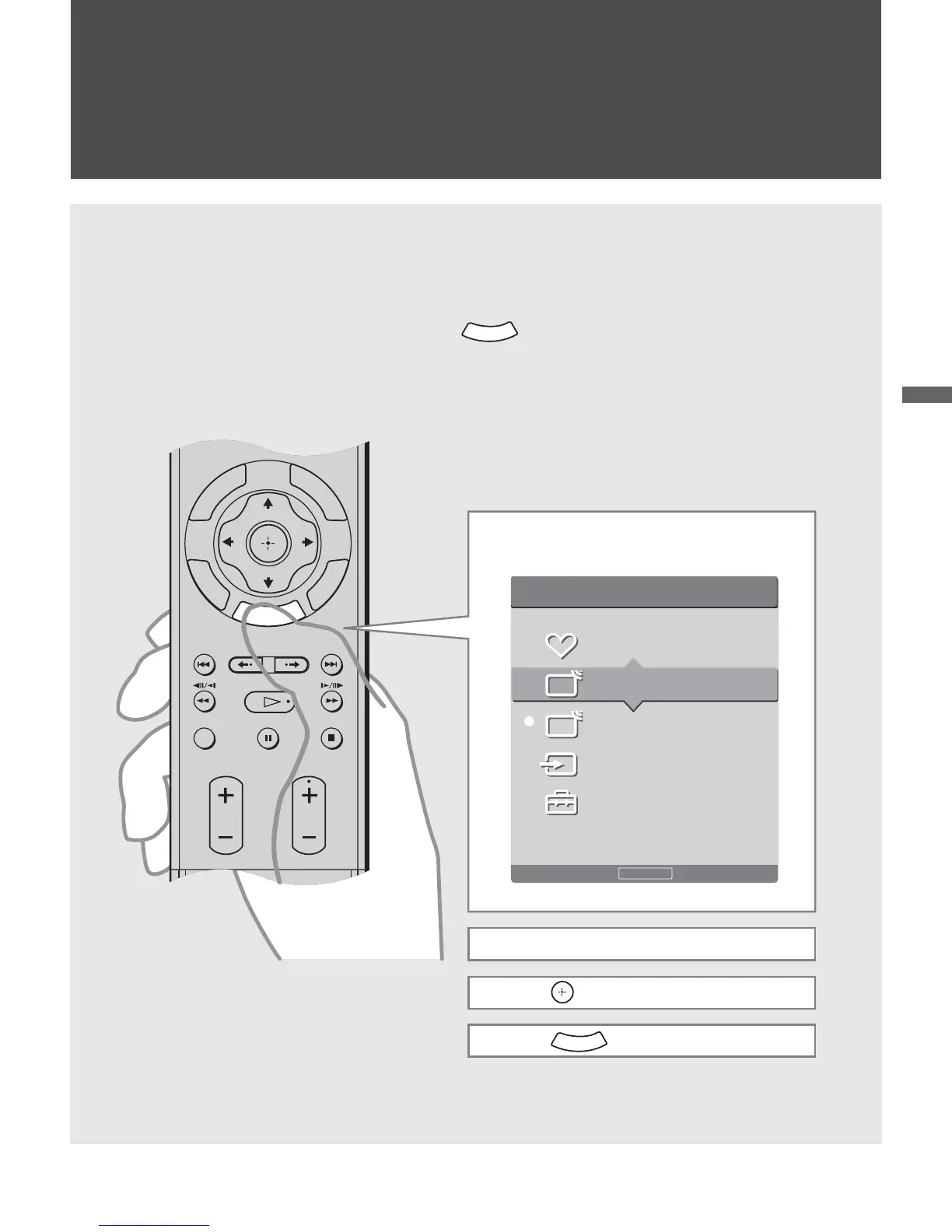
Overview of WEGA GATE
WEGA GATE provides one button access for controlling your TV. It
enables you to perform a variety of tasks intuitively with a control panel
on the screen rather than a variety of remote control button presses.
When you press the button, you can select from basic TV
function: selecting from Favorite Channels, watching TV, viewing
external equipment signals or adjusting TV settings.
W
E
G
A
GATE
RETURN
TO
O
L
S
W
E
G
A
VISUAL SEARCH
PAU SE
PLAY
STOP
CH
VOL
GUIDE
DISPLAY
REPLAY ADVANCE NEXTPREV
GATE
1 Press WEGA GATE on the remote.
WEGA GATE control panel appears.
2 Press V/v to highlight the item.
3 Press to select.
4 Press to exit.
W
E
G
A
GATE
Press to exit
WEGA GATE
Favorites
Cable
Antenna
External Inputs
Settings
WEGA GATE
C
C



 To Next Page