– 30 –
KDF-E42A10/E50A10
K RM-YD003 RM-YD003
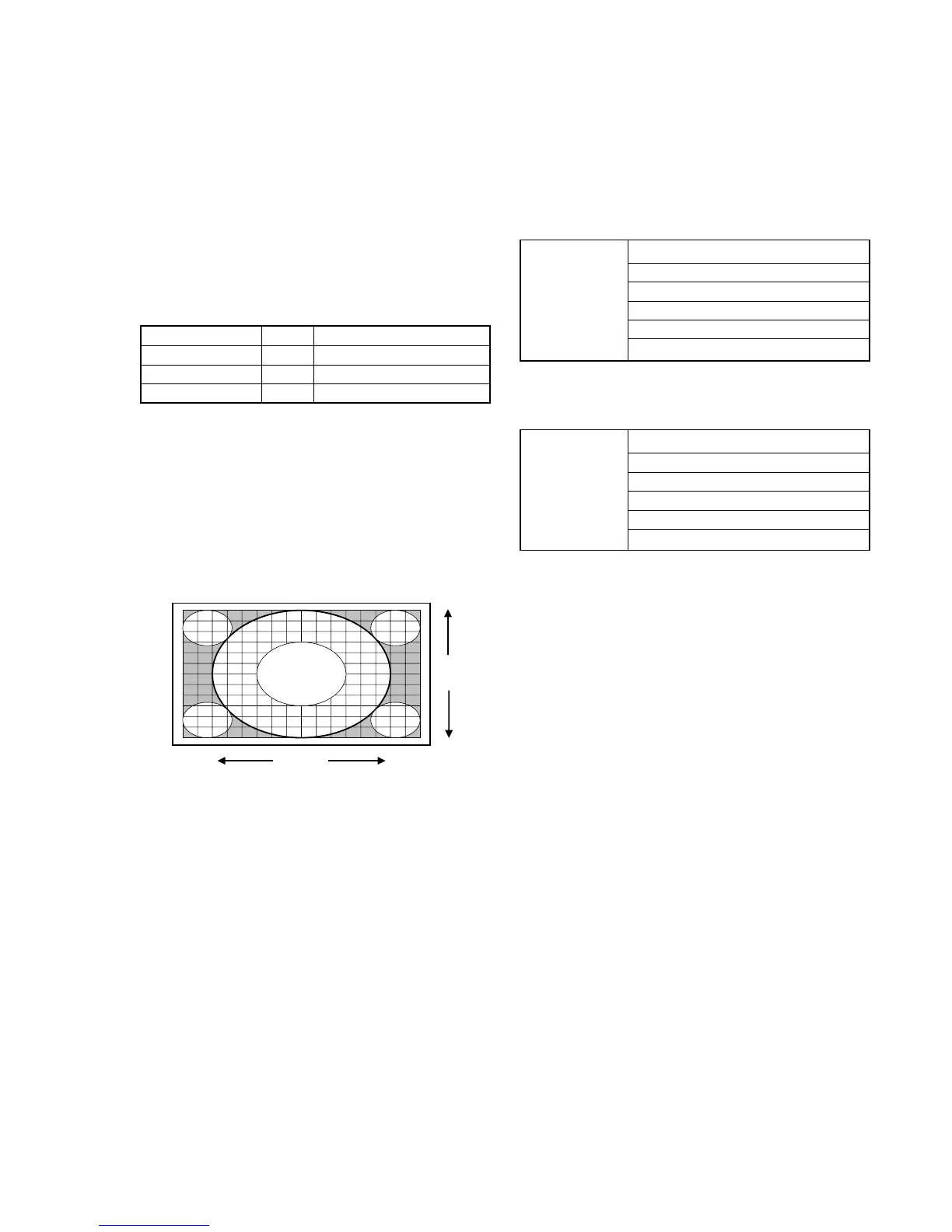
3-2. H/V Center Confirmation and Adjustment
Please check the picture horizontal/vertical center after the replace-
ment of the following parts .
• Optical block
• Top assembly
1, Check H/V center with 480i monoscope signal in “Full “ mode .
2, If the center is shifted , adjust it with the following service items .
ODHS (for H center)
ODVS (for V center)
ODVS
ODHS
3-3. IRIS Adjustment
Please check it after the replacement of the following parts.
• IRIS unit+Optics unit block+C board
• B board
Check values of the service data in NVM on C board
#0 BL_U_TOP
#1 BL_U_BOTTOM
#2 BL_MAX
DBL_CTRL_AC
#3 BL_MIN
#4 IRIS_GAIN
#5 HALL_GAIN
and write the same values on C board to the service data in NVM
on B board.
#0 BL_U_TOP
#1 BL_U_BOTTOM
DBL_CTRL
#08 BL_MAX
#09 BL_MIN
#0A IRIS_GAIN
#0D HALL_GAIN
FUNCTION OF KEYS ON COMMANDER
• 1 : Changes adjustment item. (item No. moves up)
• 4 : Changes adjustment item. (item No. moves down)
• 2 : Changes adjustment category.
(category moves up)
• 5 : Changes adjustment category.
(category moves down)
• 3 : Changes data value. (up)
• 6 : Changes data value. (down)
Commander Function
Button Mode Description
[MUTING] + [ENTER] WRITE Writes data to NVM.
- + [ENTER] READ Reads data from NVM.
8 + [ENTER] RESET Set the shipping condition.



 To Next Page