133
English
Deutsch
(2) When MANUAL is selected
5. Select “MANUAL” and press
ENTER
.
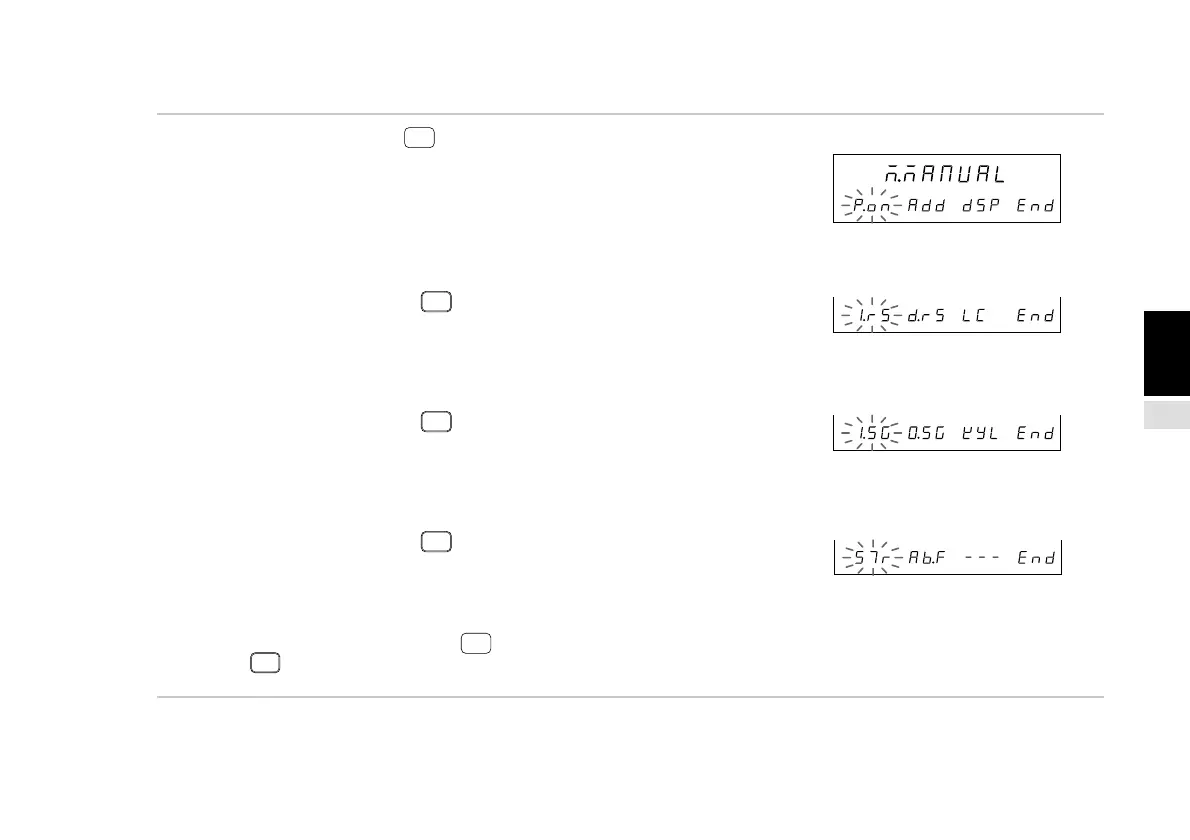
The individual item setting menu screen appears. See the
settings for each item.
(1) “P.on” : Power-on display mode setting
(P.139 4-6-3.)
(2) “Add” : Input axis and addition/subtraction axis
settings (P.141 4-6-4.)
(3) “dSP” : Display data settings (P.143 4-6-5.)
The item menu is switched using
F
.
(4) “I.rS” : Input scale unit resolution setting
(P.147 4-6-6.)
(5) “d.rS” : Display resolution (P.149 4-6-7.)
(6) “LC” : Linear compensation setting
(P.151 4-6-8.)
The item menu is switched using
F
.
(7) “I.SG” : Universal input signal setting
(P.153 4-6-9.)
(8) “O.SG”: Universal output signal setting
(P.155 4-6-10.)
(9) “KYL” : Key lock setting (P.157 4-6-11.)
The item menu is switched using
F
.
(10) “STr” : Current value store enable/disable
(P.158 4-6-12.)
(11) “Ab.F” : A/B phase output setting
(P.159 4-6-13.)
(12) Selecting “End” and pressing
ENTER
or pressing
RESET
ends the processing and returns to the
previous menu.
Sub-display
Sub-display
Sub-display
Main display
Sub-display
(1) (2) (3) (12)
(4) (5) (6) (12)
(7) (8) (9) (12)
(10) (11) (12)



 To Next Page