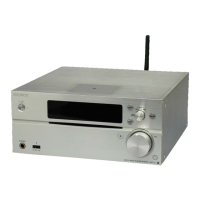
MAP-S1
7
Note of the MAC address change:
The MAC address of this unit was changed along with this repair.
Please set it again if you are using the MAC address fi ltering function
of access point device of connection destination.
Please refer to the Operating Instructions “Preparing: setting up for a
network” for the confi rm method of MAC address.
Note of the MAC address change:
The MAC address of this unit was changed along with this repair.
Please set it again if you are using the MAC address fi ltering function
of access point device of connection destination.
Please refer to the Operating Instructions “Preparing: setting up for a
network” for the confi rm method of MAC address.
Note of the MAC address change:
The MAC address of this unit was changed along with this repair.
Please set it again if you are using the MAC address fi ltering function
of access point device of connection destination.
Please refer to the Operating Instructions “Preparing: setting up for a
network” for the confi rm method of MAC address.
Note of the MAC address change:
The MAC address of this unit was changed along with this repair.
Please set it again if you are using the MAC address fi ltering function
of access point device of connection destination.
Please refer to the Operating Instructions “Preparing: setting up for a
network” for the confi rm method of MAC address.
Note of the MAC address change:
The MAC address of this unit was changed along with this repair.
Please set it again if you are using the MAC address fi ltering function
of access point device of connection destination.
Please refer to the Operating Instructions “Preparing: setting up for a
network” for the confi rm method of MAC address.
Note of the MAC address change:
The MAC address of this unit was changed along with this repair.
Please set it again if you are using the MAC address fi ltering function
of access point device of connection destination.
Please refer to the Operating Instructions “Preparing: setting up for a
network” for the confi rm method of MAC address.
Note of the MAC address change:
The MAC address of this unit was changed along with this repair.
Please set it again if you are using the MAC address fi ltering function
of access point device of connection destination.
Please refer to the Operating Instructions “Preparing: setting up for a
network” for the confi rm method of MAC address.
Note of the MAC address change:
The MAC address of this unit was changed along with this repair.
Please set it again if you are using the MAC address fi ltering function
of access point device of connection destination.
Please refer to the Operating Instructions “Preparing: setting up for a
network” for the confi rm method of MAC address.
Note of the MAC address change:
The MAC address of this unit was changed along with this repair.
Please set it again if you are using the MAC address fi ltering function
of access point device of connection destination.
Please refer to the Operating Instructions “Preparing: setting up for a
network” for the confi rm method of MAC address.
Note of the MAC address change:
The MAC address of this unit was changed along with this repair.
Please set it again if you are using the MAC address fi ltering function
of access point device of connection destination.
Please refer to the Operating Instructions “Preparing: setting up for a
network” for the confi rm method of MAC address.
Note of the MAC address change:
The MAC address of this unit was changed along with this repair.
Please set it again if you are using the MAC address fi ltering function
of access point device of connection destination.
Please refer to the Operating Instructions “Preparing: setting up for a
network” for the confi rm method of MAC address.
Note of the MAC address change:
The MAC address of this unit was changed along with this repair.
Please set it again if you are using the MAC address fi ltering function
of access point device of connection destination.
Please refer to the Operating Instructions “Preparing: setting up for a
network” for the confi rm method of MAC address.
Note of the MAC address change:
The MAC address of this unit was changed along with this repair.
Please set it again if you are using the MAC address fi ltering function
of access point device of connection destination.
Please refer to the Operating Instructions “Preparing: setting up for a
network” for the confi rm method of MAC address.
Note of the MAC address change:
The MAC address of this unit was changed along with this repair.
Please set it again if you are using the MAC address fi ltering function
of access point device of connection destination.
Please refer to the Operating Instructions “Preparing: setting up for a
network” for the confi rm method of MAC address.
Note of the MAC address change:
The MAC address of this unit was changed along with this repair.
Please set it again if you are using the MAC address fi ltering function
of access point device of connection destination.
Please refer to the Operating Instructions “Preparing: setting up for a
network” for the confi rm method of MAC address.
Note of the MAC address change:
The MAC address of this unit was changed along with this repair.
Please set it again if you are using the MAC address fi ltering function
of access point device of connection destination.
Please refer to the Operating Instructions “Preparing: setting up for a
network” for the confi rm method of MAC address.
• Please cut out along the dotted line and use it.









 To Next Page