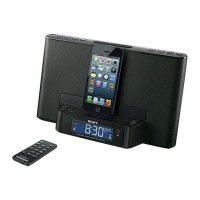
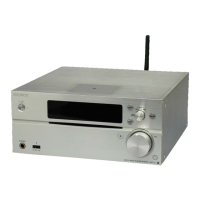
MAP-S1
9
Request of the DLNA re-setup:
The DEVICE_ID of this unit was changed along with this repair.
When registration of client devices to the DLNA server device is not
automatic, it is necessary to register this unit into a server again.
Please refer to the Operating Instructions “Listening to music on Win-
dows 8/Windows 7 (Home network)” or SONY Support site for the
re-setup method.
Request of the DLNA re-setup:
The DEVICE_ID of this unit was changed along with this repair.
When registration of client devices to the DLNA server device is not
automatic, it is necessary to register this unit into a server again.
Please refer to the Operating Instructions “Listening to music on Win-
dows 8/Windows 7 (Home network)” or SONY Support site for the
re-setup method.
Request of the DLNA re-setup:
The DEVICE_ID of this unit was changed along with this repair.
When registration of client devices to the DLNA server device is not
automatic, it is necessary to register this unit into a server again.
Please refer to the Operating Instructions “Listening to music on Win-
dows 8/Windows 7 (Home network)” or SONY Support site for the
re-setup method.
Request of the DLNA re-setup:
The DEVICE_ID of this unit was changed along with this repair.
When registration of client devices to the DLNA server device is not
automatic, it is necessary to register this unit into a server again.
Please refer to the Operating Instructions “Listening to music on Win-
dows 8/Windows 7 (Home network)” or SONY Support site for the
re-setup method.
Request of the DLNA re-setup:
The DEVICE_ID of this unit was changed along with this repair.
When registration of client devices to the DLNA server device is not
automatic, it is necessary to register this unit into a server again.
Please refer to the Operating Instructions “Listening to music on Win-
dows 8/Windows 7 (Home network)” or SONY Support site for the
re-setup method.
Request of the DLNA re-setup:
The DEVICE_ID of this unit was changed along with this repair.
When registration of client devices to the DLNA server device is not
automatic, it is necessary to register this unit into a server again.
Please refer to the Operating Instructions “Listening to music on Win-
dows 8/Windows 7 (Home network)” or SONY Support site for the
re-setup method.
Request of the DLNA re-setup:
The DEVICE_ID of this unit was changed along with this repair.
When registration of client devices to the DLNA server device is not
automatic, it is necessary to register this unit into a server again.
Please refer to the Operating Instructions “Listening to music on Win-
dows 8/Windows 7 (Home network)” or SONY Support site for the
re-setup method.
Request of the DLNA re-setup:
The DEVICE_ID of this unit was changed along with this repair.
When registration of client devices to the DLNA server device is not
automatic, it is necessary to register this unit into a server again.
Please refer to the Operating Instructions “Listening to music on Win-
dows 8/Windows 7 (Home network)” or SONY Support site for the
re-setup method.
Request of the DLNA re-setup:
The DEVICE_ID of this unit was changed along with this repair.
When registration of client devices to the DLNA server device is not
automatic, it is necessary to register this unit into a server again.
Please refer to the Operating Instructions “Listening to music on Win-
dows 8/Windows 7 (Home network)” or SONY Support site for the
re-setup method.
Request of the DLNA re-setup:
The DEVICE_ID of this unit was changed along with this repair.
When registration of client devices to the DLNA server device is not
automatic, it is necessary to register this unit into a server again.
Please refer to the Operating Instructions “Listening to music on Win-
dows 8/Windows 7 (Home network)” or SONY Support site for the
re-setup method.
Request of the DLNA re-setup:
The DEVICE_ID of this unit was changed along with this repair.
When registration of client devices to the DLNA server device is not
automatic, it is necessary to register this unit into a server again.
Please refer to the Operating Instructions “Listening to music on Win-
dows 8/Windows 7 (Home network)” or SONY Support site for the
re-setup method.
Request of the DLNA re-setup:
The DEVICE_ID of this unit was changed along with this repair.
When registration of client devices to the DLNA server device is not
automatic, it is necessary to register this unit into a server again.
Please refer to the Operating Instructions “Listening to music on Win-
dows 8/Windows 7 (Home network)” or SONY Support site for the
re-setup method.
Request of the DLNA re-setup:
The DEVICE_ID of this unit was changed along with this repair.
When registration of client devices to the DLNA server device is not
automatic, it is necessary to register this unit into a server again.
Please refer to the Operating Instructions “Listening to music on Win-
dows 8/Windows 7 (Home network)” or SONY Support site for the
re-setup method.
Request of the DLNA re-setup:
The DEVICE_ID of this unit was changed along with this repair.
When registration of client devices to the DLNA server device is not
automatic, it is necessary to register this unit into a server again.
Please refer to the Operating Instructions “Listening to music on Win-
dows 8/Windows 7 (Home network)” or SONY Support site for the
re-setup method.
Request of the DLNA re-setup:
The DEVICE_ID of this unit was changed along with this repair.
When registration of client devices to the DLNA server device is not
automatic, it is necessary to register this unit into a server again.
Please refer to the Operating Instructions “Listening to music on Win-
dows 8/Windows 7 (Home network)” or SONY Support site for the
re-setup method.
Request of the DLNA re-setup:
The DEVICE_ID of this unit was changed along with this repair.
When registration of client devices to the DLNA server device is not
automatic, it is necessary to register this unit into a server again.
Please refer to the Operating Instructions “Listening to music on Win-
dows 8/Windows 7 (Home network)” or SONY Support site for the
re-setup method.
• Please cut out along the dotted line and use it.









 To Next Page