1-14 (E)
UP-D898MD/X898MD
2 Error Log
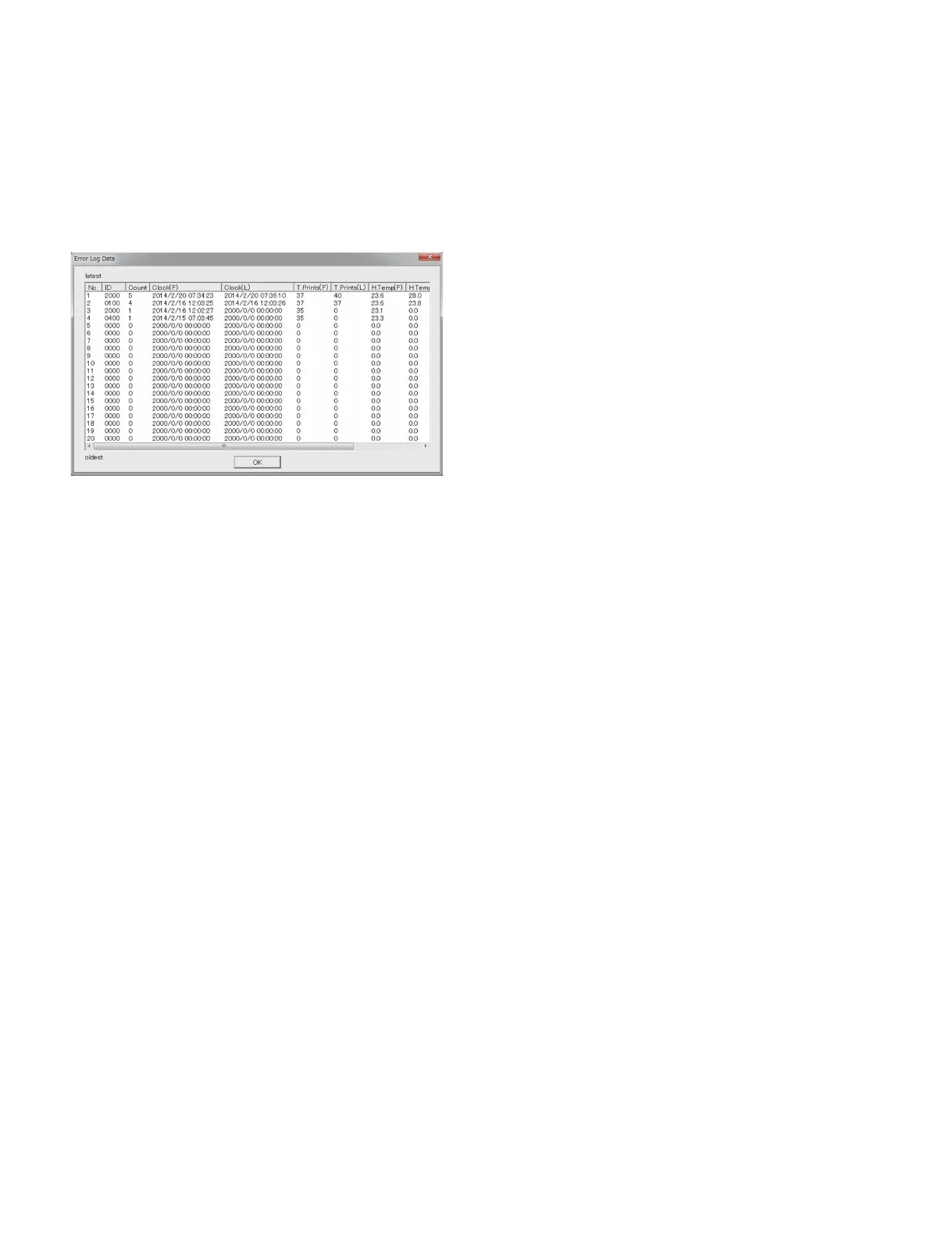
When you click the [OPEN] button, the 20 errors that have occurred in the past are displayed. When the
number of error exceeds 20, the error is overwritten by the latest error beginning with the chronologically
oldest error (No. 20). However, when the same errors are overlapped (the errors of the same error code
occurred continuously), only the Count number of the latest error (No. 1) is overwritten (increased) and
the error No. 20 is not deleted.
t
For the error code ID, refer to Section 2-1.
. ID: Error code ID information
. Count: Number of overlapping errors
. Clock (F): Date and time when the first error is detected
. Clock (L): Date and time when the last error is detected (This is displayed only when the errors are
overlapped.)
. T.Prints (F): Total print count of this unit when the first error is detected
. T.Prints (L): Total print count of this unit when the last error is detected (This is displayed only when
the errors are overlapped.)
. H.Temp (F): Thermal head temperature (dC) when the first error is detected
. H.Temp (L): Thermal head temperature (dC) when the last error is detected (This is displayed only
when the errors are overlapped.)
. R.Temp (F): Room temperature (dC) when the first error is detected
. R.Temp (L): Room temperature (dC) when the last error is detected (This is displayed only when the
errors are overlapped.)
. [OK] button: Closes the Error Log screen.
3 Save Log Data
When you click the [Save] button, the menu setting and operation log information of this unit as well as
the information displayed in Printer Information and Error Log are saved as CSV format file on PC.
The saved file can be displayed by using the spreadsheet software such as Excel.
The information in this file is important when the person in charge of design performs a failure analysis.
4 GetDeviceID
Not used



 To Next Page