3-7 (E)
UP-D898MD/X898MD
3-1-5. Setting and Check of Setting Value
1. Click the [SET] button of “Printer Settings” of the Setup tab and select the binary file (.CNS) saved
before replacement.
Beep sounds are made (3 beeps). Check that “REBOOT” is displayed on LCD of this unit.
2. Restart this unit.
3. Click the [OPEN] button of “Printer Information” of the Information tab.
The Printer Information screen is displayed.
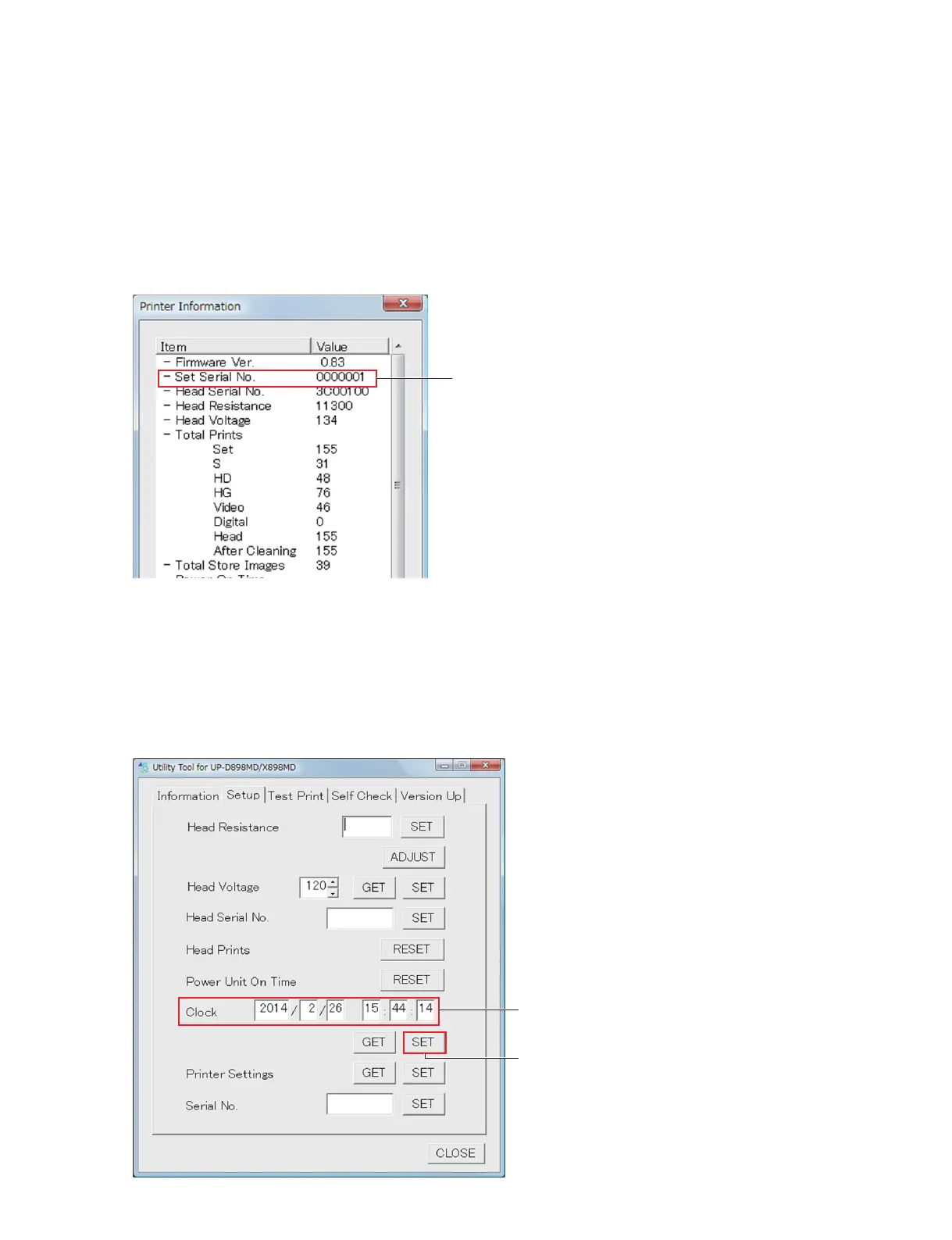
4. Check that the value of “Set Serial No.” is the same as the serial number of this unit.
UP-X898MD only
5. Type the setting time in the edit box of “Clock”, and then click the [SET] button.
The setting time is the time that the length of time elapsed since the time written down before replace-
ment of board is added to that time.
Setting time = Time obtained before replacement of board + Length of time elapsed since the time
obtained before replacement of board until now
Set Serial No.
Clock
[SET] button



 To Next Page