3-4 (E)
UP-D898MD/X898MD
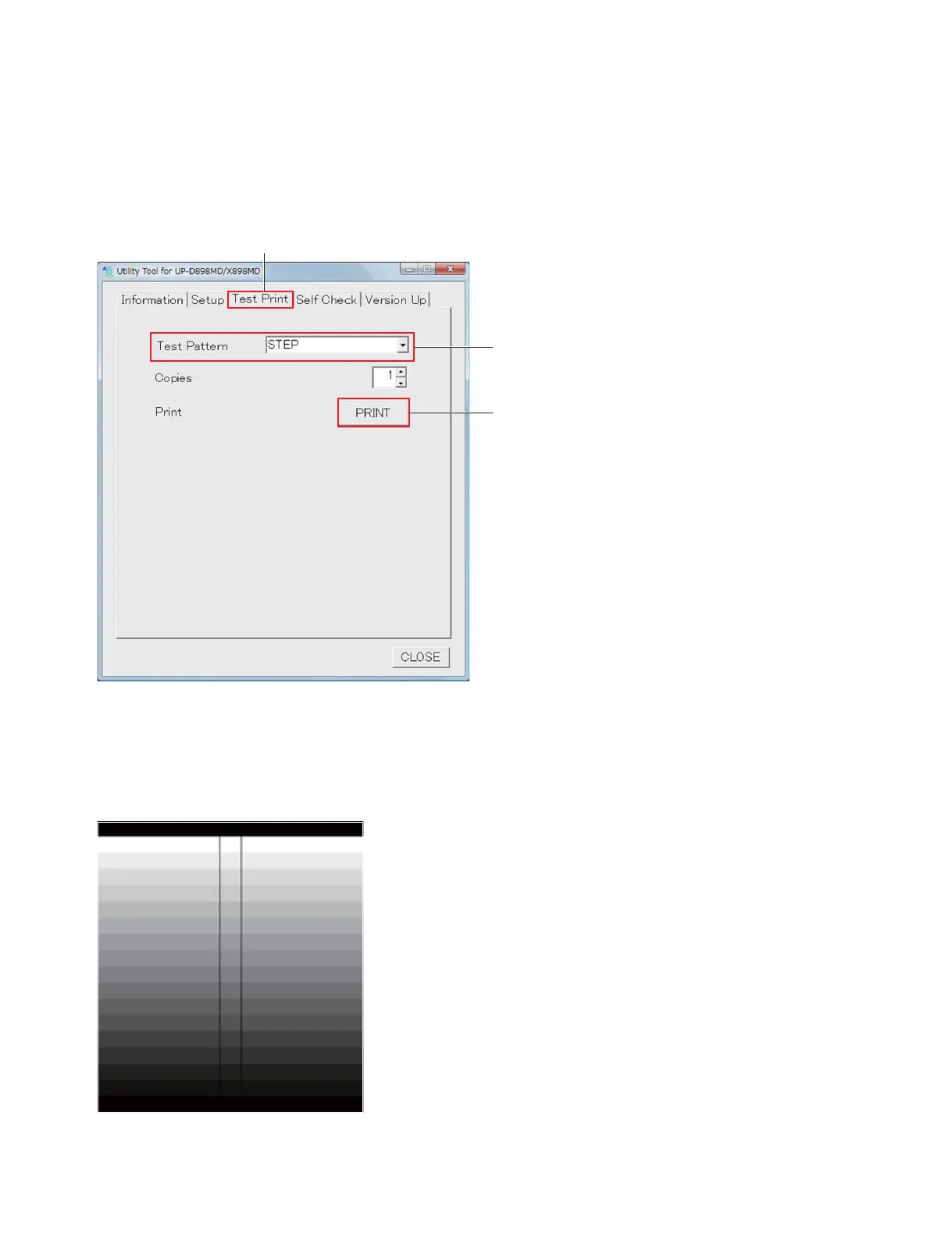
3-1-3. Sample (Step) Printing
If you cannot perform the sample printing due to the trouble of this unit and so forth, prepare another unit
if possible.
1. Select “STEP” from the drop-down list of “Test Pattern” of the Test Print tab.
2. Click the [PRINT] button of “Print”.
The step pattern is printed.
n
Be sure to keep the printed step pattern because it is used as the density adjustment print sample after
replacing the MA-195 board.
Test Print tab
Test Pattern
[PRINT] button



 To Next Page