3-29 (E)
UP-D898MD/X898MD
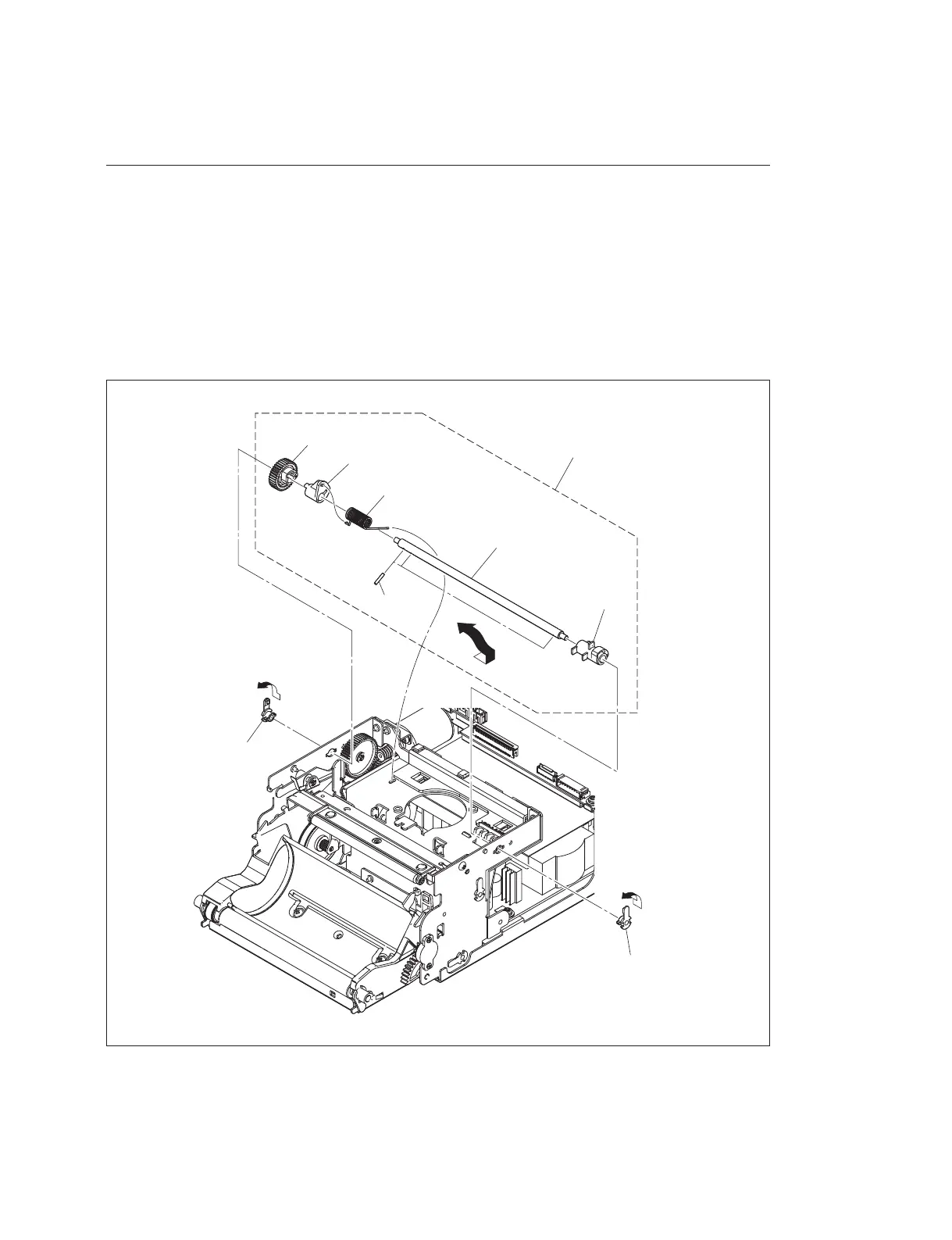
3-9. Cam Assembly
Removal
1. Remove the top cover. (Refer to Section 1-5-1.)
2. Remove the front panel block assembly. (Refer to Section 1-5-2.)
3. Remove the thermal head. (Refer to Section 3-7.)
4. Rotate the two bearings in the direction of the arrow A to remove them.
5. Remove the cam assembly in the direction of the arrow B.
6. Remove the cam (R), cam gear, cam (L), helical torsion spring (cam L) and three parallel pins from
the cam shaft.
Bearing
Bearing
A
A
Cam assembly
Cam shaft
Cam gear
Cam (L)
Helical torsion spring (cam L)
Parallel
pins
B
Cam (R)



 To Next Page