1-21 (E)
UP-D898MD/X898MD
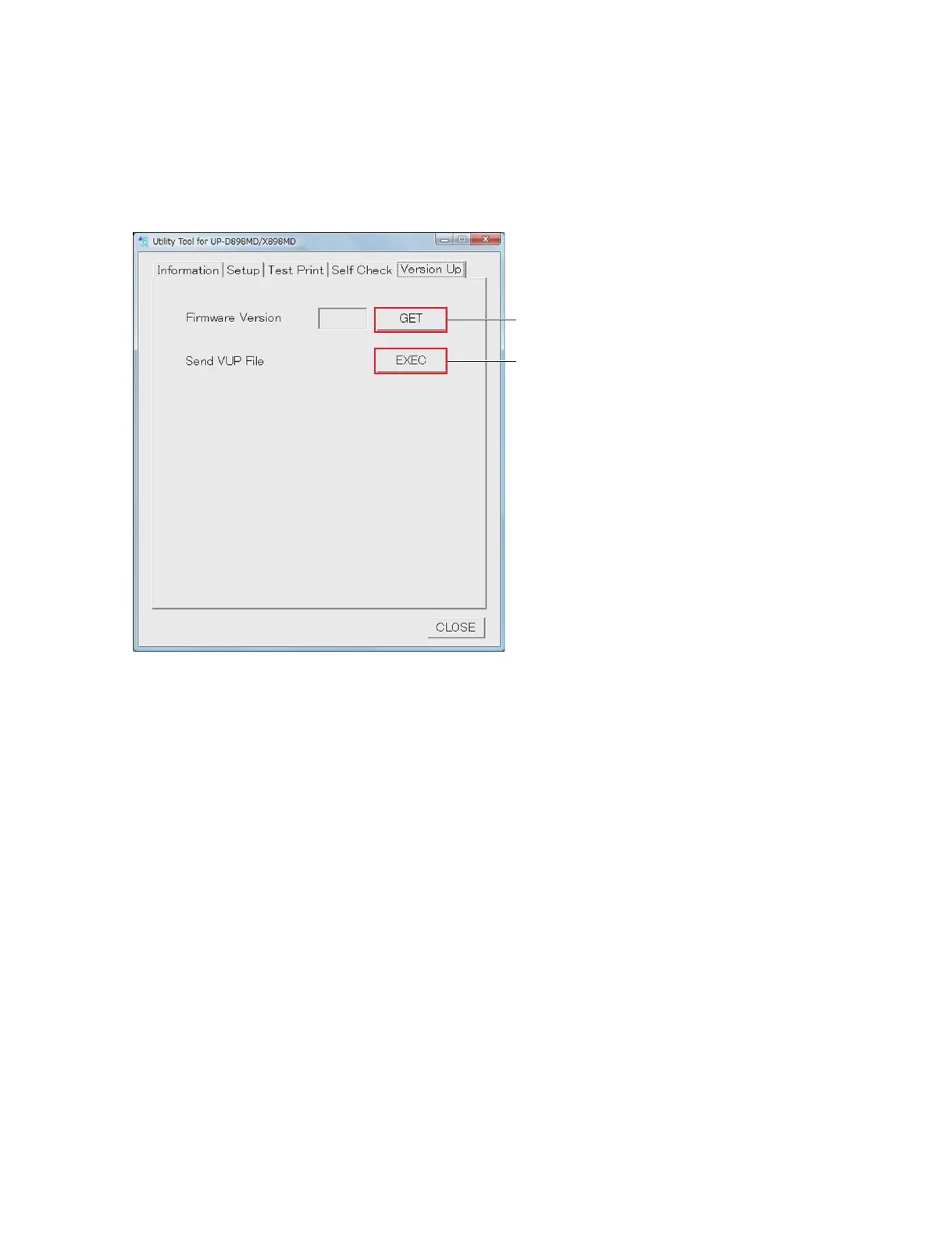
1-7. Firmware Version Upgrade
1. Start the utility software. (Refer to Section 1-6.)
2. Click the [GET] button of “Firmware Version” of the Version Up tab.
The version of the firmware currently installed in this unit is displayed.
3. Write down the current firmware version.
4. Click the [EXEC] button of “Send VUP File”.
5. Select the firmware (vup) file, and then click the [OPEN] button.
After the file is transferred, the firmware writing is started.
The display of LCD during the firmware writing is as follows.
. UPGRADE (blinks): Information is being written in FLASH.
. REBOOT (lights up): Writing is completed.
When the firmware writing is completed, 3 beep sounds are made.
n
If the power is turned off in the course of the firmware writing, this unit will not start. Never turn off
the power of this unit before completing the writing. If this unit will not start, replace the MA-195
board. (Refer to Section 3-1.)
6. Check that the writing is completed, and then restart this unit.
7. Click the [GET] button of “Firmware Version” of Version Up tab.
8. Check that the firmware is upgraded to the latest version.
[GET] button
[EXEC] button



 To Next Page