SPACE s.r.l.
Soc.a socio unico
PFB035 SERIES – PFB040 SERIES
PFB045 SERIES – PFB060 SERIES
SPRT102/4 SERIES – SPRT102/5 SERIES
SPRT102/6 SERIES – SPRT102/7 SERIES
Code M0247 - Ver.1.4
(09/2016)
SPACE s.r.l. – 10090 TRANA (TO) Via Sangano, 48
Tel. (+39) 011/ 934 40 300 – Fax (+39) 011/ 933 88 64
e-mail: info@spacetest.it - www.spacetest.com
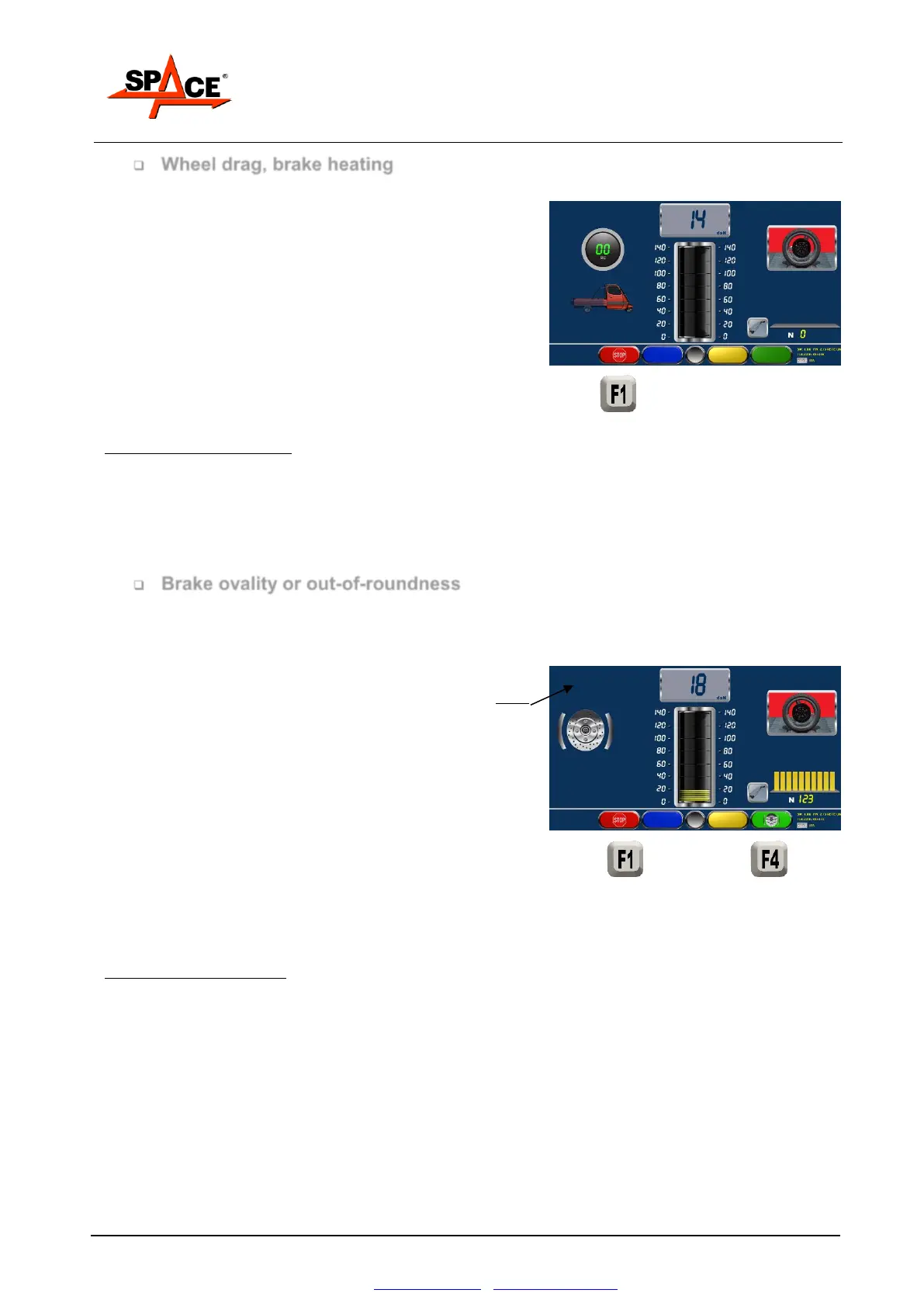
Wheel drag, brake heating
After starting the rollers, wait for the braking pressure
readings to appear on the digital indicators: at this stage,
DO NOT BRAKE.
The value that appears is referred to the front wheel and
it shows the force needed to drag the wheel not braked
(wheel drag).
If the brake needs to be heated, slowly press the brake
until a value is shown on the display without locking the
wheel. Release the brake and look at the values of the
force on the digital and analogical display; decide if they
immediately come back to the minimum values of the drag
force.
POSSIBLE SELECTION:
Press “F1” to lock the roller
Press “F4” to start the ovality procedure.
Brake ovality or out-of-roundness
Operate the brake until the braking effort value shown
on the left panel is enough to use at least 50% of its
possibility on the braking circuit; press the icon for
“Ovality/F4”. On the left side on the screen it will
appear an icon for the ovality procedure.
Keep the force on the pedal and/or lever of the brake
steady during this period. On screen is shown the
absolute value of the fluctuation of the braking force
due to the ovality of the disk or the off centered drum.
Only in the summary and in the print this fluctuation
is reported in percentage relative to the maximum
braking forces.
Press again the key “OVALITY/F4” and released the
brake pedal, as suggested by the program. On the left
side it’s shown the time. The system is now ready to
process a brake progression.
POSSIBLE SELECTION:
Press “STOP/F1” if it’s needed to stop the roller.



 To Next Page