3-7Lasair® Pro Aerosol Particle Counter Operations Manual
Chapter 3 : Your System
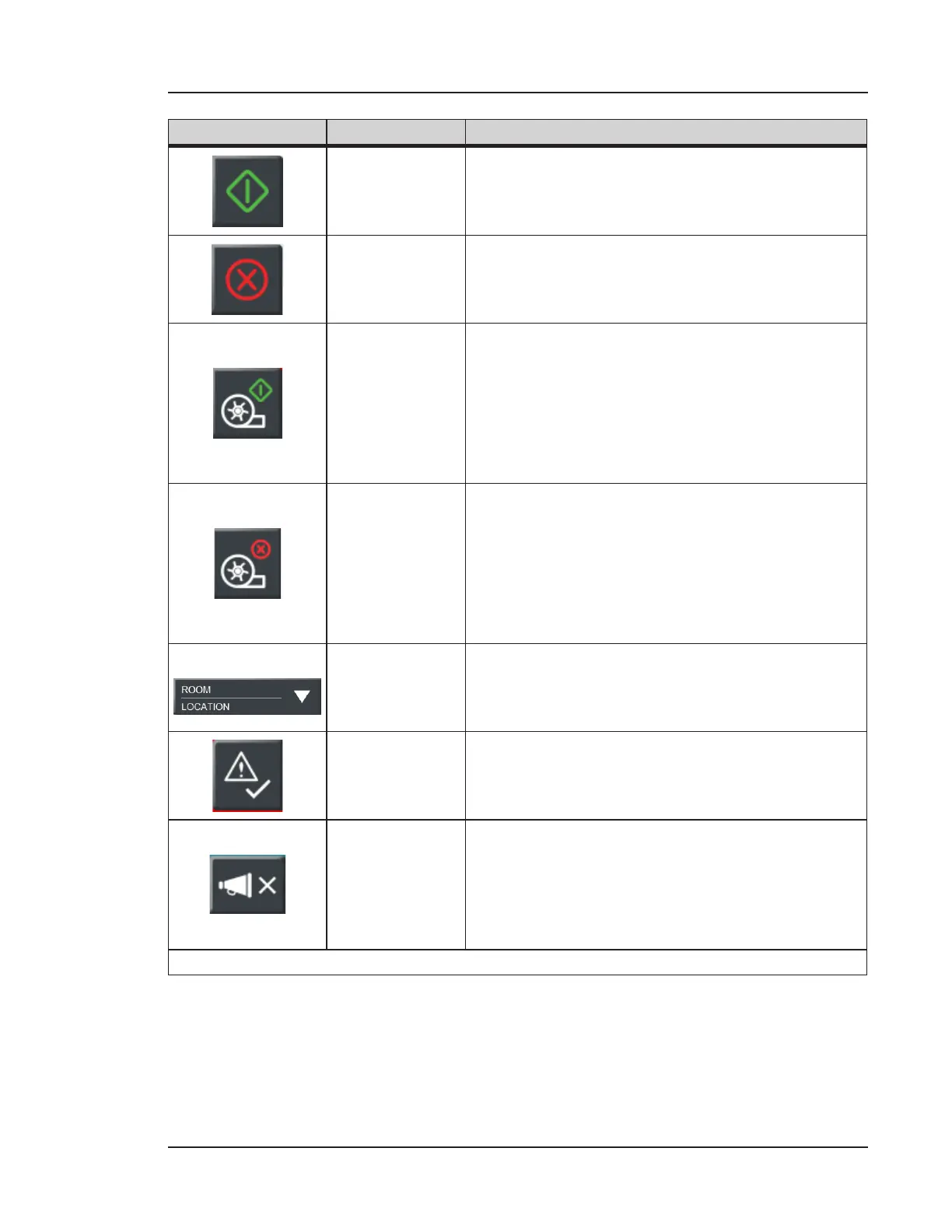
Image Name Description
Start Starts the sampling process.
Stop Stops the sampling process.
Start Pump
Available when Continuous Pump mode has been
enabled. See ADVANCED Tab on page 5-6.
• When the Start Pump button is first
pressed, it will start the pump.
• Press the Start Pump button a second time
to begin the sampling process.
Stop Pump
Available in Continuous Pump mode aer the
Start Pump button has been pressed.
• If the Stop Pump button is pressed during
sampling, the sampling will be stopped.
• If the Stop Pump button is pressed before
sampling, the pump will be stopped.
Room and
Location List
Selectable list of stored rooms, areas, and
locations. Use to associate a location to a
particular sample.
Acknowledge
Alarm
Only displays when an alarm has occurred. Press
to acknowledge the alarm and set an alarm
reason. For more information, see Chapter 7.
Beep
Allows the user to select the number of particle
counts before an audio cue occurs. Configured in
the ADVANCED tab of the SAMPLE screen.
Press this button to close the list of particle count
options.
Table 3-1. HOME screen icons and buttons


 To Next Page