Chapter 2: Installation and Setup
Procedure 9: Confirm the Ethernet Link
52 | SmartBits 600x/6000x Installation Guide
Local Connection through a Hub. If you are connecting the controlling PC to a
SmartBits chassis through a hub or network device, you must connect the chassis to the
hub or network using a straight-through Ethernet cable (a blue Ethernet 10 inch [25.4 cm.]
cable is provided).
The LINK LED will light when a cable is connected from the hub to the SmartBits
chassis. If the LINK LED does not light, refer to Chapter 4, “Troubleshooting and
Maintenance.”
Pinging the SmartBits IP Address
To ping the SmartBits chassis IP address to confirm that the Ethernet link is
working:
1 On your PC, open an MS-DOS prompt by selecting Start > Programs > MS-DOS
Prompt.
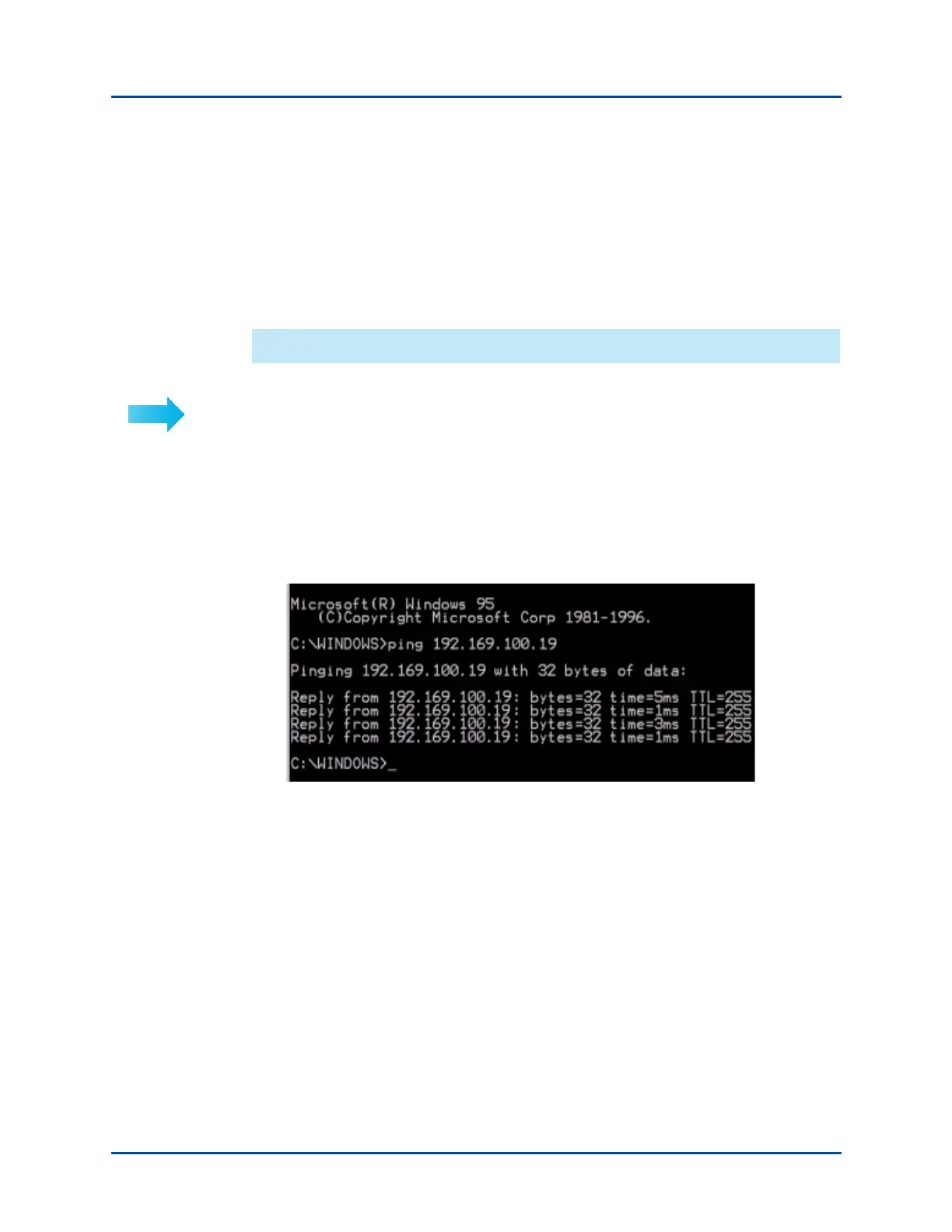
2 Ping the SmartBits IP address on the remote subnet as shown below, with the ping
command followed by the IP address. A series of four replies indicates that the link
is working.
3 If you were unable to ping the address, proceed to the next topic, “Checking the TCP/
IP Stack/Address/Gateway on Your PC” on page 53.
Artisan Technology Group - Quality Instrumentation ... Guaranteed | (888) 88-SOURCE | www.artisantg.com



 To Next Page